1-6 Getting Started
Note
You cannot use your MobilePro when the battery lock is in the
unlocked position. Be sure to slide the lock back to the locked position.
4.
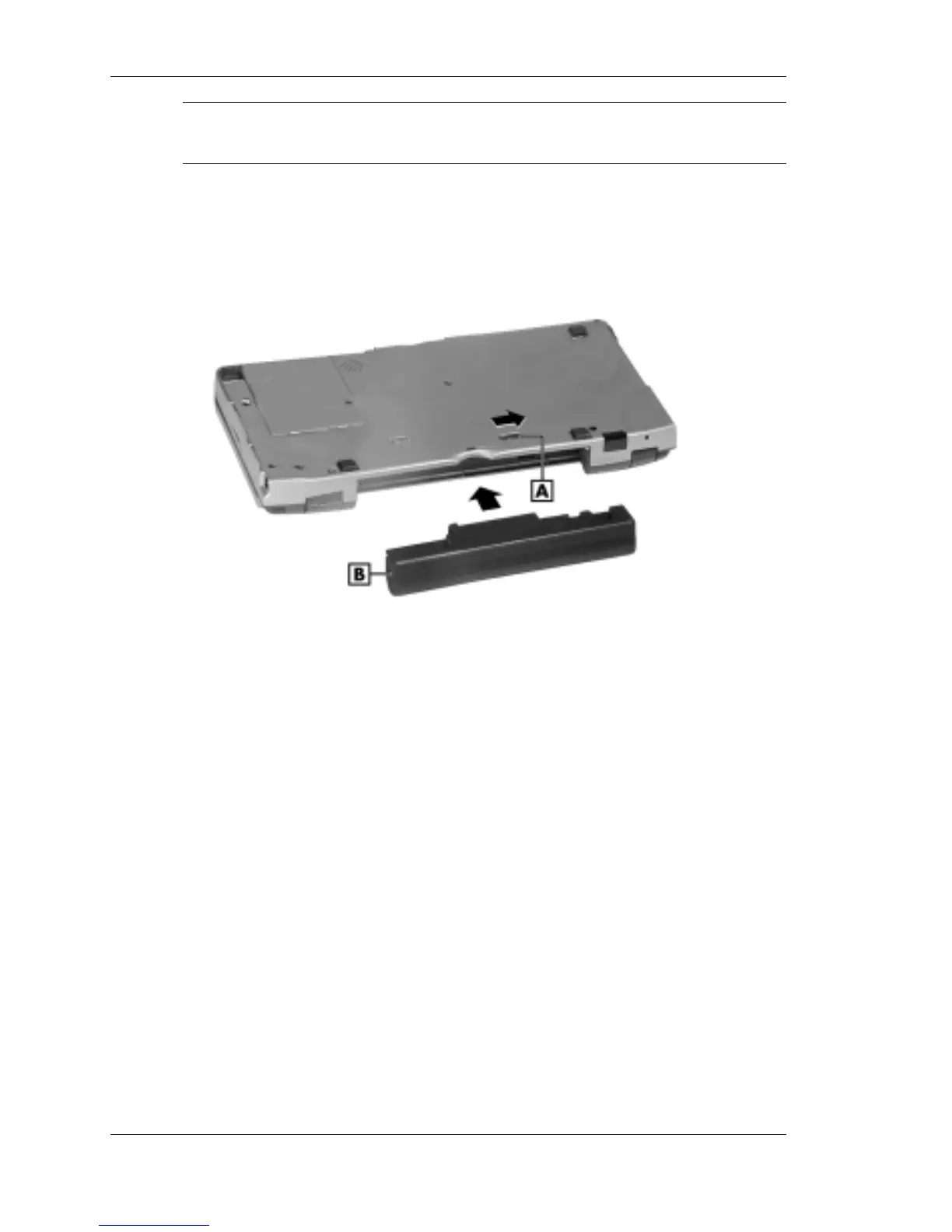
Put the Lithium-Ion battery pack in the bay and slide the battery in
the direction of the arrow, as indicated in the following figure.
Inserting the battery pack
A – Battery release lock B – Lithium-Ion battery pack
5.
Firmly press the battery until it is secure and clicks (locks) into place.
6.
Slide the lock back to the locked position. The NEC MobilePro will
not power on when the lock is in the unlocked position.
7.
Connect the AC adapter to begin charging the battery. Refer to the
next section, “Connecting the AC Adapter,” for connection
information.
The color of the left status LED changes from amber to green when
the battery is fully charged.



 To Next Page