English-17
English
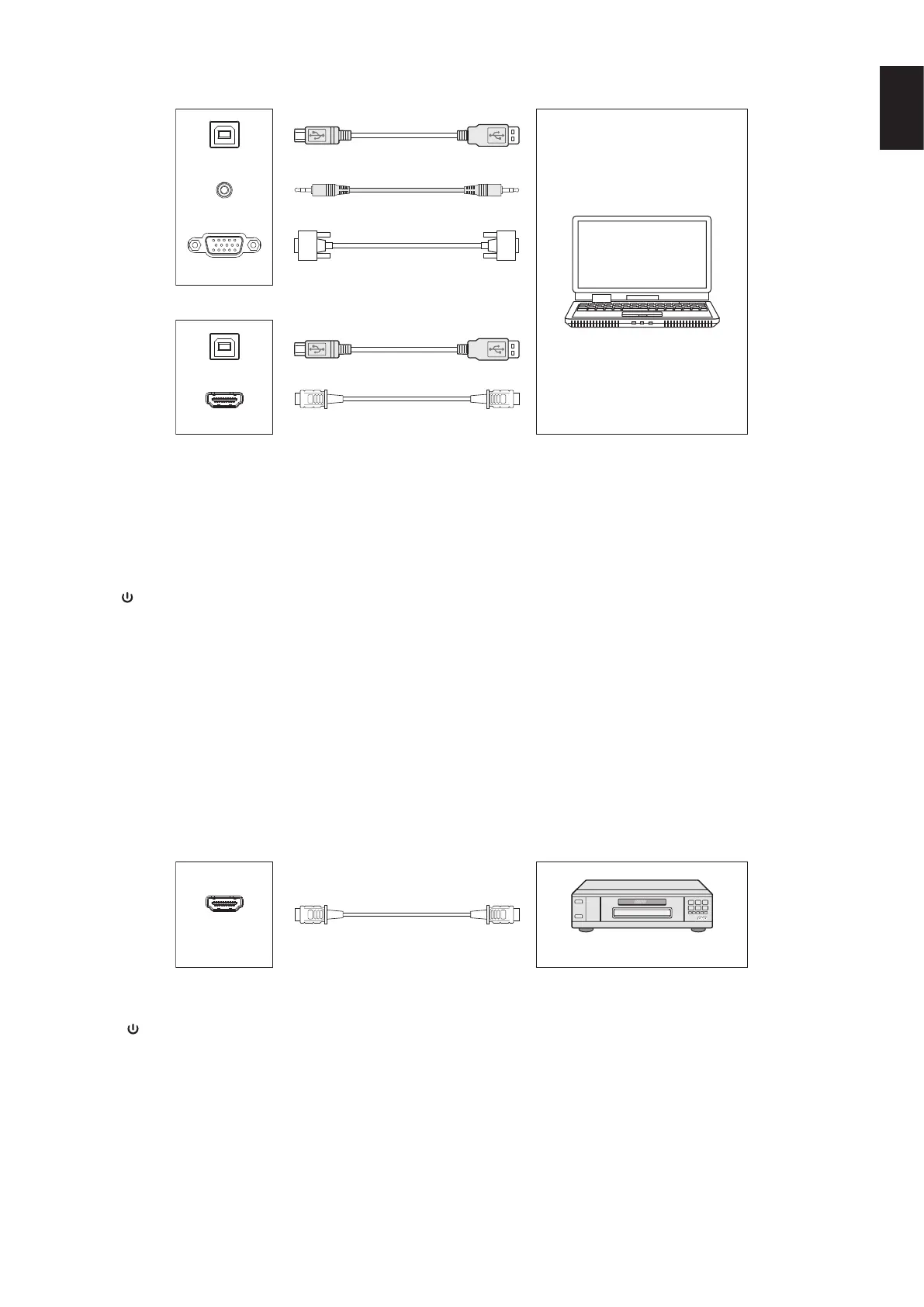
External Computer and Touch Connection
TOUCH
TOUCH
HDMI IN
AUDIO IN
VGA IN
or
Computer
HDMI Cable
USB Cable
VGA Cable
Audio Cable
USB Cable
1) Connect to external computer
a. Use VGA cable to connect to VGA output port of external computer, and meanwhile use audio cable to connect to external
computer audio output interface.
b. Use HDMI cable to connect to HDMI output port of external computer.
2) Use USB cable to connect to external computer USB port.
3) After cable connection, plug in power cord, and switch power on.
4) Start external computer.
5) Press
key, and the equipment is power on.
6) Press the INPUT key to switch to VGA/HDMI channel
NOTE:
External computer input, equipment’s best resolution is 3840*2160.
Recommended computer conguration:
1GB Available Hard Drive
2.0GHz Processor, 1GB Memory
More than 256 color display cards
VGA OUT / HDMI OUT, Audio-OUT, USB Interface
Support Resolution 800*600,1024*768,1920*1080,3840*2160
Audio and Video Equipment
DVD Disk Player
HDMI Cable
HDMI IN
1) Use HDMI cable to connect audio and video equipment with HDMI output.
2) After cable connection, plug in power cord, and switch power on.
3) Press
to turn equipment on.
4) Press INPUT key to switch to HDMI port.









 To Next Page