English−36
Press the ⏻ button on the Control Panel or POWER ON button on the remote control to turn on the monitor.
The monitor’s power LED indicates the current status of the monitor. Please refer to the following table for information about the
power indicator.
Glowing blue Normal 1. Turn on the monitor by the remote
control or the monitor button.
2. Send an AV signal input to the
monitor.
Blinking green*
1
Under any of the conditions below, no input signal has been
detected by the monitor during the period of time you set:
• The monitor is using an Option Board*
2
.
• [USB POWER] is set to [ON].
• [SLOT POWER] is set to [ON].
• [POWER CONTROL LINK] of [CEC] is set to [ENABLE].
• [DisplayPort VERSION] is set to [1.2 MST] or [1.4 MST].
• [QUICK START] is [ENABLE].
Glowing amber No AV signal input has been detected by the monitor during
the period of time you set. (with network signal input)
Blinking amber No AV signal input has been detected by the monitor during
the period of time you set. (no network signal input)
Glowing red Turn off the monitor by the remote control or the monitor
button.
Turn on the monitor by the remote
control or the monitor button.
*
1
: Time setting for auto power save is available at [POWER SAVE SETTINGS] (See page 102).
*
2
: [SLOT POWER] is [ON] or [AUTO].
• The blue power indicator that the monitor is powered on and functioning normally can be turned off in the monitor’s
OSD menu options. See page 107.
• If the indicator is blinking red in a combination of long and short durations, a certain failure might have occurred.
Please contact your supplier.
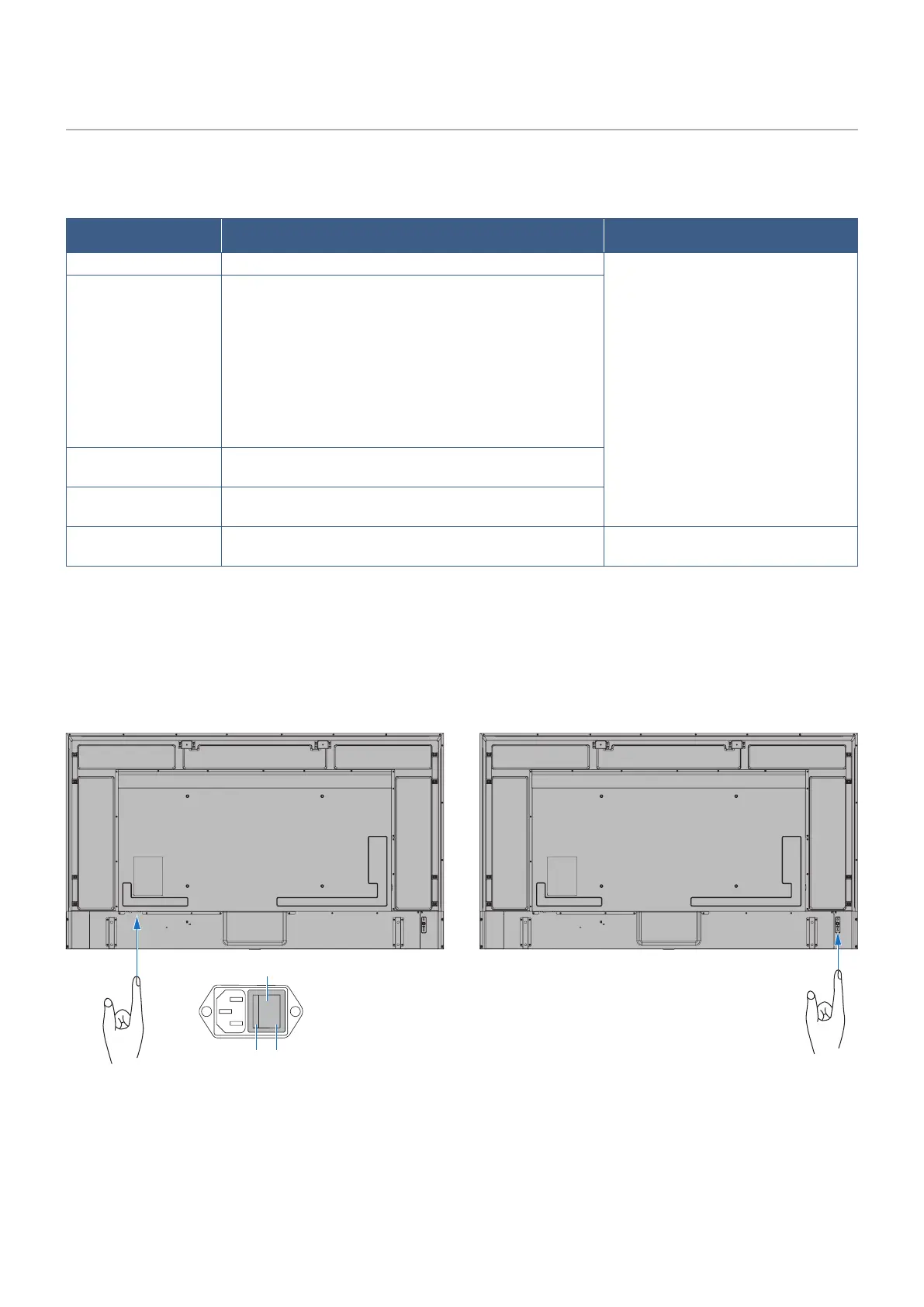
The Main Power switch must be in the ON position in order to power up the monitor using the POWER ON button on the remote
control or the ⏻ button on the Control Panel.
⏻ Button
Main Power Switch
OFF ON









 To Next Page