EasyManua.ls Logo

NEC PC-8201A - Page 106

NEC PC-8201A
219 pages
Print Icon
To Next Page IconTo Next Page
To Previous Page IconTo Previous Page
Loading...
Chapter
6
A
lower
and
longer
sound
should
be
produced.
The
cursor
was
output
on
the
screen
the
same
as
in
the
first
example,
but
since
the
screen
became
full
the
entire
display
moved
up
one
line
and
the
first
line
of
the
screen
disappeared.
Repeating
the
Command
Any
information
and
commands
that
remain
on
the
screen
can
be
used
again.
To
input
a
line
or
command
again,
simply
move
the
cursor
to
that
particular
line
and
press
the
Key.
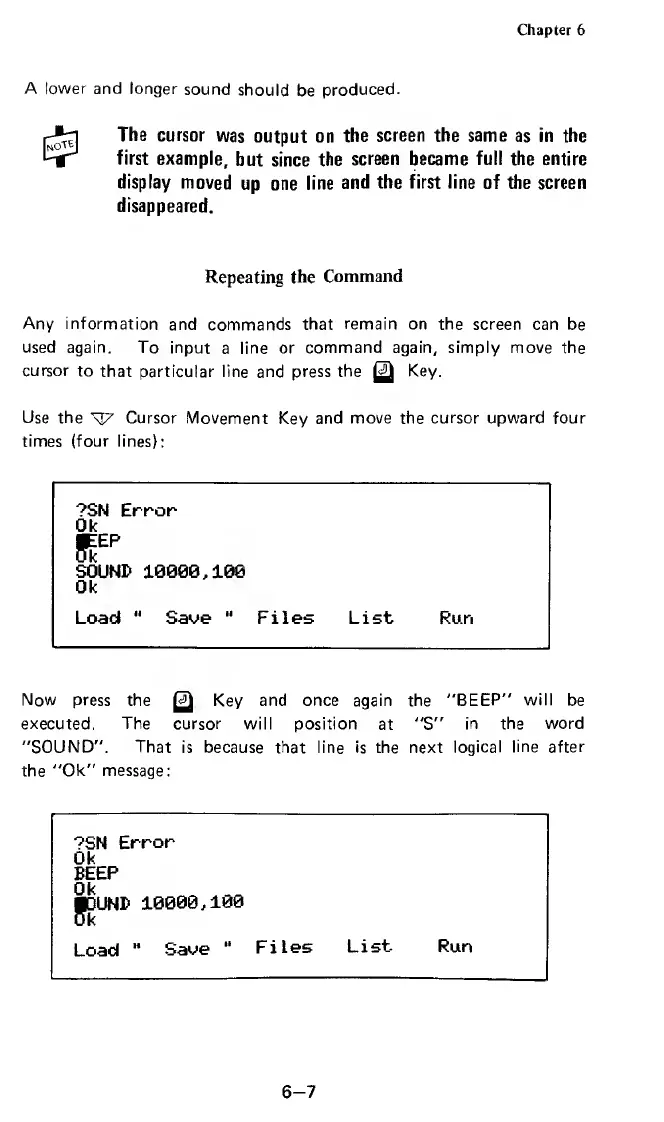
Use
the
s
]7
Cursor
Movement
Key
and
move
the
cursor
upward
four
times
(four
lines):
?SN
Error
Ok
£
EP
SOUND
10000,100
Ok
Load
11
Save
"
Files
List
Run
Now
press
the
g)
Key
and
once
again
the
"BEEP"
will
be
executed,
The
cursor
will
position
at
"S"
in
the
word
"SOUND".
That
is
because
that
line
is
the
next
logical
line
after
the
"Ok"
message:
?SN
Error
Ok
BEEP
Ok
JDUND
10000,106
Load
"
Save
Files
List-
Run
6-7

Related product manuals