EasyManua.ls Logo

NEC PC-8201A - Page 136

NEC PC-8201A
219 pages
Print Icon
To Next Page IconTo Next Page
To Previous Page IconTo Previous Page
Loading...
Chapter
7
The
only
keys
that
will
input
during
number
keys,
the
Q
Key,
and
the
Q
+
C,
the
Q
+
M,
line
feed,
and
the
string
prompt
are
letter
and
Key,
the
Key,
the
Q
+J.
To
exit
from
the
"String:"
prompt,
press
the
©
Key
or
the
Key
andsimultaneously.
EXAMPLES:
Use
your
previously
created
document
"PC8201.DO".
Whhe
in
the
MENU
mode,
position
the
cursor
over
the
file
name
PC8201.DO
and
press
the
©
Key.
Your
screen
will
display
the
docu¬
ment
Now
press
the
f.1
Function
Key.
Your
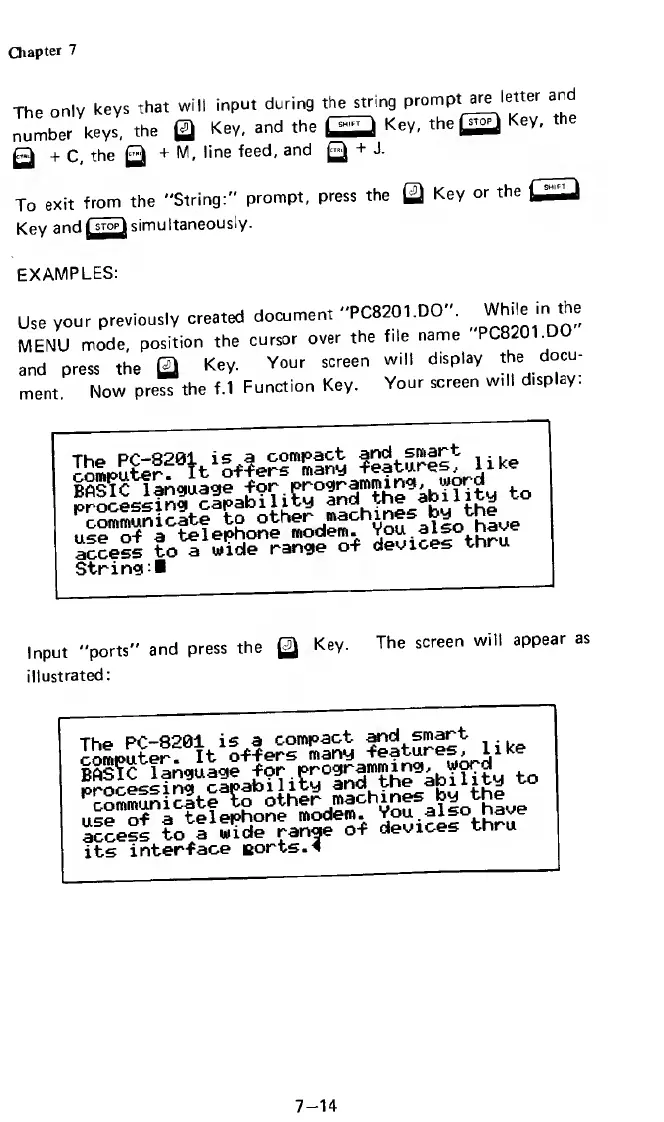
screen
will
display.
i
i
ke
access
to
a
wide
range
of
devices
tnru
String!
Input
"ports"
and
press
the
Key.
The
screen
will
appear
as
illustrated:
The
PC-8201
is
a
compact
and
smart
roLuter.
It
o-f-fers
many
-features,
like
BAS?C
language
for
programming,
word
to
processing
capabi1lty
and
the
ability
^communicate
to
other
machines
by
the
use
of
a
telephone
modem.
You
also
nave
access
to
a
wide
range
of
devices
thru
its
interface
norts.4
7-14

Related product manuals