EasyManua.ls Logo

NEC PC-8201A - Page 30

NEC PC-8201A
219 pages
Print Icon
To Next Page IconTo Next Page
To Previous Page IconTo Previous Page
Loading...
Chapter
2
Cold
Start:
The
following
steps
are
performed
for
a
Cold
Start:
1.
Turn
the
Back
Up
Power
Switch
to
the
ON
position
if
it
is
not
already.
Then
turn
ON
the
main
power
switch.
2.
Press
the
Key
simultaneously.
3.
Press
the
Reset
Switch
located
or
the
back
of
the
PC-8201.
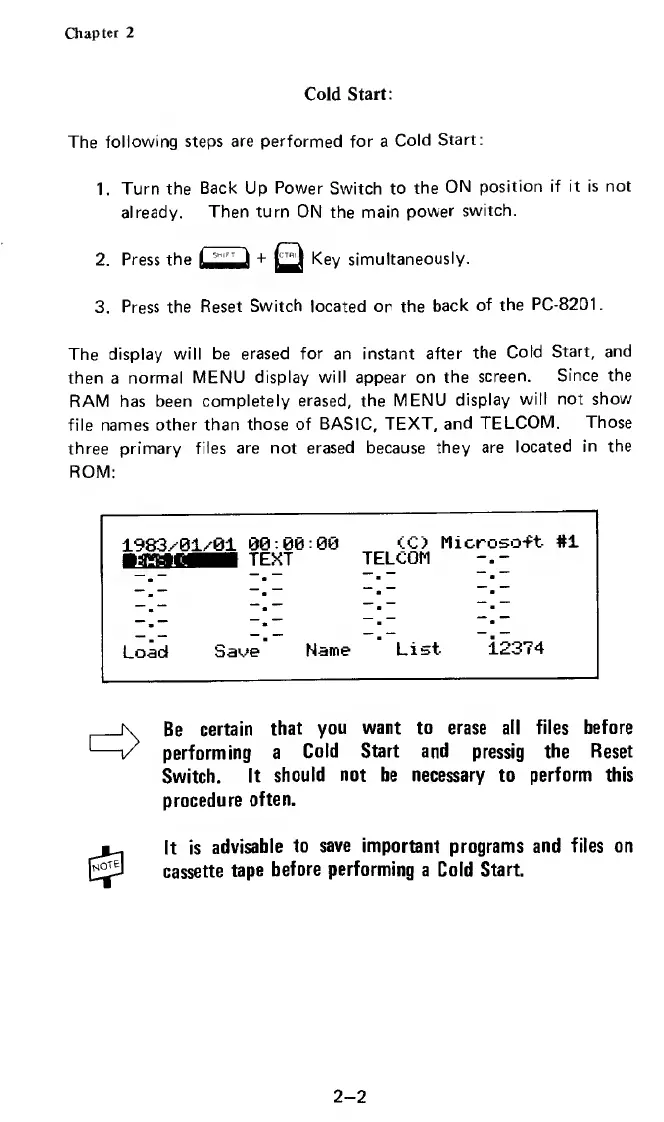
The
display
will
be
erased
for
an
instant
after
the
Cold
Start,
and
then
a
normal
MENU
display
will
appear
on
the
screen.
Since
the
RAM
has
been
completely
erased,
the
MENU
display
will
not
show
file
names
other
than
those
of
BASIC,
TEXT,
and
TELCOM.
Those
three
primary
files
are
not
erased
because
they
are
located
in
the
ROM:
1983x01/01
00:0«:00
<C)
Microso-ft
#1
TEXT
TELCOM
Load
Saoe
Name
List
12374
Be
certain
that
you
want
to
erase
all
files
before
performing
a
Cold
Start
and
pressig
the
Reset
Switch.
It
should
not
be
necessary
to
perform
this
procedure
often.
It
is
advisable
to
save
important
programs
and
files
on
cassette
tape
before
performing
a
Cold
Start.
2-2

Related product manuals