EasyManua.ls Logo

NEC PC-8201A - Page 48

NEC PC-8201A
219 pages
Print Icon
To Next Page IconTo Next Page
To Previous Page IconTo Previous Page
Loading...
Chapter
4
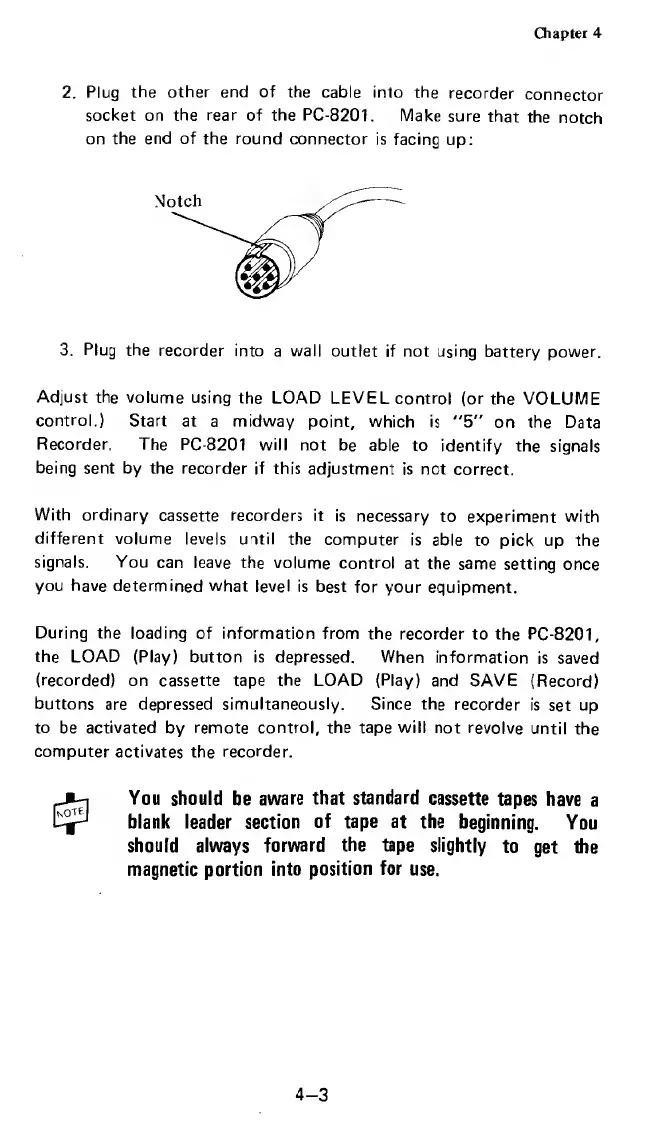
2.
Plug
the
other
end
of
the
cable
into
the
recorder
connector
socket
on
the
rear
of
the
PC-8201.
Make
sure
that
the
notch
on
the
end
of
the
round
connector
is
facing
up:
Notch
3.
Plug
the
recorder
into
a
wall
outlet
if
not
using
battery
power.
Adjust
the
volume
using
the
LOAD
LEVEL
control
(or
the
VOLUME
control.)
Start
at
a
midway
point,
which
is
"5"
on
the
Data
Recorder,
The
PC-8201
will
not
be
able
to
identify
the
signals
being
sent
by
the
recorder
if
this
adjustment
is
net
correct.
With
ordinary
cassette
recorders
it
is
necessary
to
experiment
with
different
volume
levels
until
the
computer
is
able
to
pick
up
the
signals.
You
can
leave
the
volume
control
at
the
same
setting
once
you
have
determined
what
level
is
best
for
your
equipment.
During
the
loading
of
information
from
the
recorder
to
the
PC-8201,
the
LOAD
(Play)
button
is
depressed.
When
information
is
saved
(recorded)
on
cassette
tape
the
LOAD
(Play)
and
SAVE
(Record)
buttons
are
depressed
simultaneously.
Since
the
recorder
is
set
up
to
be
activated
by
remote
control,
the
tape
will
not
revolve
until
the
computer
activates
the
recorder.
You
should
be
aware
that
standard
cassette
tapes
have
a
blank
leader
section
of
tape
at
the
beginning.
You
should
always
forward
the
tape
slightly
to
get
the
magnetic
portion
into
position
for
use.
4-3

Related product manuals