EasyManua.ls Logo

NEC PC-8201A - Page 58

NEC PC-8201A
219 pages
Print Icon
To Next Page IconTo Next Page
To Previous Page IconTo Previous Page
Loading...
Chapter
5
The
"Ok"
message
should
appear
if
you
have
entered
the
time
command
correctly.
f
t
The
date
and
time
should
now
be
properly
displayed
on
the
first
line
of
the
screen
when
it
is
in
the
MENU
mode.
(TJr
3
Consult
the
BASIC
Reference
Manual
for
a
description
of
the
use
of
the
BASIC
commands
used
for
setting
the
time
and
date.
BASIC
To
select
the
BASIC
feature,
position
the
cursor
onto
the
word
"BASIC"
and
then
press
the
key.
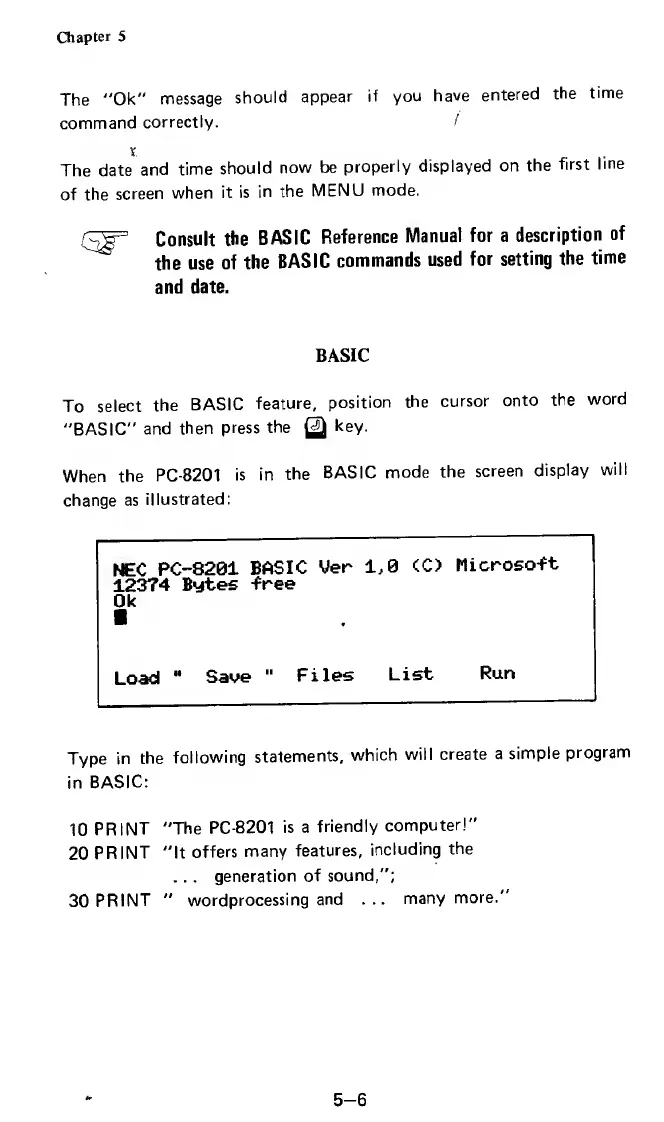
When
the
PC-8201
is
in
the
BASIC
mode
the
screen
display
will
change
as
illustrated:
NEC
PC-8201
BASIC
Uer
12374
Bytes
-free
1,0
<C>
Microso-ft
Ok
Load
Save
"
Files
List
Run
Type
in
the
following
statements,
which
will
create
a
simple
program
in
BASIC:
10
PRINT
"The
PC-8201
is
a
friendly
computer!"
20
PRINT
"It
offers
many
features,
including
the
.
.
.
generation
of
sound,";
30
PRINT
"
wordprocessing
and
...
many
more."
5-6

Related product manuals