EasyManua.ls Logo

NEC PC-8201A - Page 70

NEC PC-8201A
219 pages
Print Icon
To Next Page IconTo Next Page
To Previous Page IconTo Previous Page
Loading...
Chapter
5
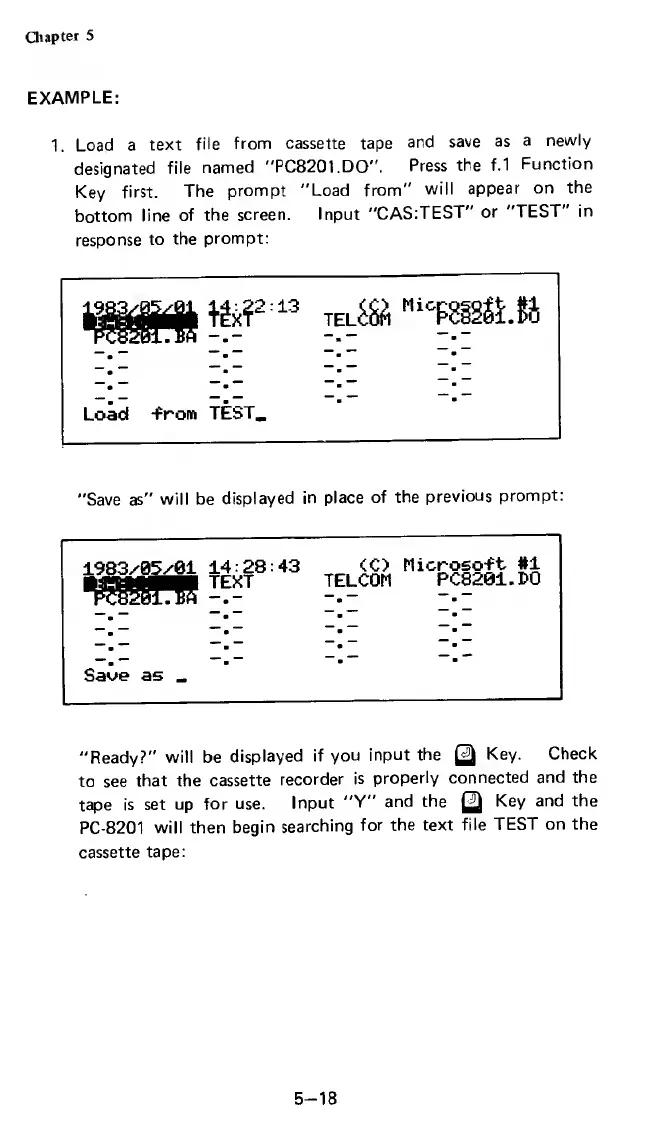
EXAMPLE:
1.
Load
a
text
file
from
cassette
tape
and
save
as
a
newly
designated
file
named
"PC8201.DO
,,
.
Press
the
f.1
Function
Key
first.
The
prompt
"Load
from"
will
appear
on
the
bottom
line
of
the
screen.
Input
"CAS:TEST"
or
"TEST"
in
response
to
the
prompt:
m
~~
»
*
Load
-from
Tl
1:22:13
EXT
TE
*ST_
ni&S
Mic
fS
"Save
as"
will
be
displayed
in
place
of
the
previous
prompt
1983/95/61
1;
asniJIflB
Tf
PC8201.B8
-
Save
as
_
1:28:43
EXT
TE
<C>
Micrt
ELCOM
P<
oso-ft
#1
;820i.i>o
"Ready?"
will
be
displayed
if
you
input
the
gj
Key.
Check
to
see
that
the
cassette
recorder
is
properly
connected
and
the
tape
is
set
up
for
use.
Input
"Y"
and
the
Q
Key
and
the
PC-8201
will
then
begin
searching
for
the
text
file
TEST
on
the
cassette
tape:
5-18

Related product manuals