16
© by NECTA VENDING SOLUTIONS SpA 0012 Colibrì
PRE-SELECTIONS
According to the layout set at the time of initialising buttons
"1" and "5" can be assigned the function of sugar dose
selection; in this case the display will indicate
"Sugar " which represents the programmed
median dose. Each time buttons "1" (minus) and "5" (plus)
are pressed the dispensed dose varies by 1/3 of the
median dose.
For other layouts button "5" alone is used to increase the
sugar dose by 1/3 of the median dose; when the highest
level is reached, pressing button "5" again will bring the
sugar dose to 0 (unsweetened selection).
In still other layouts, selections are normally unsweetened;
it is possible to pre-select either a normal sugar dose
(button 1) or extra sugar (button 5); sugar doses can be
programmed. The display will indicate the message (sugar,
extra sugar) which is current at the moment.
MAINTENANCE MODE
When the programming button located on the internal side
of the push-button board (see Fig. 20) is pressed once the
machine will go to "Maintenance" mode.
The message "Maintenance" is displayed for approx. two
seconds and then the first option of the "Statistics" menu
allowing management of data.
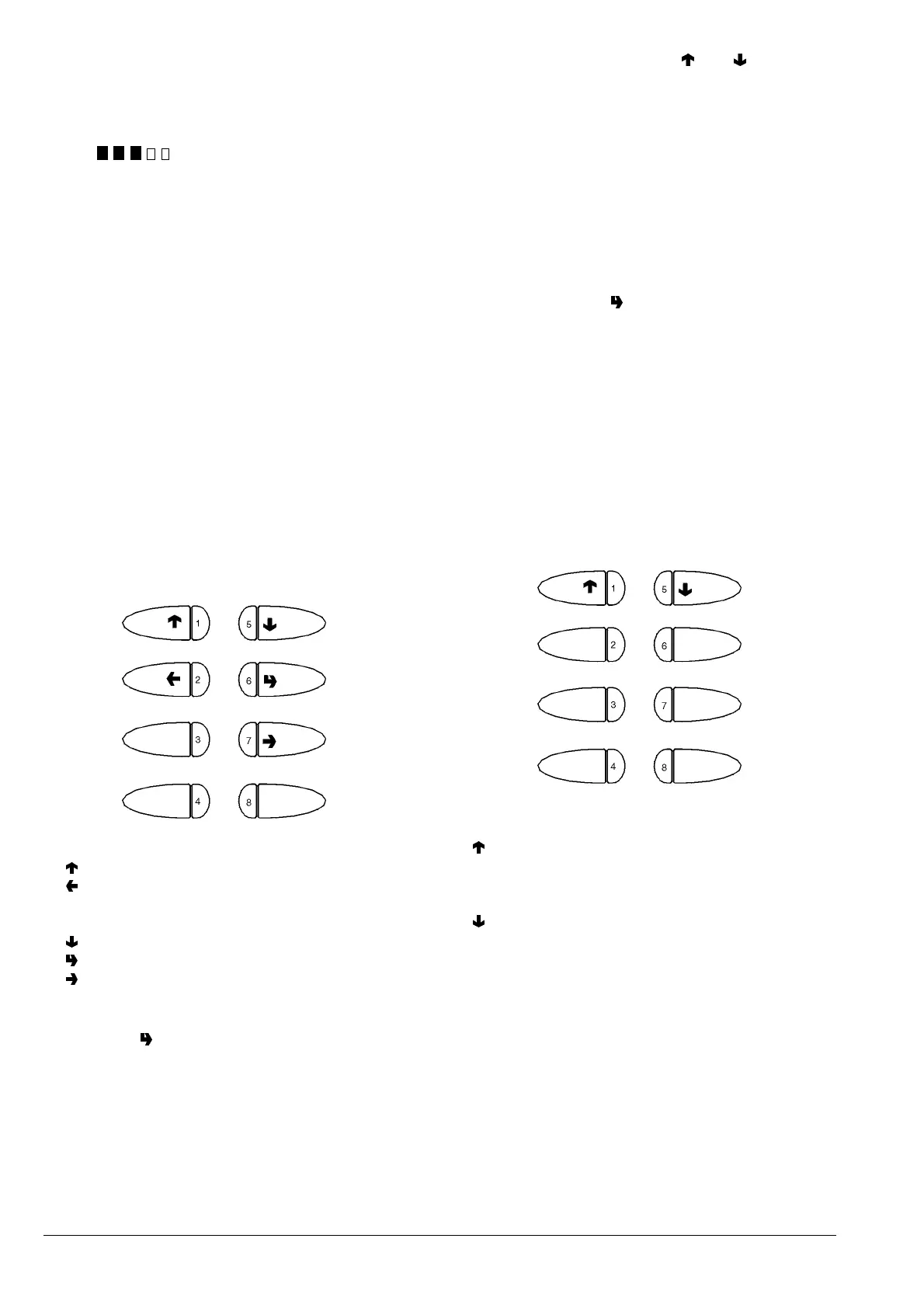
When in maintenance mode the buttons have the following
functions:
Scroll through the menu with the "
"and " " buttons to
highlight the following functions:
"Compl. selec." Dispensing test
including cup, sugar and stirrer
"Powd. only" Dispensing powder only
"Water only" Dispensing water only
"No Accessories" Dispensing test
without cup, sugar and stirrer
When pressing button " " the selection buttons will
have the original function for 7 seconds, permitting the
test dispensing provided for each function.
N.B. For espresso coffee based selections, only the
additions are dispensed with the partial dispensing of
powder and water; if a selection requires no addition
the message "Sel. disabled" will be displayed.
"Special functions"
When the display shows "Special functions" the buttons
have the following functions:
1 - Previous function / Increase data item (+1)
2 - Exit function / Cancel change
3 -
4 -
5 -
Next function / Decrease data item (- 1)
6 - Confirm function / confirm data item
7 - Change data item
8 -
Press button " " to access the following functions:
Display statistics
Print statistics
Delete statistics
Display selection counter
1 - Previous function
2 - Grind and release a coffee dose
3 - Dispense sugar
4 - Autotest
5 - Next function
6 - Rotate coffee unit
7 - Release cup
8 - Empty air-break
In order to weigh the coffee dose using the "Grind and
release" function, the coffee unit must be remover. The
function stays enabled anyway.
If a coffee dose is accidentally released with the unit
installed, the unit will have to be rotated to unload the
excess coffee.












 To Next Page