© by NECTA VENDING SOLUTIONS SpA
22
0012 Colibrì
SPECIAL SALES
Free Vend and "Jug facilities" can be enabled/disabled by
entering a programmable password.
The password and the number of selections for each jug
facilities cycle can be programmed only if the function to
which they are connected is enabled.
A password already used for other functions is not ac-
cepted and a different button combination must be used.
The password must be entered for each special sales
cycle, after pressing button "8" for 2 seconds.
EURO
Normally prices and credit are displayed according to what
was set in price programming.
If enabled, this function allows the display of such values
alternating in Euro and in the local currency.
It is also possible to define whether the conversion is to be
made from Euro to local currency or vice versa; the
calculation is carried out using the conversion parameters
set for each currency.
INSTALLATION
Pressing the installation button “3” will enable the filling
operation of the hydraulic system, even with the air break
full.
RESETTING FAILURES
When pressing the failure reset button “8” the message
"Working" is displayed for a few seconds and all current
failures will be reset.
PROGRAMMER (OPTIONAL)
AUTOMATIC SETUP TRANSFER
Using the programmer device makes it possible to read out
the programming routines set and transferred to other
apparatuses from a given vending machine.
These data are preserved also when the programmer is
disconnected thanks to a couple of Duracell batteries
LR03 Format AAA 1.5 V (to be replaced every 12 months).
The programmer allows up to twenty different programs
(setups) to be stored.
To identify, among the 20 setups available, those contain-
ing data, a special character is displayed, and more
precisely:
< - > = Setup free
<
> = Setup with data.
When creating the setup only the programs containing
data are available; if no setup contains data, the message
"no data available" will appear on the programmer display.
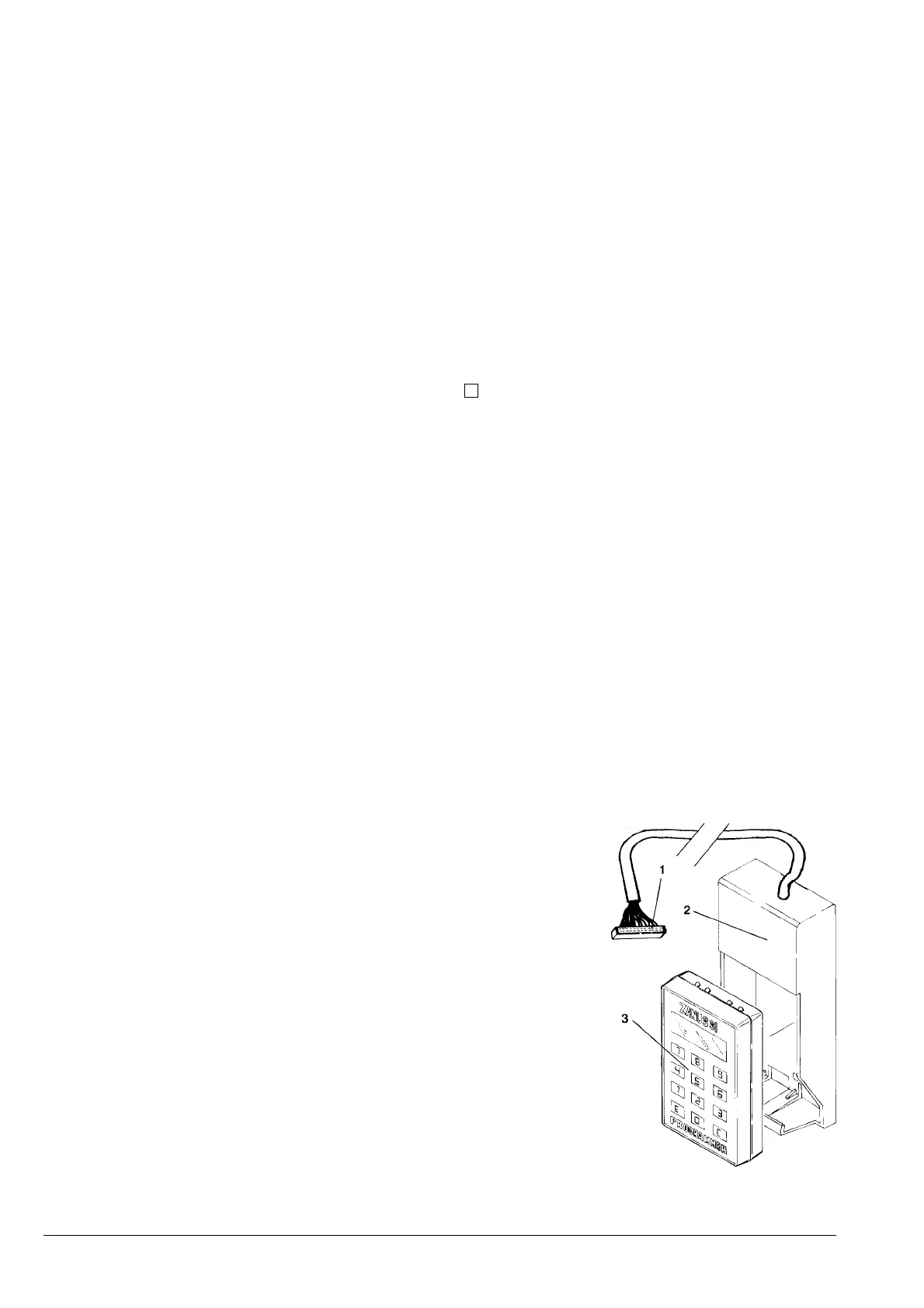
The special holder (see Fig. 16) is used to connect the
programmer to the machine, connecting the cable to the
special connector of the push-button board (see Fig. 20).
Then enter the "programming" mode and press twice the
relevant button on the push-button board.
Now, by inserting the programmer in its holder, an auto-
matic connection will take place, and the setup menu will
be shown on the programmer display:
- Pressing button “E” will access the displayed
function;
- Pressing button “O” will display the following
function;
- Pressing button “C” will display the previous
function.
Fig. 16
1 - Connector
2 - Programmer holder
3 - Programmer












 To Next Page