Page 17 of 28
To access by USB, simply connect the unit to your PC. If you have installed Neets Project Design-
er, all necessary drivers are already installed on your PC. (Note: If not available, please visit www.
neets.dk and navigate to the download page for the amplier. Here you nd the driver les along
with detailed information on how to install the driver.)
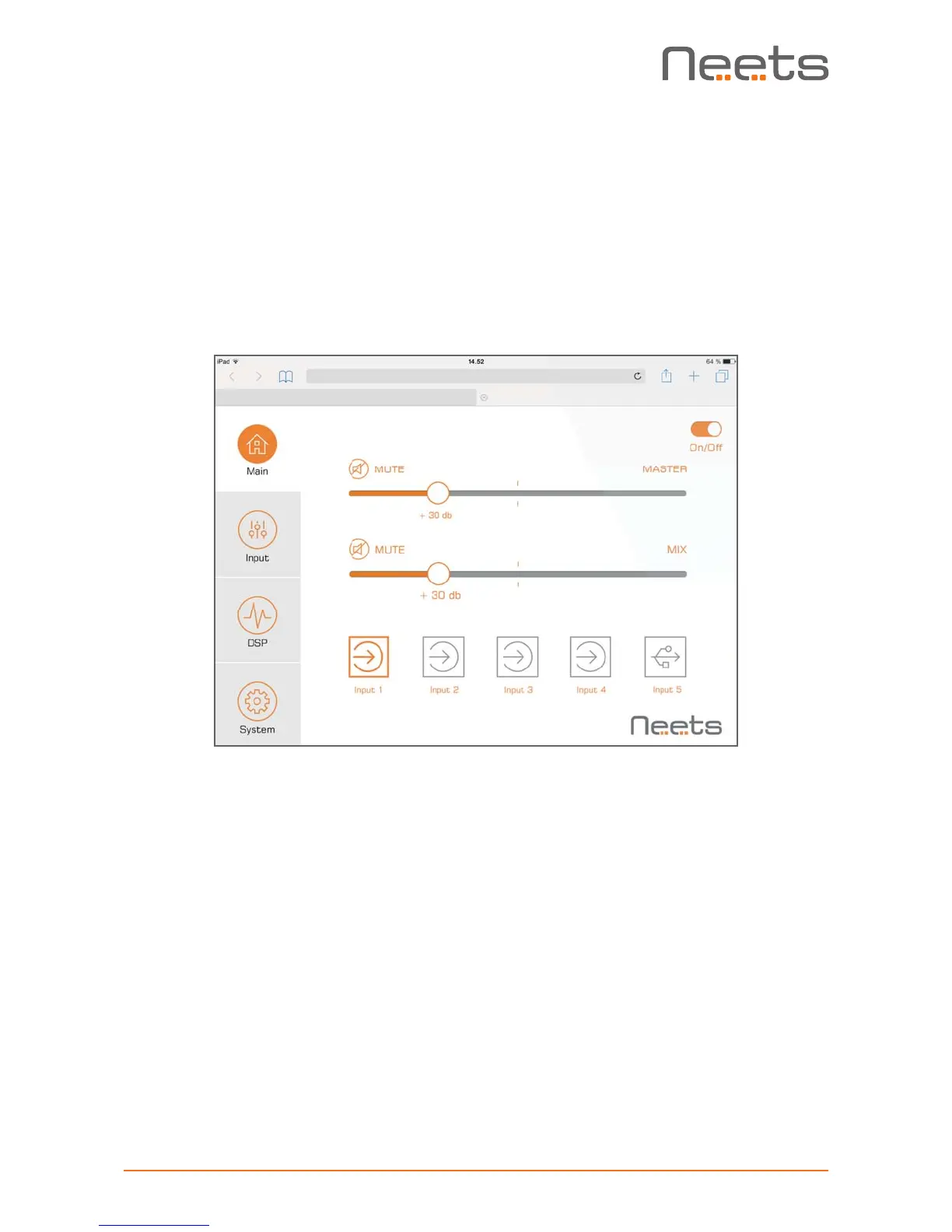
To access the unit’s webserver home page, open your browser and type in: http://neetsweb/ or
http://192.168.0.4/ and the amplier homepage should pop up.
To access by LAN, connect the amplier to your LAN and type in the IP address of the unit and
the homepage should pop up. LAN access requires that you know the IP address of your amplier
or preamplier and that this address is within the IP range of your network. If this is not the case
please change the settings using USB cong connection rst.
Control from LAN by remote protocol
Connect the amplier or preamplier to the local area network to allow control via LAN.
• Network Protocol: TCP
• Control port: 5000 (only one active connection at a time)
The commands for LAN control can be found on page 20.
Control from RS-232 by remote protocol
Connect a RS-232 device to RS-232 port 1 with the following default settings.
• Baudrate: 19.200
• Databit: 8
• Stopbit: 1
• Parity: None
The amplier can be controlled from RS-232 port 1 only. Please be aware that RS-232 control is
deactivated if the amplier is also controlled by a LAN connection.
The commands for RS-232 control can be found on page 20.
© CreativeGeist 2016
Alle rettigheder forbeholdes
tl@creativegeist.dk | www.creativegeist.dk
THINK, THINK AGAIN, DESIGN


 To Next Page