Page 19 of 28
Troubleshooting
Error indication
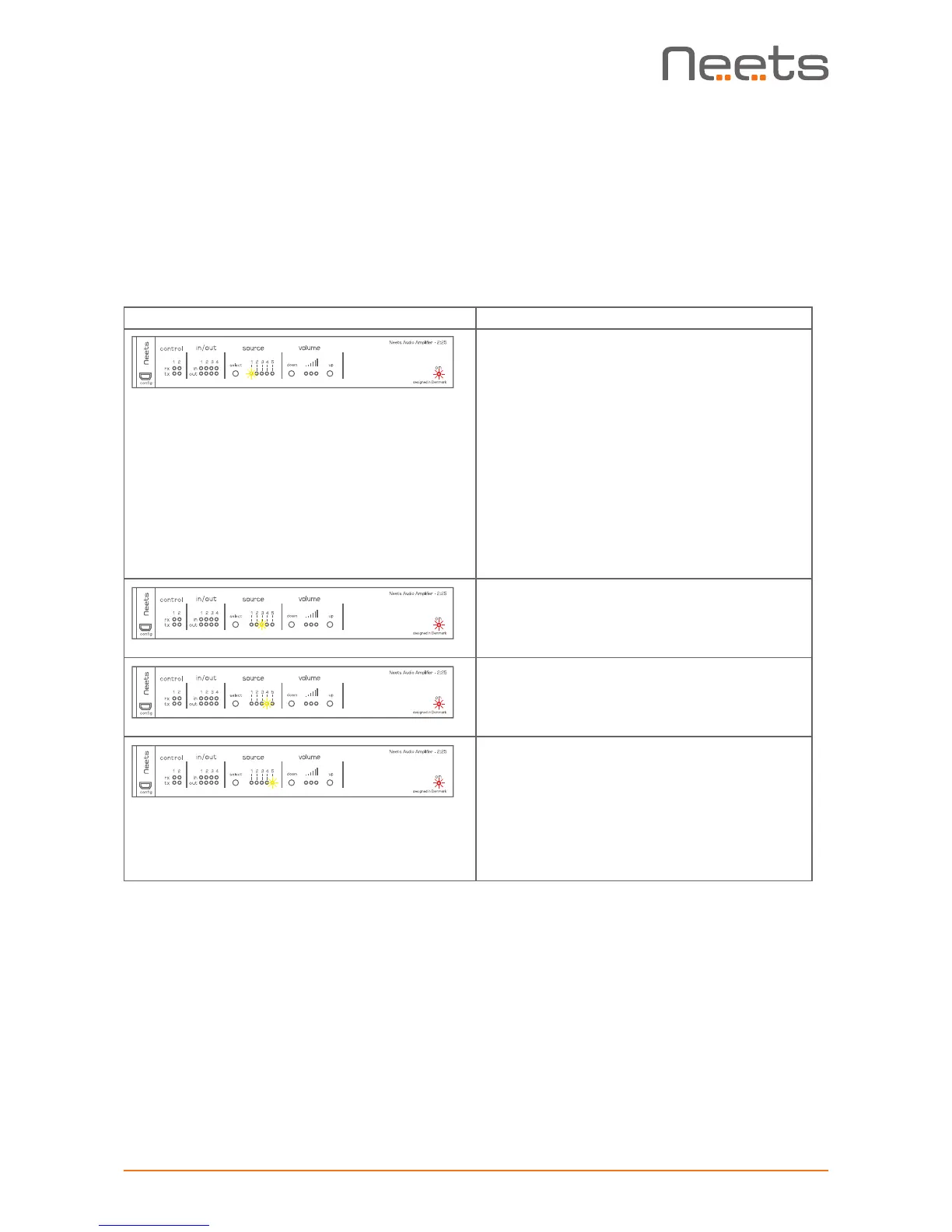
Errors occurring in the amplier or preamplier are displayed by the front LEDs.
In all error modes the power LED will ash red alternating with the source LEDs.
The alternating source LED will indicate type of error.
Indication Error
Amplier overload.
The amplier has been overloaded by a short
circuit on the output, excessive -tempera-
ture, or overvoltage events on the power
supply.
Please remove power from the amplier,
check all connections and loads, and re-apply
power.
If the error is not resolved, contact Neets or
your local distributor.
Internal storage error.
Contact Neets or your local distributor.
FW update error (No application found)
Contact Neets or your local distributor.
Unexpected error.
Turn off the power to amplier for 20 sec
before turning the power on again.
If the error is not resolved, contact Neets or
your local distributor.


 To Next Page