EasyManua.ls Logo

Neets 2:25 - User Manual

Neets 2:25
28 pages
Print Icon
To Next Page IconTo Next Page
Loading...
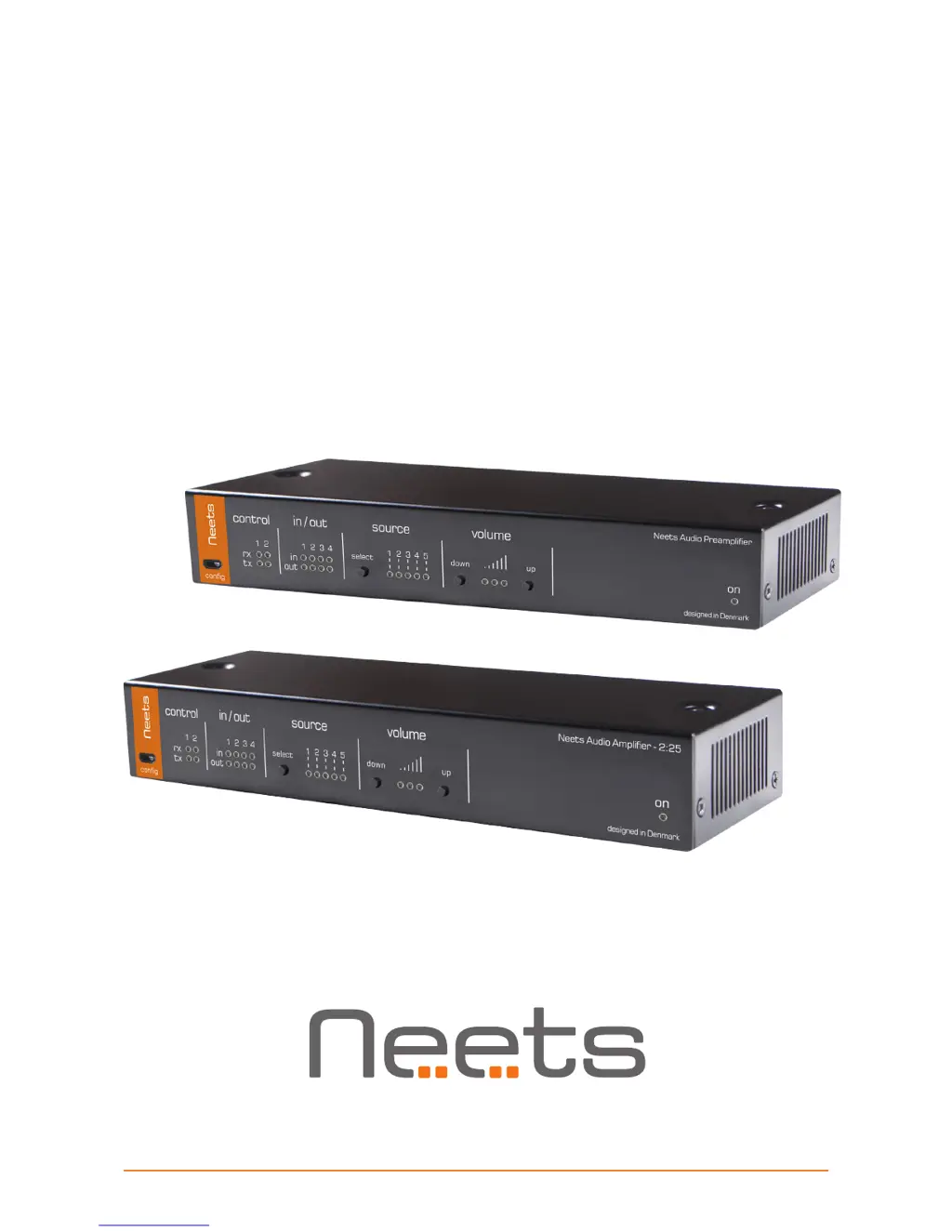
Neets Audio Amplier 2:25
Neets Audio Preamplier
Installation Manual

Questions and Answers

Summary

Important Safety Instructions

General Warnings and Precautions

Covers electrical safety, proper usage, and environmental considerations.

Regulatory Notices

Provides compliance information, including the FCC Class A Notice.

Amplifier Specifications

Speaker Output Power

Specifies the output power ratings for stereo and bridge modes at different impedances.

Power Input Requirements

Details input voltage, power usage, and connector type for the amplifier's power supply.

Preamplifier Specifications

Line Output Characteristics

Describes balanced output, impedance, and level for the preamplifier's line output.

Analog Audio Input Details

Specifies input impedance, max input level, and gain adjustability for analog inputs.

USB Audio Input Support

Lists supported operating systems for USB audio input functionality.

Power Input;Output

Details 12V DC power input/output, power usage, and connector type.

Network (LAN) Interface

Covers LAN speed, duplex modes, DHCP, and IP configuration details.

RS-232 and IR Ports

Specifies parameters for RS-232/IR communication, including baud rate and data bits.

Input;Output Port Configuration

Details the number and type of I/O ports, trigger levels, and output types.

General Physical Specifications

Provides dimensions, weight, and storage conditions for the unit.

Front Panel Controls Identification

Control Element Mapping

Provides a numbered list and brief description of each control on the front panel.

Front Panel Operation Details

USB Configuration Port Usage

Explains how to use the 'config' USB port for firmware updates and configuration.

Status LED Indicators

Describes the meaning of LEDs for RS-232 status, I/O status, and power/error.

Source and Volume Control Operations

Details how to select audio sources and adjust volume using front panel buttons.

Rear Panel Connections

Audio Input and Output Ports

Describes Line In, USB Audio Input, and Speaker Output connections.

Communication and Power Ports

Details RS-232/IR, I/O ports, LAN, and DC power input connections.

Connectivity and Protocols

Preamplifier Pre-Out Connection

Explains how to connect the preamplifier's balanced output to a power amplifier.

RS-232 and IR Port Usage

Details the functionality and wiring for RS-232 and IR communication ports.

I;O Connector Functionality

Describes the configuration options for the four general-purpose I/O ports.

Power Supply Connections

Connection Procedures

RS-232 Communication

System Integration and Control

Using the Device: Front Panel

Remote Control Methods

Troubleshooting Guide

Error Indication via LEDs

Explains how front panel LEDs indicate different error conditions and their causes.

Communication Protocols

Global Functions and Commands

Audio Input Settings

Audio Output Settings

I;O Settings Configuration

I;O Control Operations

Screen Control Configuration

Screen Movement Control

LAN Network Settings

RS-232 Configuration

IR Commands (Advanced Users)

Summary

Important Safety Instructions

General Warnings and Precautions

Covers electrical safety, proper usage, and environmental considerations.

Regulatory Notices

Provides compliance information, including the FCC Class A Notice.

Amplifier Specifications

Speaker Output Power

Specifies the output power ratings for stereo and bridge modes at different impedances.

Power Input Requirements

Details input voltage, power usage, and connector type for the amplifier's power supply.

Preamplifier Specifications

Line Output Characteristics

Describes balanced output, impedance, and level for the preamplifier's line output.

Analog Audio Input Details

Specifies input impedance, max input level, and gain adjustability for analog inputs.

USB Audio Input Support

Lists supported operating systems for USB audio input functionality.

Power Input;Output

Details 12V DC power input/output, power usage, and connector type.

Network (LAN) Interface

Covers LAN speed, duplex modes, DHCP, and IP configuration details.

RS-232 and IR Ports

Specifies parameters for RS-232/IR communication, including baud rate and data bits.

Input;Output Port Configuration

Details the number and type of I/O ports, trigger levels, and output types.

General Physical Specifications

Provides dimensions, weight, and storage conditions for the unit.

Front Panel Controls Identification

Control Element Mapping

Provides a numbered list and brief description of each control on the front panel.

Front Panel Operation Details

USB Configuration Port Usage

Explains how to use the 'config' USB port for firmware updates and configuration.

Status LED Indicators

Describes the meaning of LEDs for RS-232 status, I/O status, and power/error.

Source and Volume Control Operations

Details how to select audio sources and adjust volume using front panel buttons.

Rear Panel Connections

Audio Input and Output Ports

Describes Line In, USB Audio Input, and Speaker Output connections.

Communication and Power Ports

Details RS-232/IR, I/O ports, LAN, and DC power input connections.

Connectivity and Protocols

Preamplifier Pre-Out Connection

Explains how to connect the preamplifier's balanced output to a power amplifier.

RS-232 and IR Port Usage

Details the functionality and wiring for RS-232 and IR communication ports.

I;O Connector Functionality

Describes the configuration options for the four general-purpose I/O ports.

Power Supply Connections

Connection Procedures

RS-232 Communication

System Integration and Control

Using the Device: Front Panel

Remote Control Methods

Troubleshooting Guide

Error Indication via LEDs

Explains how front panel LEDs indicate different error conditions and their causes.

Communication Protocols

Global Functions and Commands

Audio Input Settings

Audio Output Settings

I;O Settings Configuration

I;O Control Operations

Screen Control Configuration

Screen Movement Control

LAN Network Settings

RS-232 Configuration

IR Commands (Advanced Users)

Neets 2:25 Specifications

General IconGeneral
BrandNeets
Model2:25
CategoryAmplifier
LanguageEnglish

Related product manuals