24Chapter 4 . Calls and Contacts
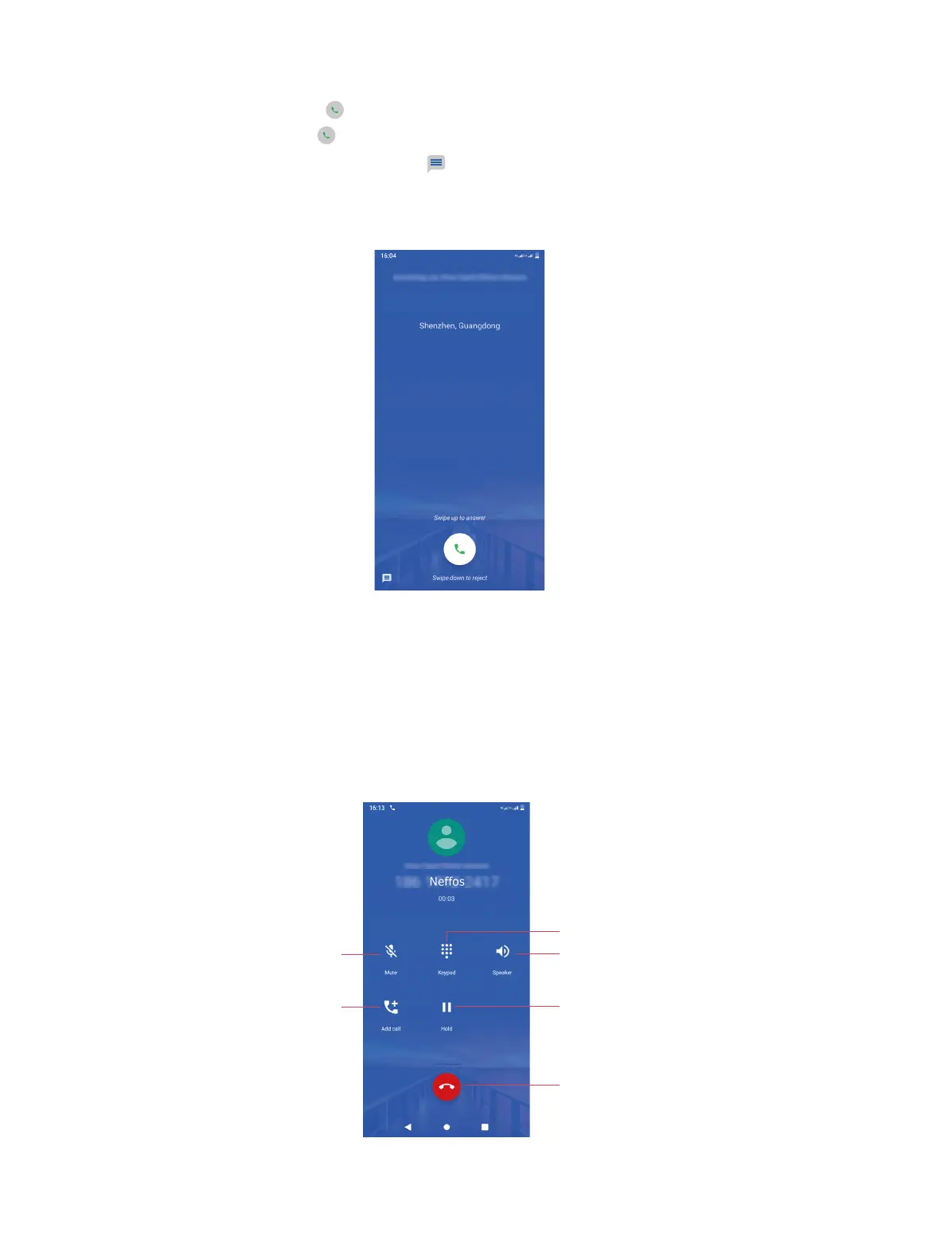
• When the screen is locked:
• Answer a call: Swipe up or just swipe up on the screen to answer the call.
• Reject a call: Swipe down or just swipe down on the screen to reject the call.
• Quick response message: Swipe
up to reject the call and select a quick response
message to the caller. Or you also can tap Write your own and enter your own response
message, then tap SEND.
Neos
4. 3 Options during a call
In-call menu
During a call, your phone will display an in-call menu.
Mute the call
Start a three-way call
Show/hide dialer
Place the current call on hold
End the call
Enable hands-free mode



 To Next Page