29Chapter 4 . Calls and Contacts
4. 7 Contacts
Add a contact
You can create a new contact or add a number to a contact in following ways:
• Add a contact in
Contacts
1. On the Home screen, tap Tools >
Contacts > to add a new contact.
2. Select the storage location you want to store the contact to.
3. Enter the contact’s information.
4. Tap SAVE.
• Add a contact in Message
1. On the Home screen, tap Message.
2. On the message list, tap a conversation, then tap > Add Contact.
3. Choose a contact to add the number or tap Create new contact.
4. Select the storage location you want to store the contact to.
5. Enter the contact’s information.
6. Tap SAVE.
• Add a contact in Phone
• On the call list, tap a number and tap Create new contact, enter the contact’s information
and tap SAVE to add the number as a new contact. Or tap Add to a contact and choose a
contact to add the number to the contact.
• Tap > Create new contact, enter the contact’s information and tap SAVE.
• Tap , enter the number and tap Create new contact or Add to a contact. Enter the
contact’s information and tap SAVE.
Manage a contact
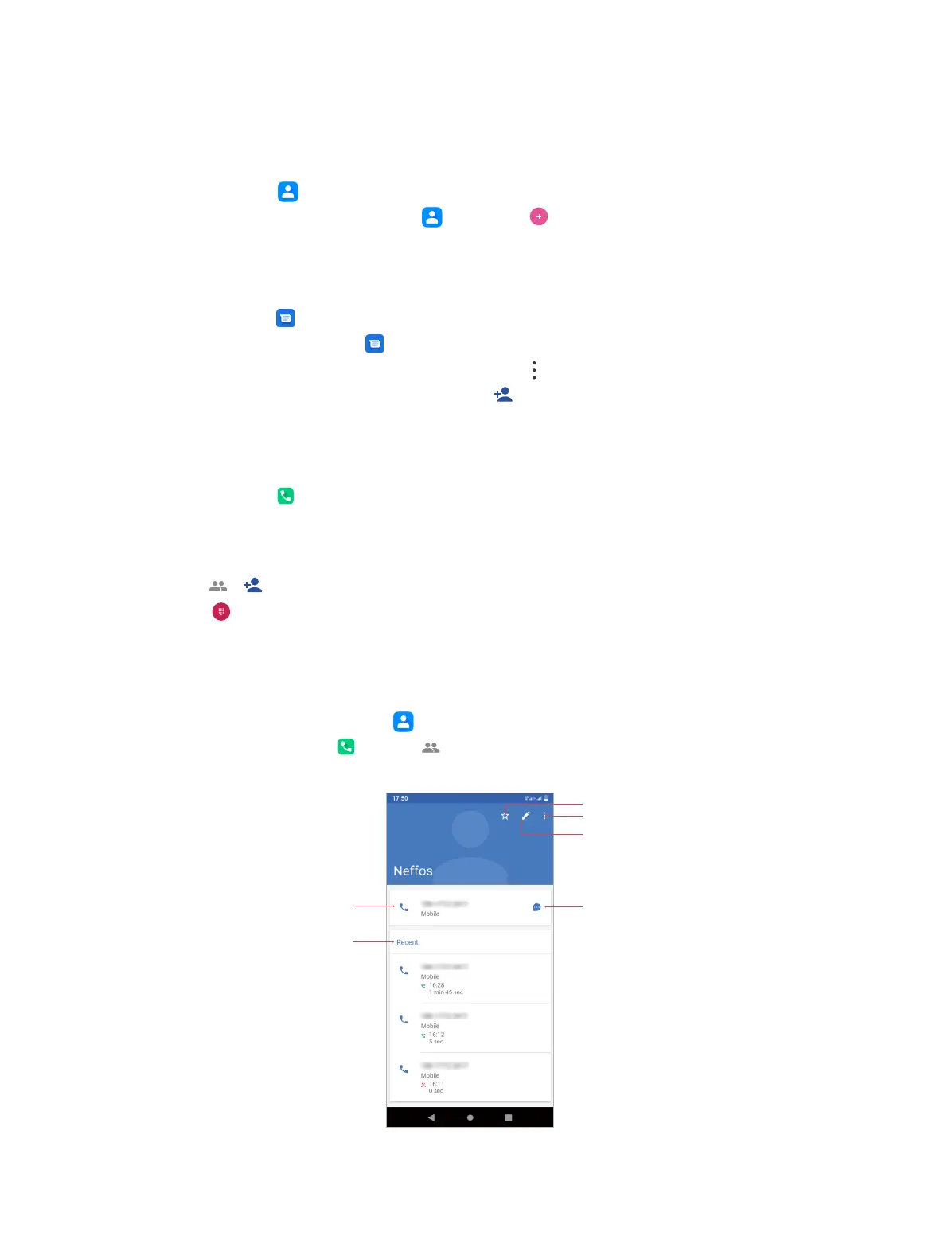
You can view and manage a contact in following ways:
• On the Home screen, tap Tools >
Contacts, and then choose a contact.
• On the Home screen, tap Phone > , and then choose a contact.
Add to favorites
Send a message
Make a call
Recent calls and
messages
More
Edit



 To Next Page