26Chapter 4 . Calls and Contacts
4. 4 Call log
All incoming, outgoing and missed calls are recorded in the call log.
View the calls
On the Home screen, tap Phone >
. On the call log list,
means outgoing calls, means
incoming calls, and means missed calls.
Save a recent call to your contact list
1. On the Home screen, tap Phone > , tap the number you want to save.
2. Tap Create new contact to save the number as a new contact, or tap Add to a contact to add
the number to an existing contact.
Send a message from the call log
On the Home screen, tap Phone > , tap the number or contact you want to send a SMS to,
and tap Send a message.
Block/Unblock the call log number
On the Home screen, tap Phone > , tap the number or contact you want to block, and tap
Block number to add the number or contact to blocked number list. You will no longer receive calls
or messages from the number or contact. You can go to Phone > > Blocked numbers to view
blocked number.
To unblock the number, tap the blocked number or contact, and tap Unblock number.
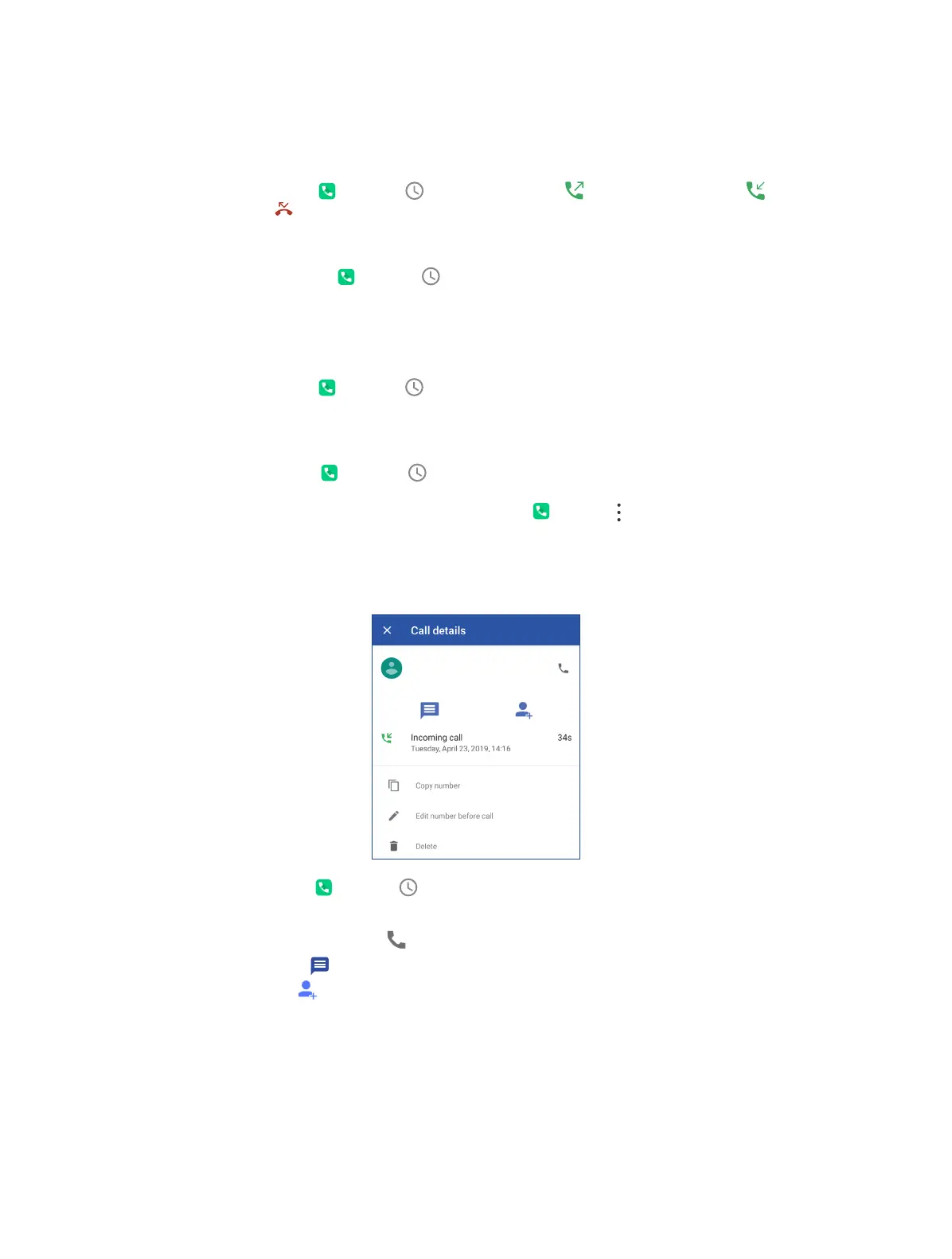
View call details
Neos
On the Home screen, tap Phone > , tap a number or contact and tap Call details, you can:
• View the details: The detailed call log information displays on the list.
• Make a call with the number: Tap .
• Send a message: Ta p .
• Add to contact: Ta p .
• Copy the number: Tap Copy number to copy the number.
• Edit the number before call: Tap Edit number before call to open the dialer, and the number will
be entered automatically. You can edit it before making a call.
• Delete the call log: Tap Delete.



 To Next Page