2Chapter 1 . Get started
and notifications as well as listen to music and adjust the volume. Press the Power button to
manually lock the screen. Neffos locks the screen automatically in a given period of inactivity.
• Unlock Neffos: Press the Power button to wake the screen.
• Turn Neffos on: Press and hold the Power button until your phone vibrates and the screen turns
on.
Note: If your phone does not respond after holding down the Power button for 10 seconds, the battery
may be empty. Connect your phone to a charger to charge the battery.
• Turn Neffos off: Press and hold the Power button, then tap Power off.
• Reboot Neffos: Press and hold the Power button, then tap Restart.
Volume button
• Adjust volume
Press the Volume-up or Volume-down button to adjust the audio volume when you’re on the
phone, listening to songs, watching movies or using other media. You can adjust volume in
following two ways:
• Press and hold the Volume-up or Volume-down button until the ring volume meets your
needs.
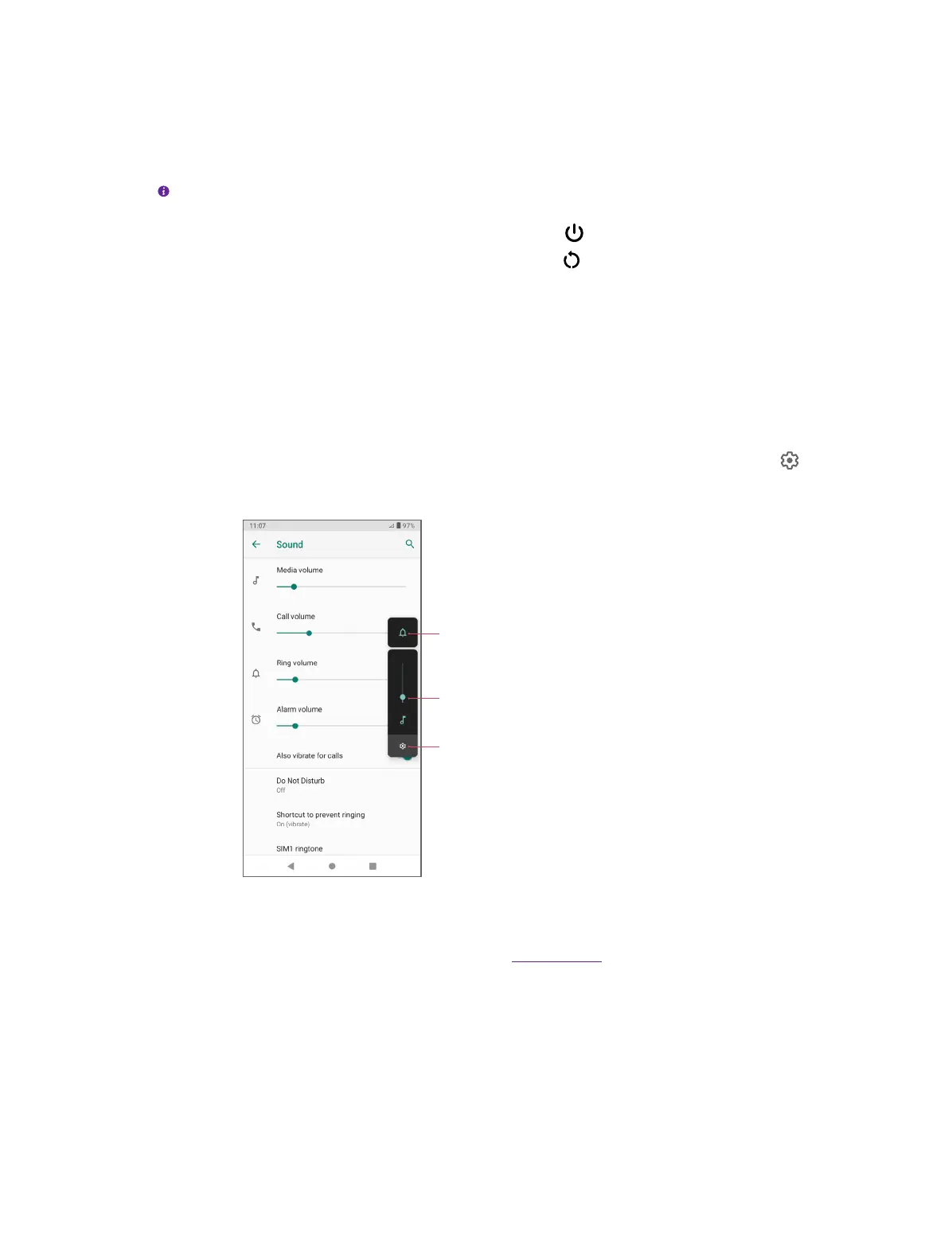
• Press the Volume-up or Volume-down button, and drag the slider for ring volume. Tap to
expand the panel to adjust media and alarm volume.
Tap to expand the Volume Panel
Drag or tap the slider to adjust the volume
Tap to adjust the volume mode
• Take a picture
Press the Volume button to take a picture. Refer to Take a photo to learn more.
• Take a screenshot
Press the Power button and Volume-down button at the same time to take a screenshot.



 To Next Page