40Chapter 7 . Calendar
Calendar
Use Google Calendar to capture your precious moments.
• Use the calendar
• Calendar settings
7. 1 Use the calendar
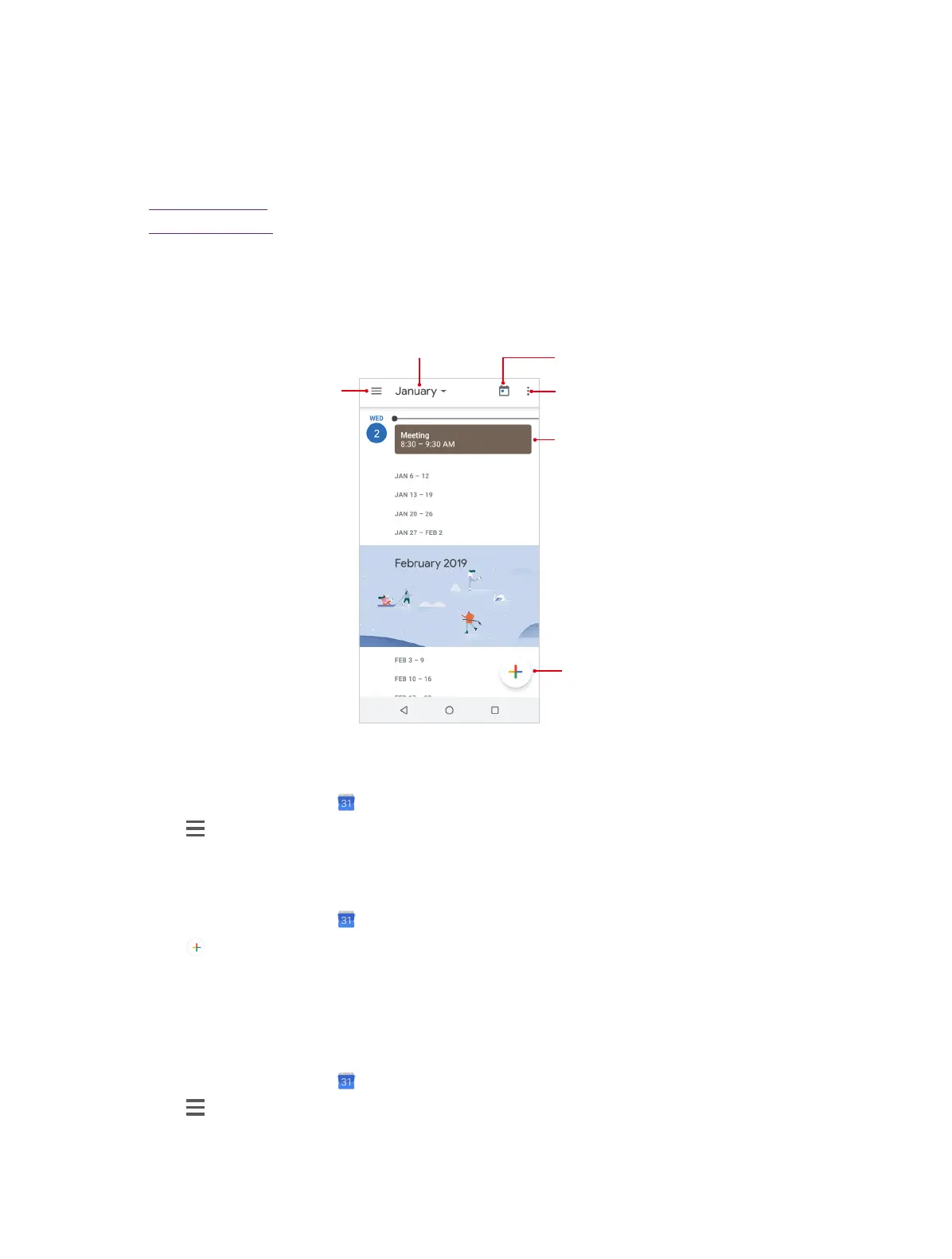
Refresh
Show events f
current day
Tap to expand and
collapse the month
Add events
u
Go to today
View the calendar
1. On the Home screen, tap Calendar.
2. Tap to select Schedule/Day/3 Day/Week/Month to zoom in or out your calendar.
Create an event
Add events and set reminders to help you plan ahead.
1. On the Home screen, tap Calendar.
2. Tap to create an event.
3. Swipe the screen up or down to set the detailed information for the event, like title, time, location
and so on.
4. Tap Save to save the event.
Search an event
1. On the Home screen, tap Calendar.
2. Tap > Search to search an event.
3. Enter the key words of the event you want to search, and tap Search on the keyboard .
7



 To Next Page