35Chapter 6 . Camera and Photos
Camera and Photos
Use multiple features of your camera to capture your precious moments.
• Camera at a glance
• Take a photo
• Record a video
• Shooting modes
• Camera and video settings
• Photos
6. 1 Camera at a glance
Launch your camera
• On the Home screen: Tap Camera.
• On the Lock screen: Just swipe up.
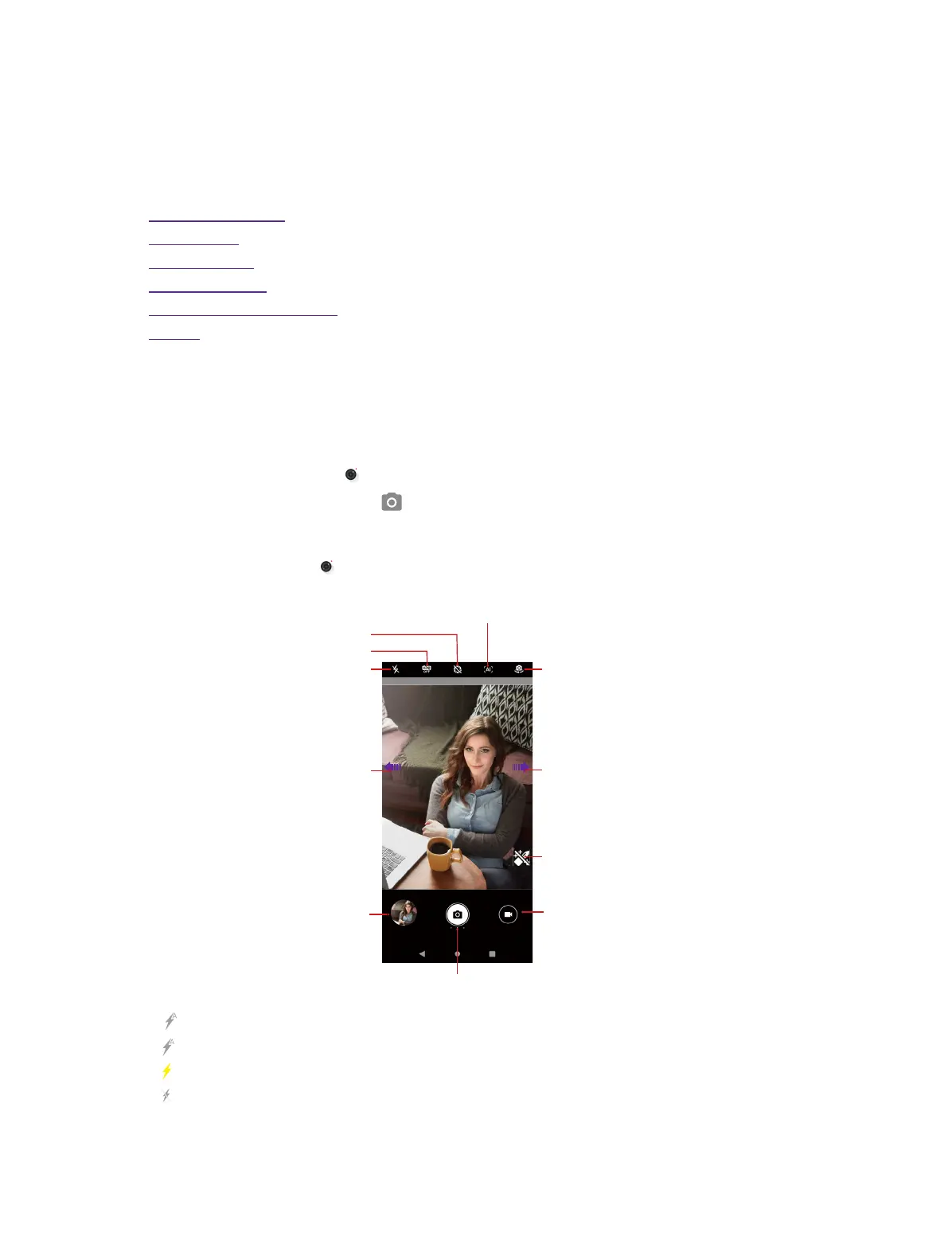
Camera screen
On the Home screen, tap Camera and tap the START CAPTURE button and then you can:
Toggle rear and front camera
Swipe right to switch camera mode
AI scene recognition: When enabled, the AI camera will
automatically recognize and optimize the picture scene
in real time to help you easily shoot stunning photos.
View the photos and
videos you’ve taken
Swipe left to congure
camera settings
Take a photo
Record a video
Switch ash modes
Switch HDR modes
Switch wide aperture mode
Add make up eect
Tap to switch flash mode:
•
Automatically enables or disables the flash based on the ambient brightness.
• Enables the flash.
• Disables the flash.
6



 To Next Page