PROGRAMMING INSTRUCTIONS - PROGRAM MODE
If % WATER BUDGET is set for 110% or greater, the EZ Pro
™
Jr. will split the
run time in half to reduce runoff. Half of the calculated run time will operate
for each zone in that program, followed by the second half of the run time for
each zone.
NOTE: % WATER BUDGET is changeable by program. If you have
programming in A, B, and C, you must enter three water budget
values if you want every program to be changed.
Set Water Budget by Month (Advanced feature)
The EZ Pro
™
Jr. allows you to set % WATER BUDGET by month. This feature
allows you to customize your program by month over the year to allow for hot
dry months and cooler wetter months.
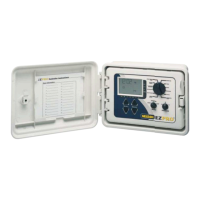
Turn the large dial to the % WATER BUDGET position. Press both SELECT ‘+’
and SELECT ‘–’ together. Use the SELECT to select months 1-12. Use the
ADJUST to choose the desired percentage amount from 0-200%. If 0% is
chosen, no watering will take place in that month.
Set the Watering Schedule (A quick note on scheduling and the EZ Pro™ Jr.…)
The EZ Pro
™
Jr. controller has three scheduling options plus the option for
Event Days Programming:
• WATER DAYS, or daily, lets you choose which days of the week you want
to water (i.e., Monday, Wednesday, Friday only).
• ODD/EVEN tells the controller to water on either the odd or even days of
the month (i.e., the controller will water on the 31st and the 1st when an
ODD schedule is chosen).
16


 To Next Page
 Loading...