19
situation, such as the actual 1
st
component is in 2
nd
row, 1
st
column, then type into X2, Y1.
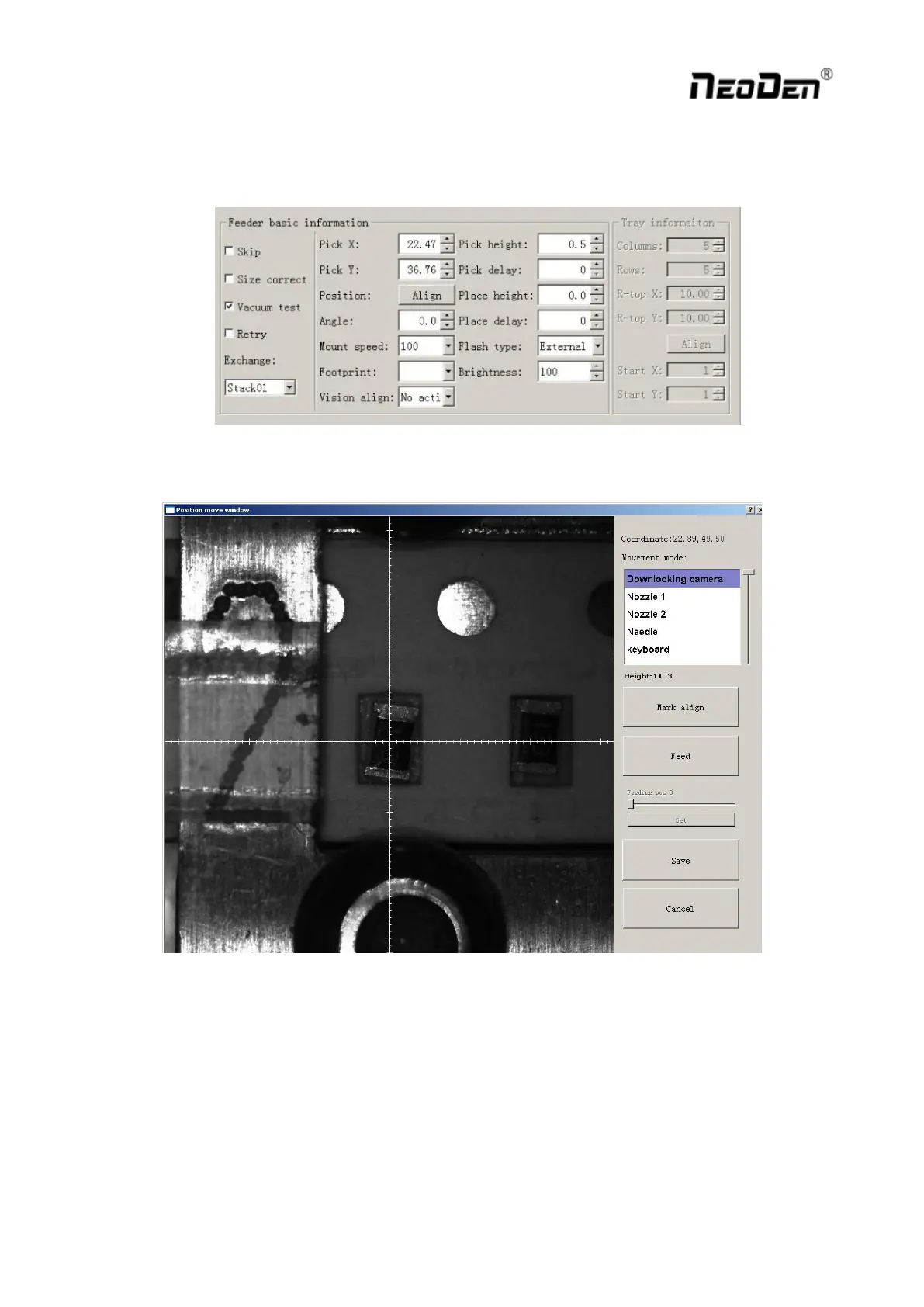
Feeder Basic Information:
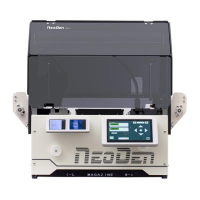
1) Firstly click the “Align” under “Position” function, camera will lock the component position on the feeder,
once the modification saved, Pick X/Y data will automatically change to the ones after alignment.
2) Angle: default is 0 degree, support to modify the value to change the mounting angles for wholly feeder.
3) Placement speed: Control the placement speed under this feeder.
4) Footprint: Select corresponding footprint, and in vision alignment, system will take reference of the values in
Footprint Library.
5) Vision: 2 ways as choice against actual need---No action, Jointly .
6) Pick height: control the placement height by dragging the sideward slider.
7) Place height: Set the value according to the exact component thickness.
8) Placement/Pick delay: set a little or 0 both ok.


 To Next Page