20
9) Vacuum value: used for vacuum test, value can be set against actual need.
10) Flash type: outside light
11) Skip: Once select this item, will skip all placement under this feeder.
12) Test way: there’re two test methods, Vacuum test /Vision test.
13) Vacuum test : Once “Vacuum test” was selected, the sensor of air pressure will be turned on. So if actual
vacuum hasn’t reached the default value during picking process, machine will drop it and re-pick a
component.
14) Exchange: This may be used in actual situation, if exchange needed between two feeders, you can choose one
feeder, and go to find the exact feeder you need replacement in drop-down box, select, then done.
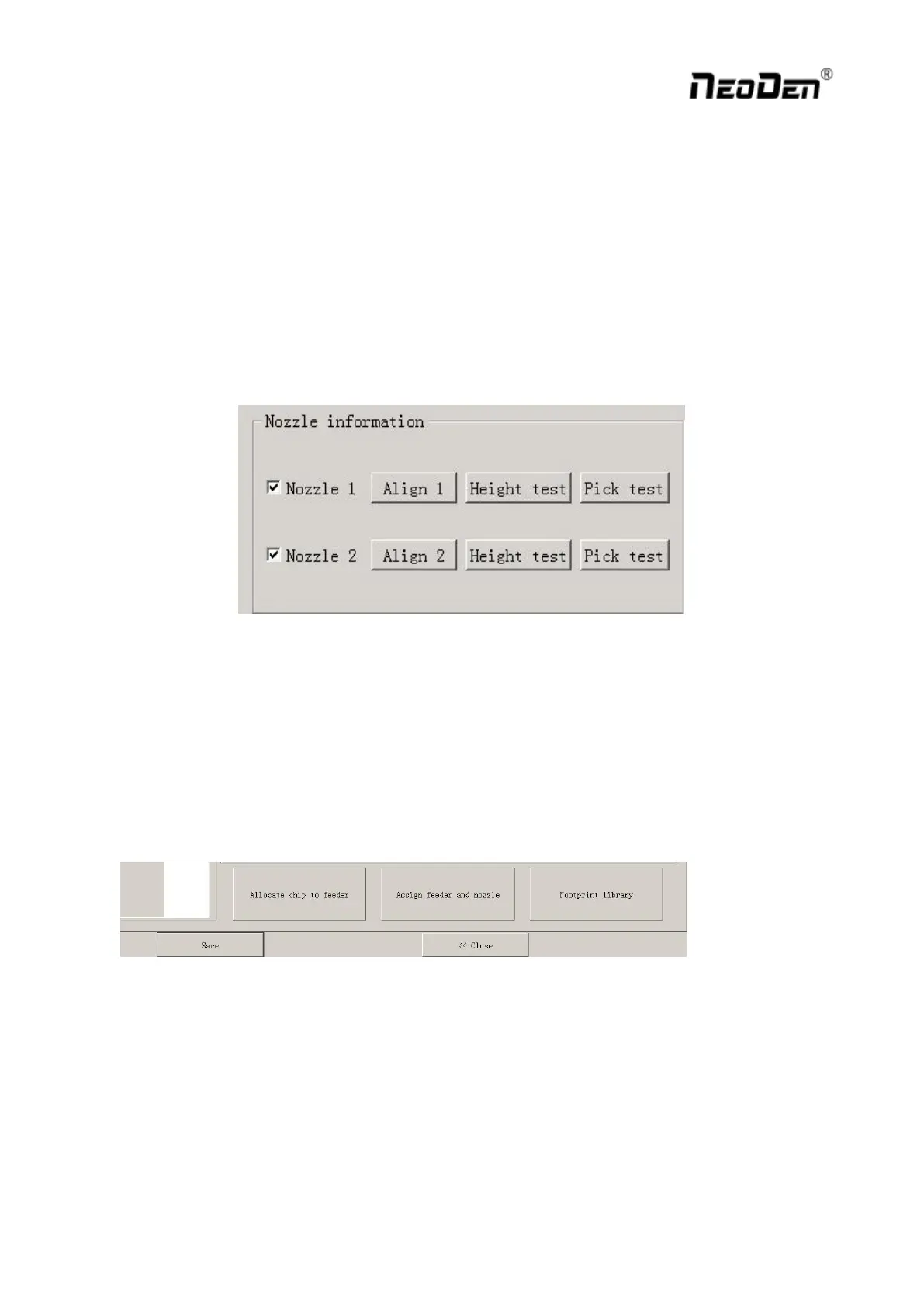
Function: Select corresponding nozzle according to actual component size, and it will automatically assign to each
feeder to meet the requirements of single head or multi heads working. Also with below function as Pic.(2.1.5.2-5)
1) Align: Nozzle will align to component’s upside on corresponding feeders after clicking this item ( can be
adjusted manually) .
2) Height test: After clicking this item, nozzle will do down and check whether the pick height is ok. Support do
adjustment of pick height on feeder information item if needed.
3) Pick test: After clicking this item, the corresponding nozzle will pick one component and check whether pick
position is ok. Support do adjustment of pick position on feeder information item if needed.
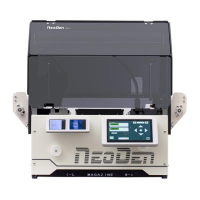
After finish setting of all above feeder information, you can click “assign feeder and nozzle ”, then chip list will
automatically to be changed correspondingly.


 To Next Page