Specify Internet Port Settings
91
AC1200 WiFi Cable Modem Router Model C6220
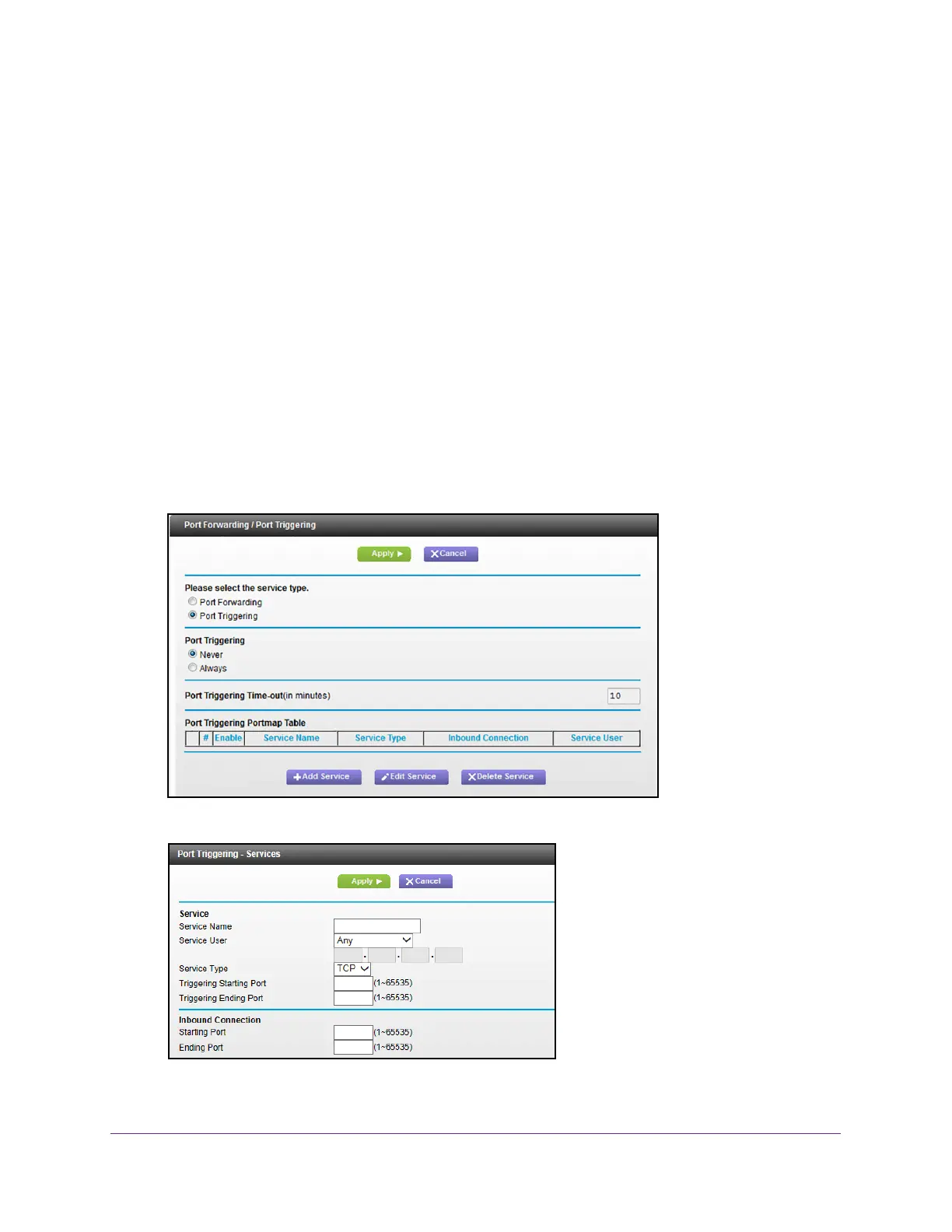
Add a Port Triggering Service
To add a port triggering service:
1. Launch a web browser from a WiFi-enabled computer or mobile device that is
connected to the network.
2. T
ype http://routerlogin.net or http://192.168.0.1.
A login window opens.
3. Enter the modem router user name and password.
The user name is admin.
The default password is password. The user name and
password are case-sensitive.
The BASIC Home page displays.
4. Select ADV
ANCED > Advanced Setup > Port Forwarding/Port Triggering.
The Port Forwarding/Port Triggering page displays.
5. Select the Port T
riggering radio button.
6. Click the Add Service button.
7. In the Service Name field, type a descriptive service name.




 To Next Page