Use the Internet Setup Wizard
You can use the Setup Wizard to detect your Internet settings and automatically set up your router.The
Setup Wizard is not the same as the genie pages that display the first time you connect to your router to
set it up.
To use the Setup Wizard:
1. Launch a web browser from a computer or WiFi device that is connected to the network.
2. Enter http://www.routerlogin.net.
A login window opens.
3. Enter the router user name and password.
The user name is admin.The default password is password.The user name and password are
case-sensitive.
The BASIC Home page displays.
4. Select ADVANCED > Setup Wizard.
5. Select the Yes radio button.
If you select the No radio button, you are taken to the Internet Setup page (see Manually Set Up the
Internet Connection on page 26).
6. Click the Next button.
The Setup Wizard searches your Internet connection for servers and protocols to determine your
Internet configuration.
When the router connects to the Internet, you are prompted to download and install the free NETGEAR
Desktop genie app and the free ReadySHARE Vault app.
Manually Set Up the Internet Connection
You can view or change the router’s Internet connection settings.
Specify Your Internet Settings
26
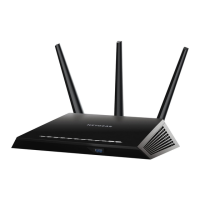
Nighthawk AC1900 Smart WiFi Router Model R6900


 To Next Page