17
Inform the NMS of the presence of Network Adapter by entering the Network
Adapter`s IP address in NMS configuration.
Recompiling the MIB on the NMS station
Create a SNMP control of MIB on the NMS station. This operation will place MIB to
the NMS of MIB database from the floppy included.
Activation of critical states (traps) on NMS
Make sure to have activated critical states (traps) on the NMS.
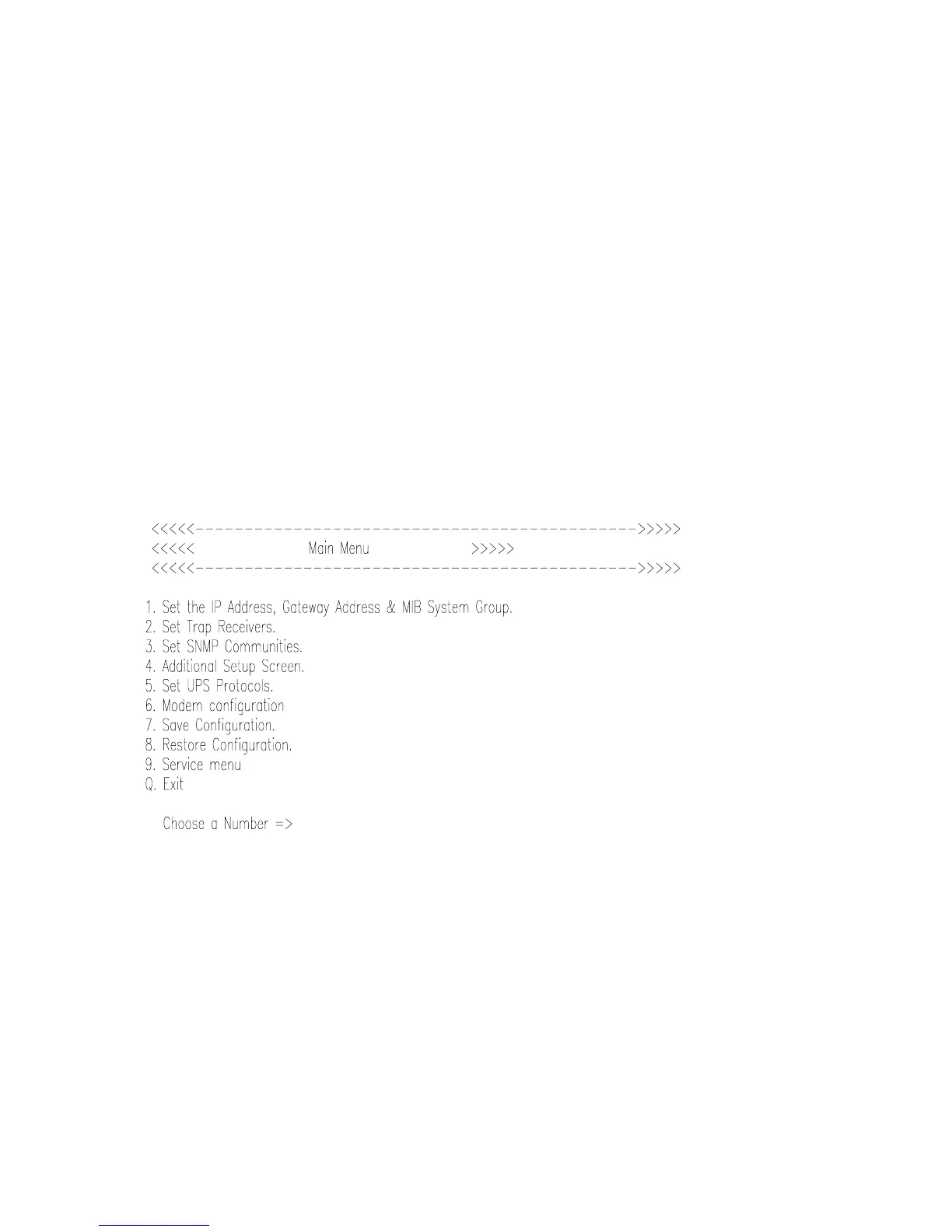
II. 2. Main configuration menu of Network Adapter
When a terminal is connected to the Adapter`s configuration port and the Adapter is
switched on, several reports are displayed (after having inserted default password: password):
When the terminal is connect to SNMP adapter, and after you press ENTER, the menu of
options is displayed enabling the user to see the adapter`s configuration and watch its actual
state.
II. 3. Description of options
General rules of work with the software :
This menu communicates with you in the English language only. The menu options are
selected by writing the corresponding number and pressing ENTER. You can make correction
of the entered values by pressing Backspace. If you agree with the actual value of a variable,



 To Next Page