29
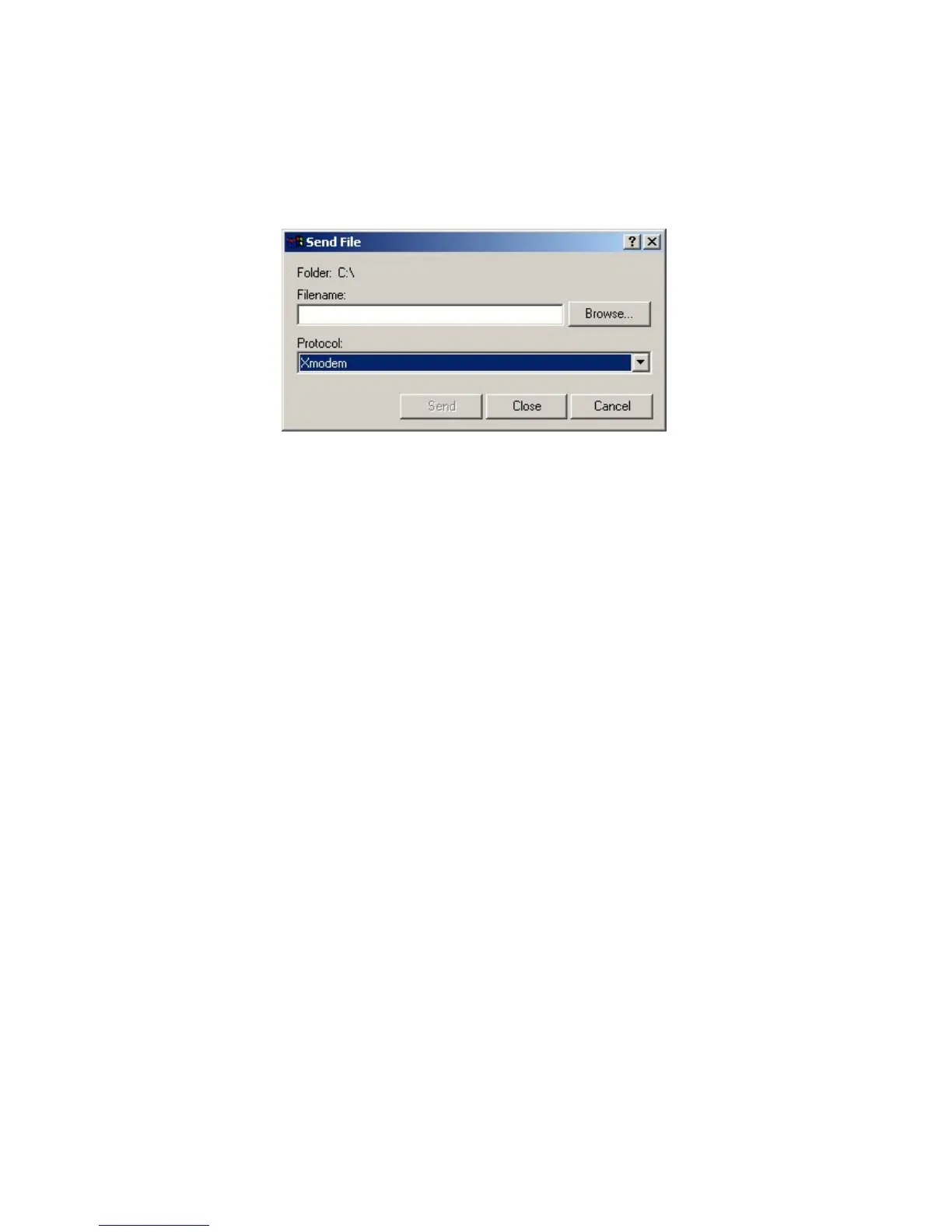
7. Upload the Firmware upgrade file, selecting the X-modem protocol on the pull-down
menu as shown in figure 10.
Figure 10: Connection to upgrade the Firmware: transferring the file
8. Lastly, click on the “Send” button and wait for the file to be transferred.
9. Should an error occur during the transfer, disconnect the board and repeat the
operation.
Access menu 4, Additional Setup Screen, to check that the firmware version has been
upgraded.
II. 4. 2. Upgrading via TFTP
The upgrade requires a TFTP server to which the firmware image will be copied.
There are two ways to upgrade the firmware:
1) by running the UPDATE command from the provided floppy disk.
The command has the following syntax:
update <netman address> <firmware file.bin> <TFTP server>
When the upgrade is complete, NetMan will automatically start up again after about 10
seconds.
2) by forcing the upgrade from menu 9 on NetMan. NetMan searches for the file called
netman10x.bin on the TFTP server. If the file exists, the flash memory will be upgraded with
the new firmware.
When the upgrade is complete, NetMan will automatically start up again after about 10
seconds.



 To Next Page