C80 Three Axis Digital Readout SystemMILL FUNCTIONS, Bolt Hole Circle
NOTES
The axis that is not
involved in the pitch
circle diameter function
will read as normal.
Feb 2002 Newall Measurement Systems Ltd 17
Bolt Hole Circle continued
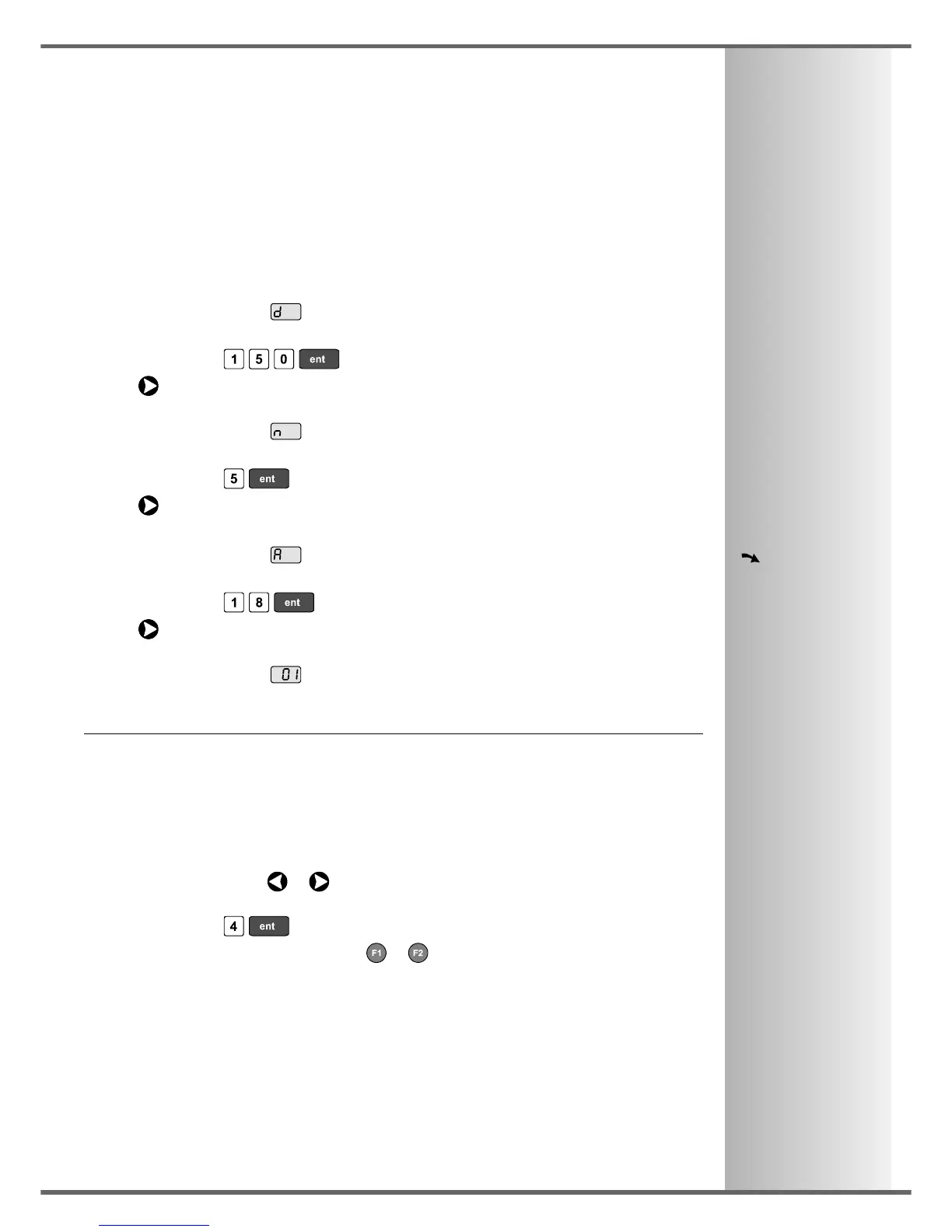
• The function display shows , and the top axis display shows the Circle Diameter.
Enter a new value if required.
For Example: Press .
Press to move to the next step.
• The function display shows , and the top display shows the Number of Holes.
Enter a new value if required.
For Example: Press .
Press to move to the next step.
• The function display shows , and the top display shows the Starting Angle.
Enter a new value if required.
For Example: Press .
Press to finish setting the parameters.
• The function display shows .
To Machine the Holes:
The two axis displays for the selected plane now show the distance to the first hole.
• To position the tool ready for machining the hole, move the axes until both displays read zero.
The function display shows the number of the hole to be machined.
• Press the Navigation Keys or to move between the holes,
or enter the hole number.
For Example: Press to move directly to hole 4.
• When all holes have been machined, press or to turn the function off.



 To Next Page