C80 Three Axis Digital Readout System
Using Centerfind
Using Digifind
Setting the Datum for Each Axis
STANDARD FUNCTIONS
STANDARD FUNCTIONS, Setting the Datum, Digifind, Centerfind
NOTES
Using Zero redefines the
datum, so it will not be
possible to restore the
old datum.
Using Preset, Recall or
Centerfind will change
the datum - but in
absolute mode, Digifind
can still be used to return
to the old datum.
Do not move the
machine when the C80’s
power is off.
When the power is
switched back on again,
the C80 uses Digifind
automatically to re-
establish the datum for
each axis.
Digifind works only in
Absolute mode.
Set the C80 to
incremental before using
Centerfind.
By doing this, you will be
able to return the
machine to its absolute
datum afterwards, simply
by switching back to
Absolute Mode.
Feb 2002 Newall Measurement Systems Ltd 7
Zero
• To zero one display at the current position:
Press the Select Key for the axis to be zeroed. All readings will now be relative to this new zero
point.
Preset
• To preset one display to a known fixed value:
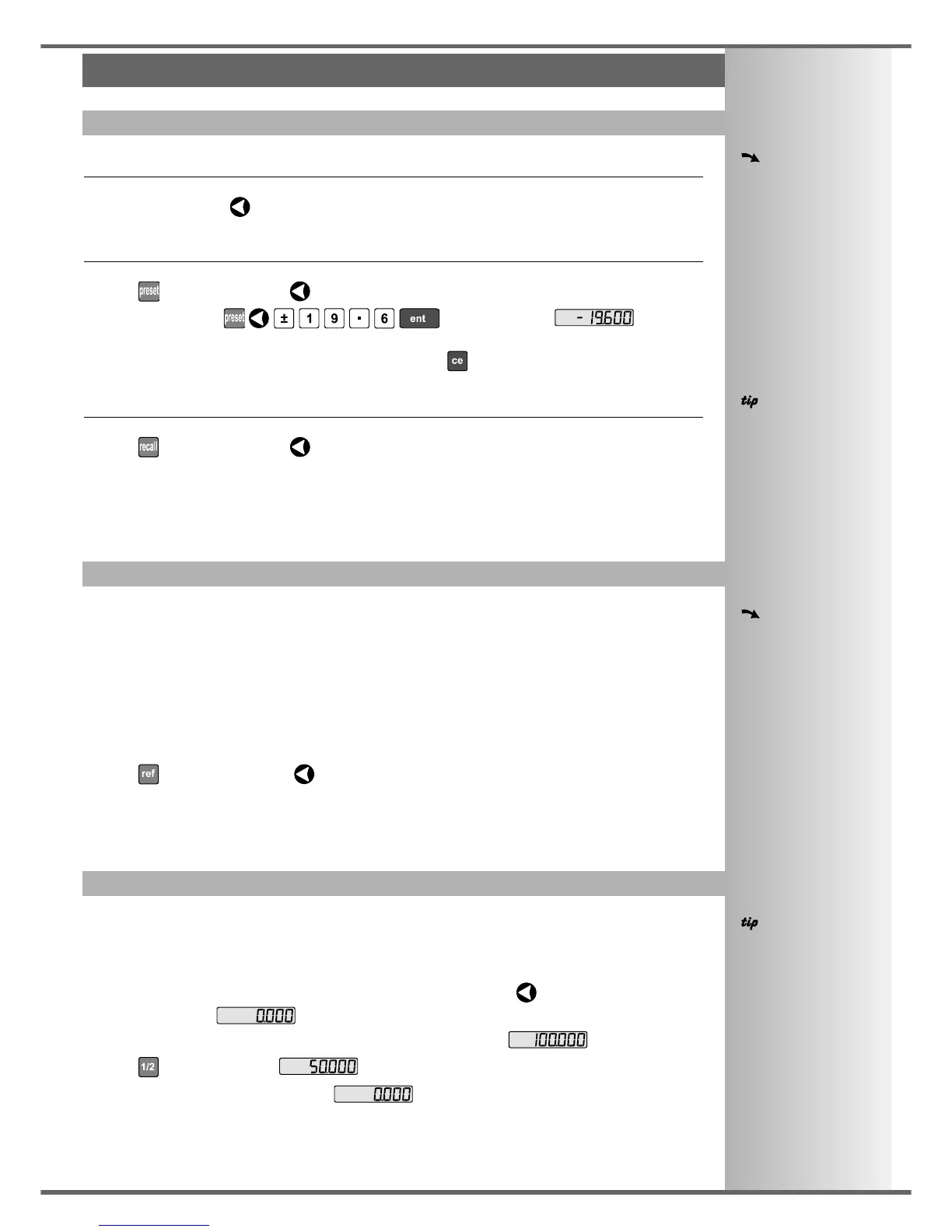
Press , then the Select Key for the axis to be preset, then enter the value.
For Example: Press to enter the value . All
readings will now be relative to this new value.
• If you make a mistake while entering a number, pressing will clear the entry one character at a
time.
Recall
• To quickly recall the last preset value for an axis:
Press , then the Select Key for the axis to be preset. All readings will now be relative to this
new value.
In the event that a datum is lost, either due to movement following a power failure, or after a fixed point
has been entered by mistake, it can easily be re-established, using Digifind.
In order to use Digifind, the absolute datum for each axis should be marked permanently on the
machine.
• Set the axis close to the marked datum - to within:
6.3mm (0.25”) for a Spherosyn encoder or
2.5mm (0.1”) for a Microsyn encoder.
• Switch the C80 to Absolute mode.
• Press , then the Select Key for the axis to be restored. The display will update to show the
exact distance from the datum.
Centerfind works by halving the distance displayed on the selected axis. It works in either Absolute or
Incremental Mode.
For Example: to find the center of a workpiece that is 100mm wide:
• Set the tool to one edge of the workpiece, and press the Select Key for the axis to be centered.
The display shows .
• Set the tool to the other edge of the workpiece. The display shows .
• Press . The display shows .
• Move the tool until the display shows . This is the center of the workpiece.



 To Next Page