Bolt Hole Circle
MILL FUNCTIONS
MILL FUNCTIONS, Bolt Hole Circle C80 Three Axis Digital Readout System
NOTES
This function is also
known as Pitch Circle
Diameter.
If you make a mistake
while entering a number,
pressing will clear
the entry one character
at a time.
After an entry has been
completed by pressing
, pressing the
Select Keys
and
will
take you
backwards and forwards
one step at a time.
To turn the function off,
finish making any entry,
then press the function
key again
Feb 2002Newall Measurement Systems Ltd16
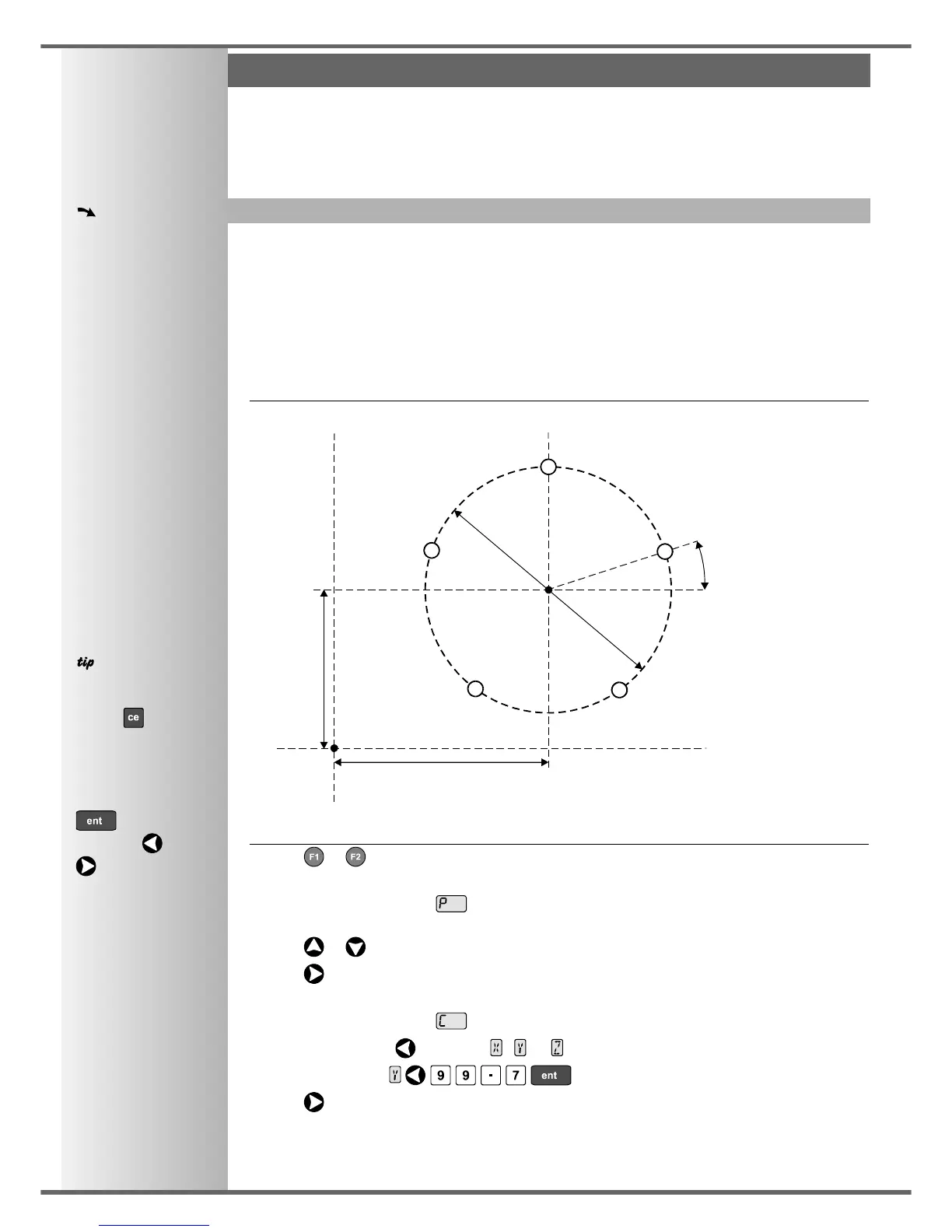
This function will calculate the locations of the holes, given the following parameters:
1 Plane (X,Y X,Z or Y, Z )
2 Circle Center location
3 Circle Diameter
4 Number of Holes (up to 99)
5 Starting Angle (measured anti-clockwise from 3 o’clock)
Example
To Set the Function Parameters:
• Press or to turn the function on.
• The function display shows , and the axis displays show in which Plane the holes are to be
machined.
Press or to cycle between the three settings X,Y X,Z or Y, Z .
Press to move to the next step.
• The function display shows , and the axis displays show the coordinates of the Circle Center.
Press the Select Key next to the , or , to edit each value as required.
For Example: Press .
Press to move to the next step.
continued
Datum
99.7mm
125.25mm
150mm
Diameter
Circle
Center
18°
Starting Angle
Starting Hole
5 Holes
Y axis
X axis
The Functions described here are available when the C80 is in Mill Mode, and also when in Generic
Mode.



 To Next Page