C80 Three Axis Digital Readout System
CLEANING
TROUBLESHOOTING
The display is blank.
The display works, but resets
from time to time without any
keys being pressed.
The display works, but gives
erratic readings, the last digit
jitters or the measurements
jump to new figures
unexpectedly.
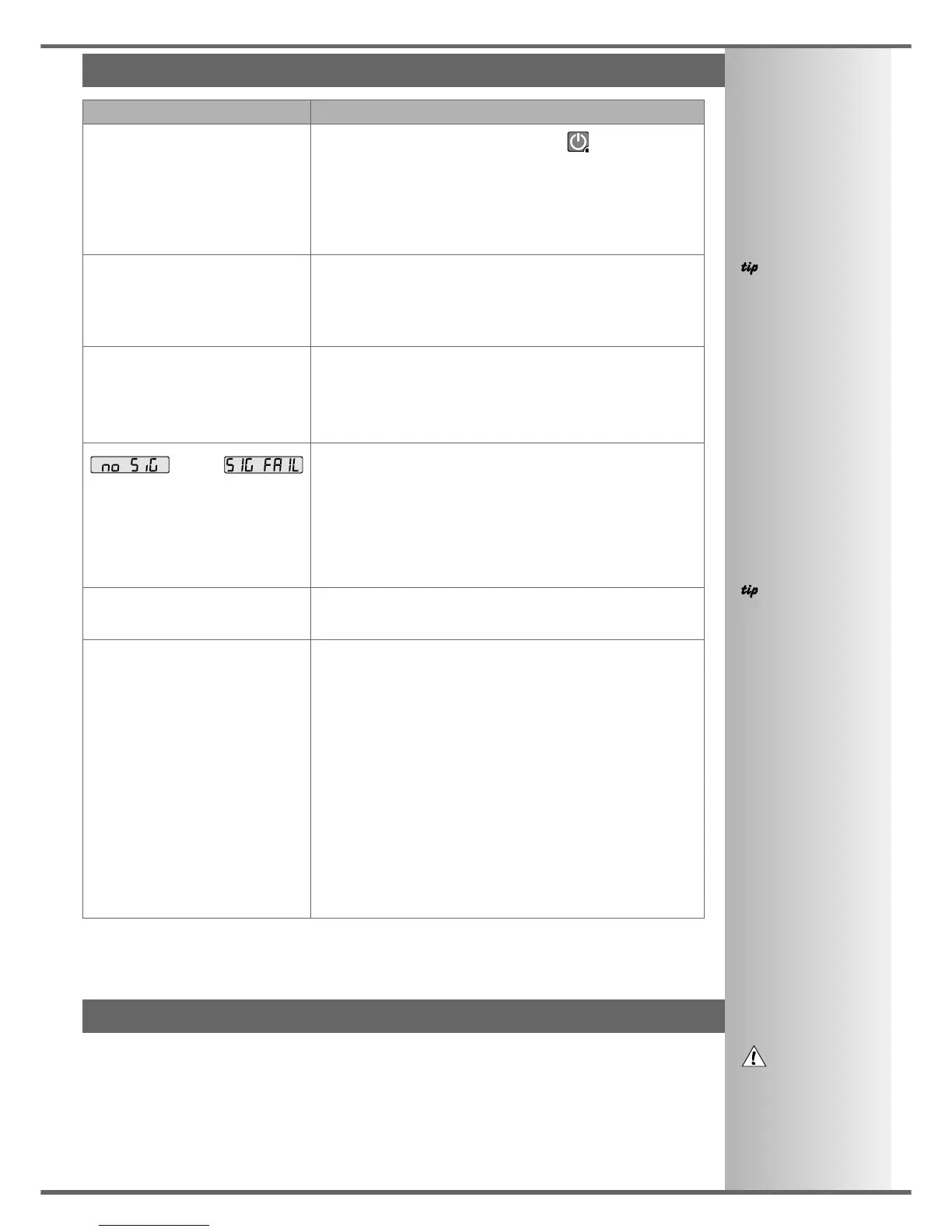
or
appears in the display.
The unit will not respond to any
key presses.
Readings are incorrect
• The C80 may be in Sleep Mode. Press .
• Check that the power supply is correctly connected to a
working mains outlet.
• Check that the power supply cables are not damaged.
• Check that the power supply voltage is 15-24Vdc ±10%.
• Disconnect all encoder cables. A defective encoder can
prevent the C80 from working.
• This suggests either that the supply voltage is too low, or
that the power supply or mains supply has an intermittent
fault.
• Check that the power supply voltage is 15-24Vdc ±10%.
• Check that all connections are sound.
• This suggests that there may be a poor earth (ground)
connection.
• Both the C80, and the machine on which it is installed,
must have proper earth (ground) connections. (see page 3)
• There may be a problem with the encoder (see below).
• This indicates that the unit is not receiving a proper signal
from the encoder.
• Check that the encoder connections are sound.
• Check that there is no damage to the connectors or to the
encoder.
• Switch the C80 off and back on again.
• Swap the encoder to another axis to confirm whether the
encoder or the C80 is at fault (see tip).
• Disconnect the C80 from its power supply, wait 15 seconds
then reconnect.
• Check Encoder Type to ensure correct selection.
• Check the Radius / Diameter setting. The Diameter setting
will cause the axis to read double.
• Check Error Compensation factors.
• If using Segmented Error Compensation, verify the datum
position.
• Swap the encoder to another axis to confirm whether the
encoder or the C80 is at fault (see tip).
• Check that there is no damage to the encoder or its cable.
• Check that the encoder is fixed firmly and aligned correctly,
as described in the encoder manual.
• Check that there is no binding on the scale. With the scale
brackets slightly loosened, you should be able to slide the
scale back and forth with minimal resistance.
• If you have a Spherosyn scale, check that the scale is not
bent, by removing it and rolling it on a flat surface.
SolutionsSymptom
NOTES
Providing the machine
has not been moved
more than:
6.3mm (0.25”) for a
Spherosyn encoder or
2.5mm (0.1”) for a
Microsyn encoder
the datum position will
not be lost by switching
the power off and back
on again.
When swapping
encoders to trace a fault:
1
Check that two axes are
set to the correct
encoder types.
2
Move the encoder from
the malfunctionning axis
to a working axis.
If the fault stays with the
same encoder, then the
encoder is at fault. If the
fault stays with the same
axis, the C80 is at fault.
FOLLOW THESE
INSTRUCTIONS
CAREFULLY TO AVOID
DAMAGE TO THE C80.
Feb 2002 Newall Measurement Systems Ltd 31
TROUBLESHOOTING, CLEANING
If the solutions suggested above do not solve your problem, contact Newall for further instruction.
• Disconnect the power supply from the C80 before cleaning.
• Do not use corrosive or abrasive cleaning materials.
• Do not use compressed air.
• Apply a small amount of mild soap to a lint-free cloth. Use this to wipe over the case and keypad,
taking care not to allow fluid into the connectors.



 To Previous Page