C80 Three Axis Digital Readout System
Vectoring
LATHE FUNCTIONS, Vectoring
NOTES
The conventional way to
set up a lathe is:
X Axis – cross travel
Z Axis – longditudinal
travel
Z’ Axis – compound
travel.
If the Machine Type is
set to Generic, then the
axes will be labelled:
Axis 1 – X
Axis 2 – Y
Axis 3 – Z
If you make a mistake
while entering a number,
pressing will clear
the entry one character
at a time.
To turn the function off,
finish making any entry,
then press the function
key again
Feb 2002 Newall Measurement Systems Ltd 27
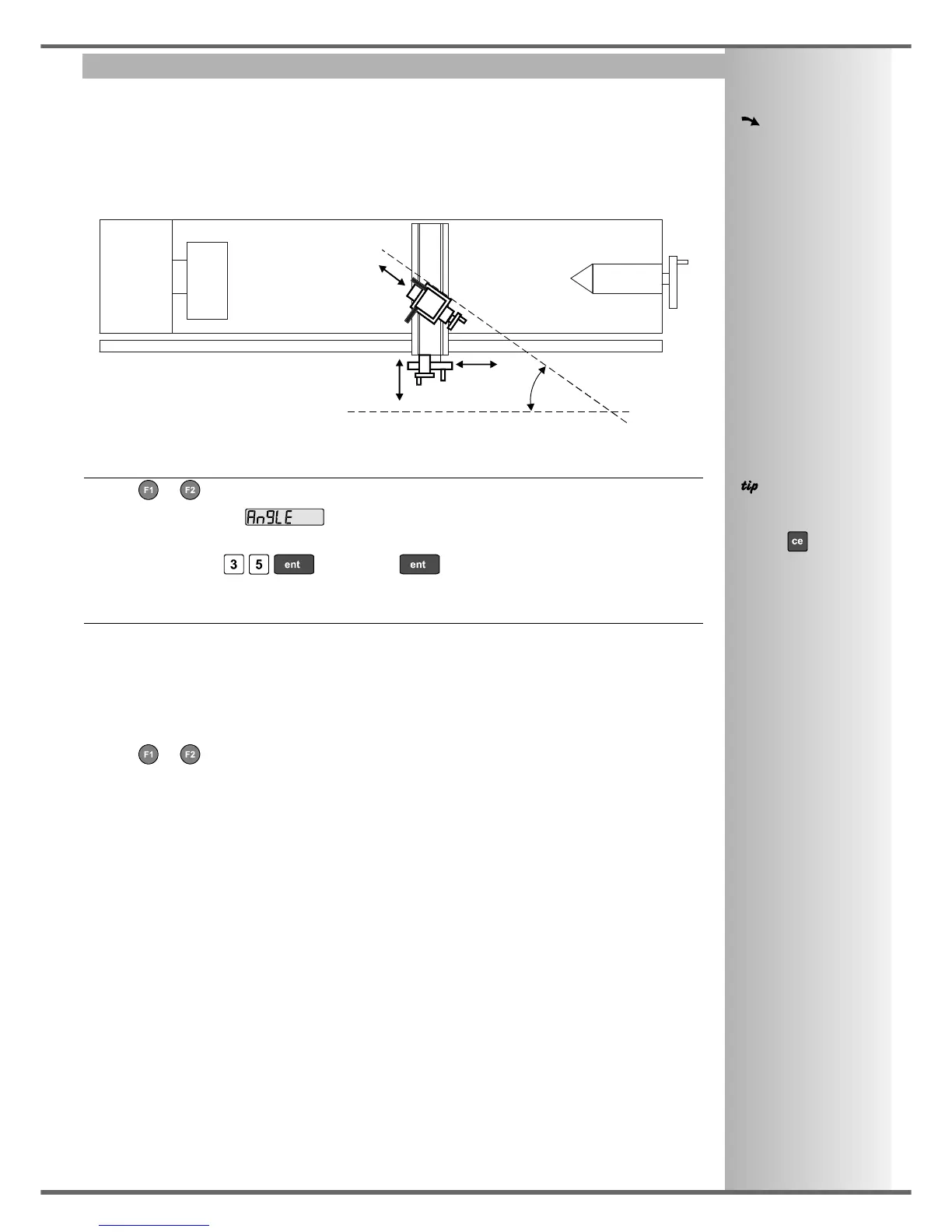
This function allows the movement of the X and Z axes to be combined with the angle of the compound.
This function is available only on 3-axis units.
The Vectoring Function is useful when the compound is set at an angle. If the compound is set to align
with either the X or the Z axes, see the previous section on the Summing Function.
To Set the Function Parameters:
• Press or to turn the function on.
• The top display shows , and the middle display shows the Vectoring Angle.
Enter a new value if required.
For Example: Press , or just press to accept keep the existing setting.
To Use the Function:
• The X display shows the combined X axis movement.
The Z display shows the combined Z axis movement.
The Z’ display shows the Z’ axis as normal.
Any of the axes can be zeroed or preset in the usual way. The Vectoring displays will be altered to
take account of the new value.
• Press or to turn the function off.
Combined X movement = X + Z’(Sin α)
Combined Z movement = Z + Z’(Cos α)
X
αα
Z
vectoring
angle
Z’



 To Next Page