67
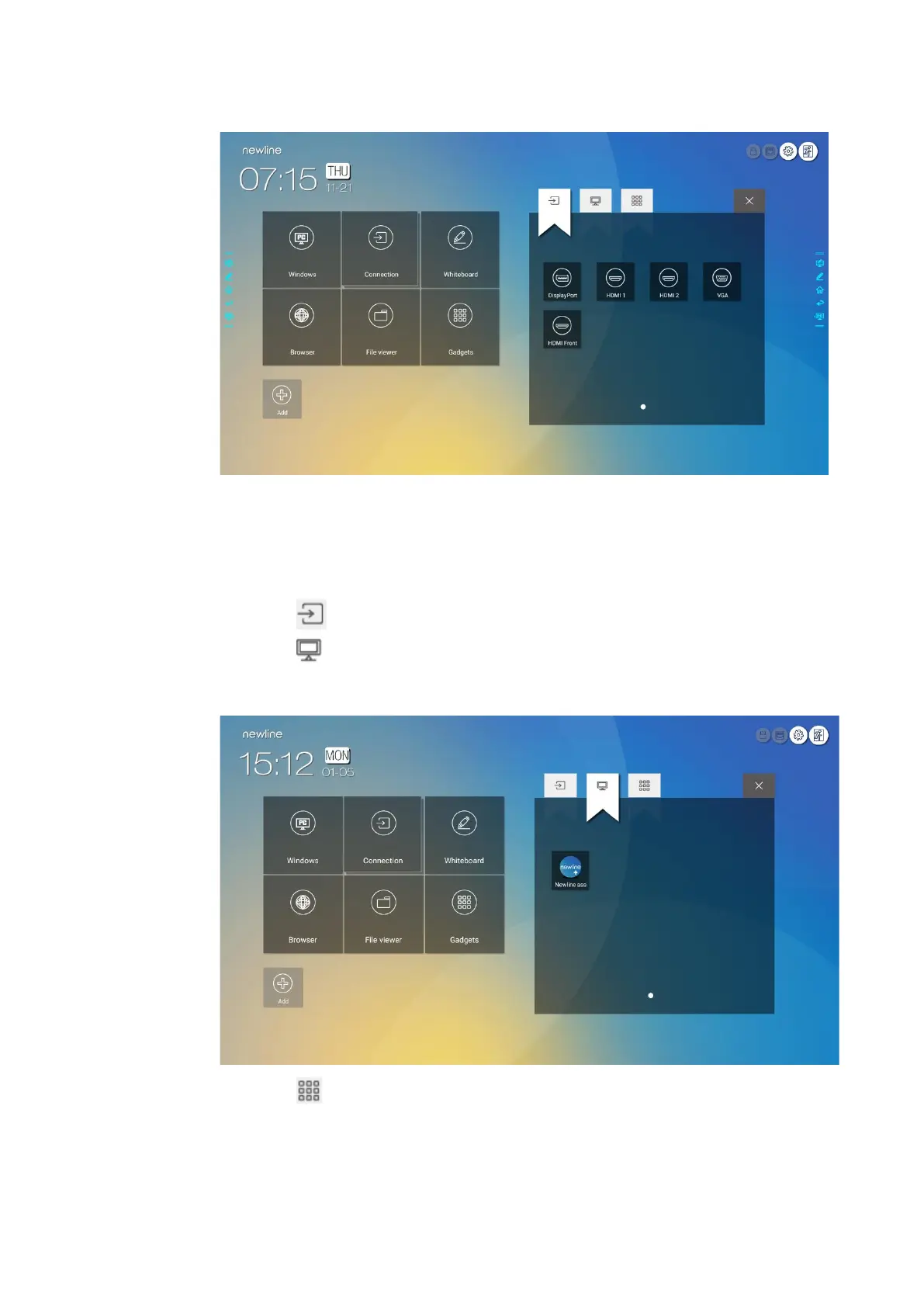
Step 2 Click the icons on top to switch the list between external signal sources, Windows software
shortcuts and pre-installed gadgets.
⚫
Click to view signal sources in Connection.
⚫
Click to view the Windows software shortcuts that the Newline Assistant uploads to the
embedded operating system. For details, see “Add Quick Start Windows Programs in Smart
System”.
⚫
Click to view all Gadget applications.




 To Next Page