21
3
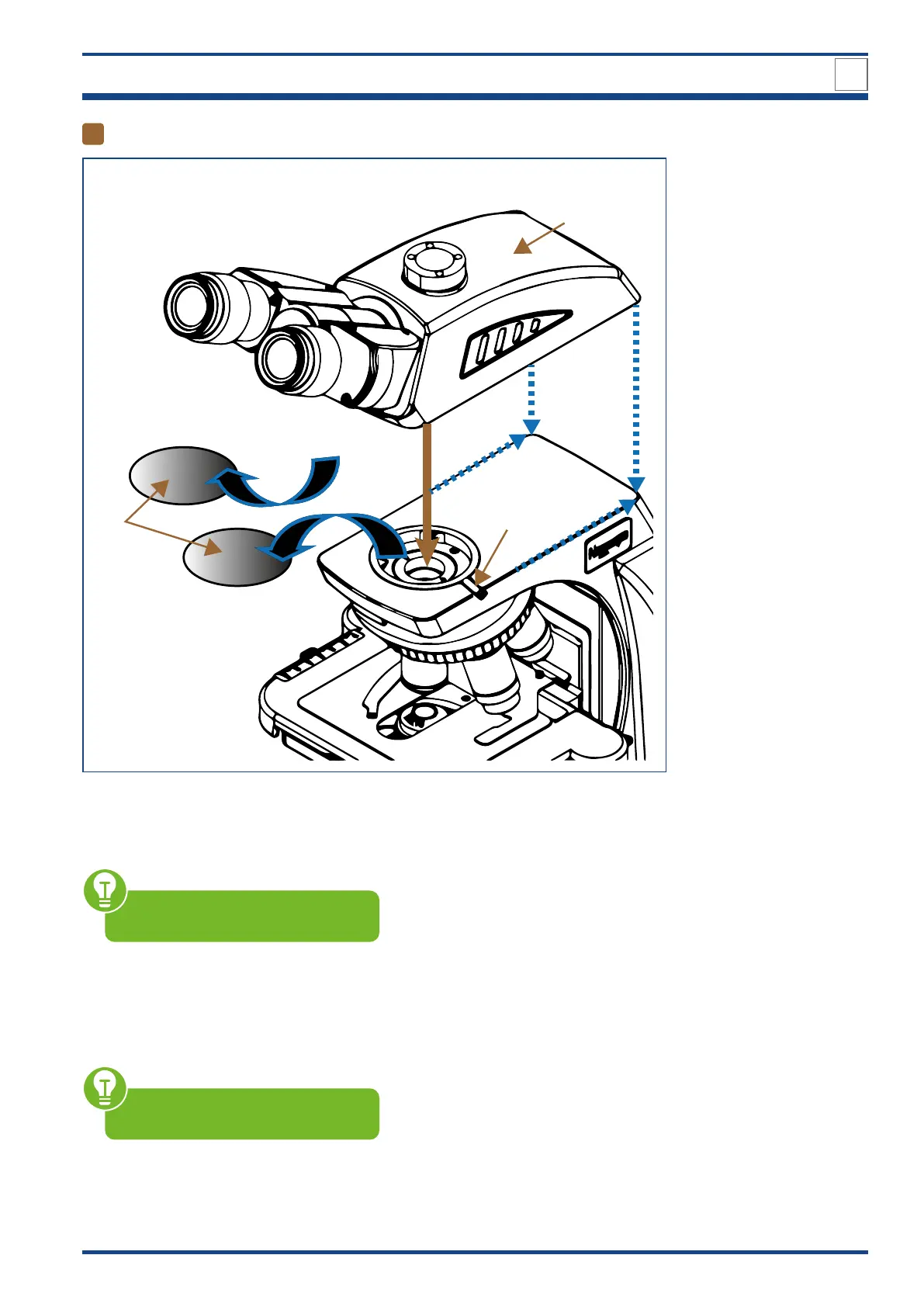
Attaching the trinocular viewing head
I
II
III
Illustration 005: Attaching the trinocular viewing head.
If present pull off the black protective cap (I) from the tube lens (at the bottom of the trinocular
head).
Make sure not to touch any optical
lenses.
Remove the black protective cap (I) from the microscope body by loosen the viewing head
holding screw (II).
Place the trinocular viewing head (III) into the round dovetail of the microscope so that the
eyepieces are in front.
Ensure correct alignment along the
microscope body (blue lines).
Fasten the viewing head by tightening the viewing head holding screw.
DESIGN OF NE620T
3



 To Next Page