- Communication Options
USB-Link™ 2 Wi-Fi Edition Installation and Setup Manual 13
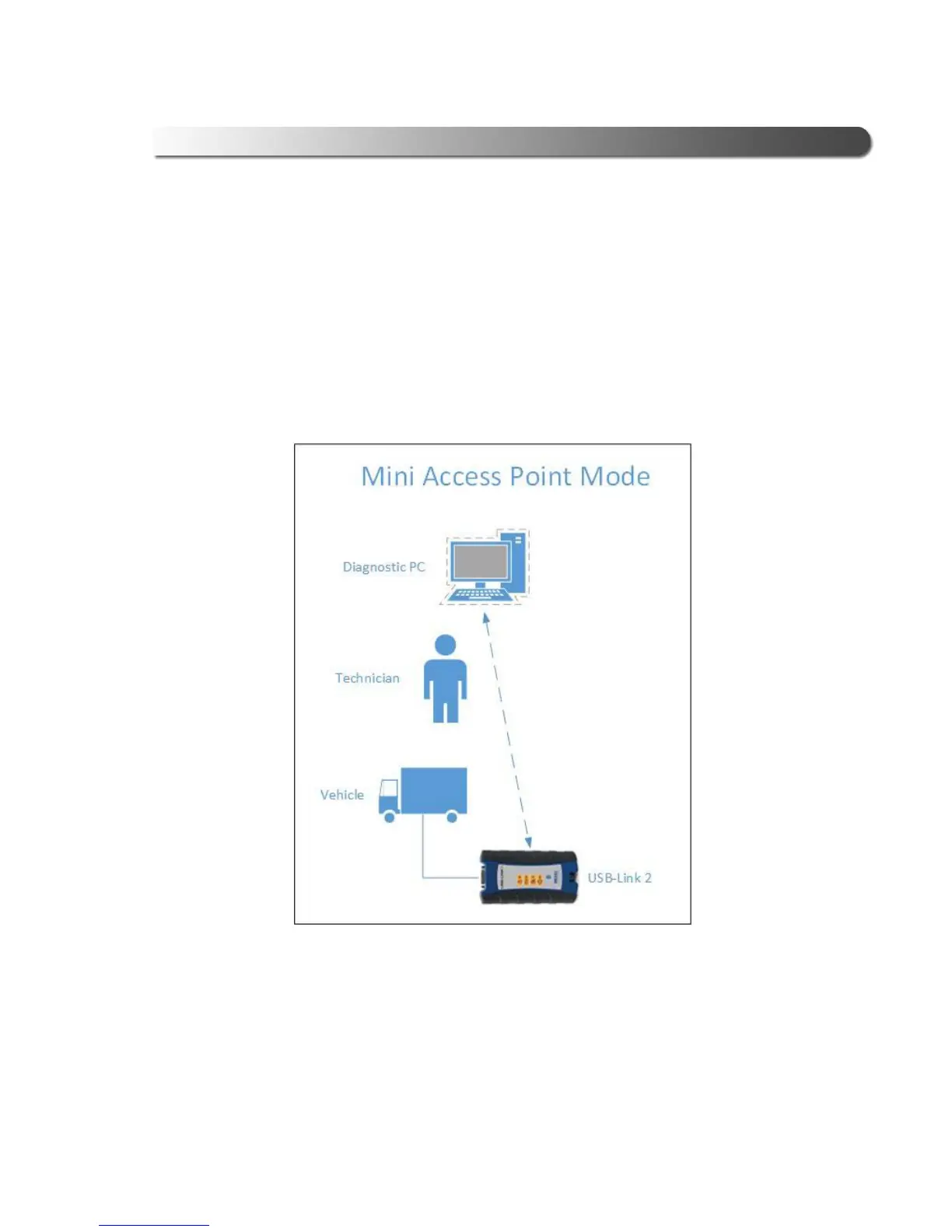
Mini Access Point Mode (Peer-to-Peer)
The easiest and quickest way to connect your USB-Link™ 2 to your PC is Mini
Access Point mode. In Mini Access Point mode (also known as Access Point Em-
ulation mode), the PC communicates
directly with the USB-Link™ 2. The USB-
Link™ 2 emulates the function of an access point, allowing the PC to connect
directly to the USB-Link™ 2, as if it were an access point. When the PC is con-
nected to the USB-Link™ 2 in Mini Access Point mode, neither device is
co
nnecte
d to the company network.
Figure 2.3 Mini Access Mode
If you use your PC’s internal wireless network card to connect to your company’s
network a
nd the Internet, you may want to obtain an additional wireless network
card for use with the USB-Link™ 2. Otherwise when you connect the USB-Link 2
to your
PC
using Mini Access Point mode, you will not have access to the Internet
until you have finished your session and reconnected to your company’s network.



 To Next Page