29
v.12/2020
Touch Plate Calibration (cont.)
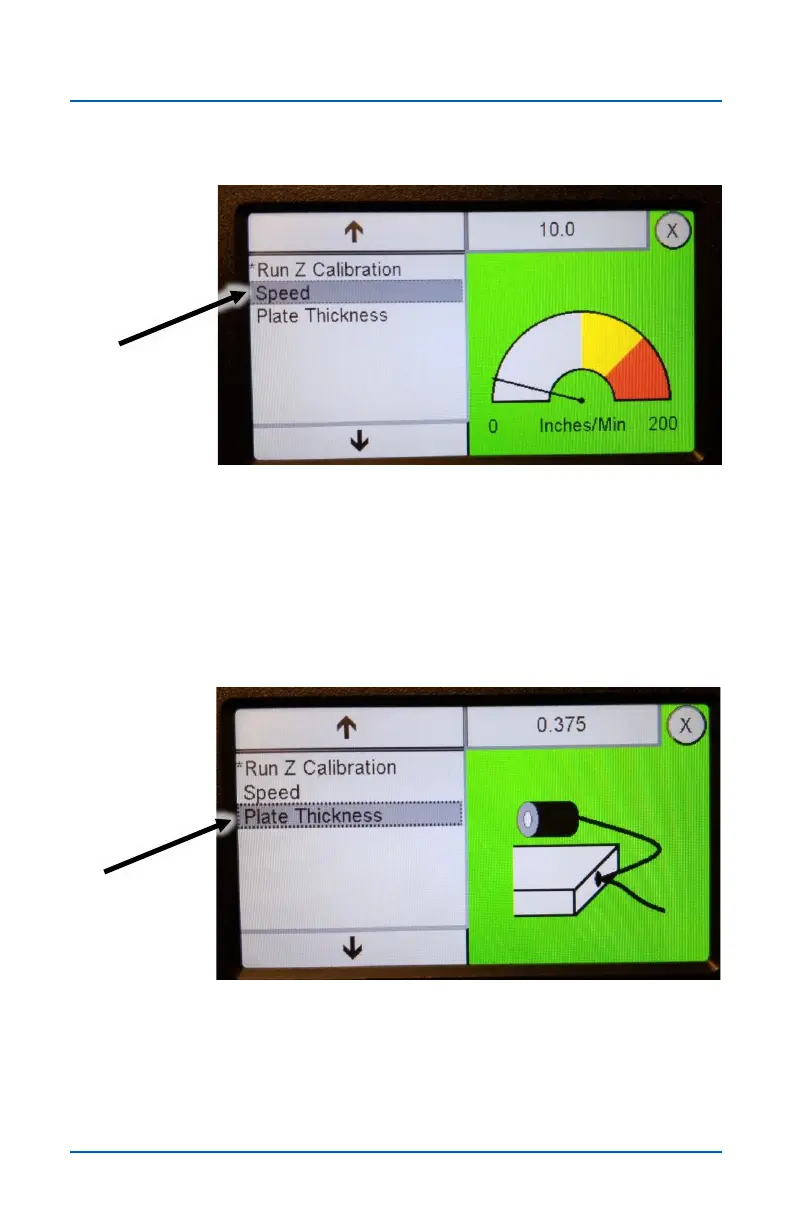
The Speed setting controls the Z axis plunge rate during Z
Calibration. Press the field in the top right to change the
setting. The default setting of 10 works well for most situations.
The default Plate Thickness setting of .375 corresponds to the
standard thickness of Next Wave touch plates. This setting
can be changed if you use a tough plate with a different
thickness or if you want the Z Calibrations routine to calibrate a
little thicker or thinner than the actual plate thickness.


 To Next Page