50 Shark HD 500 Series User’s Manual
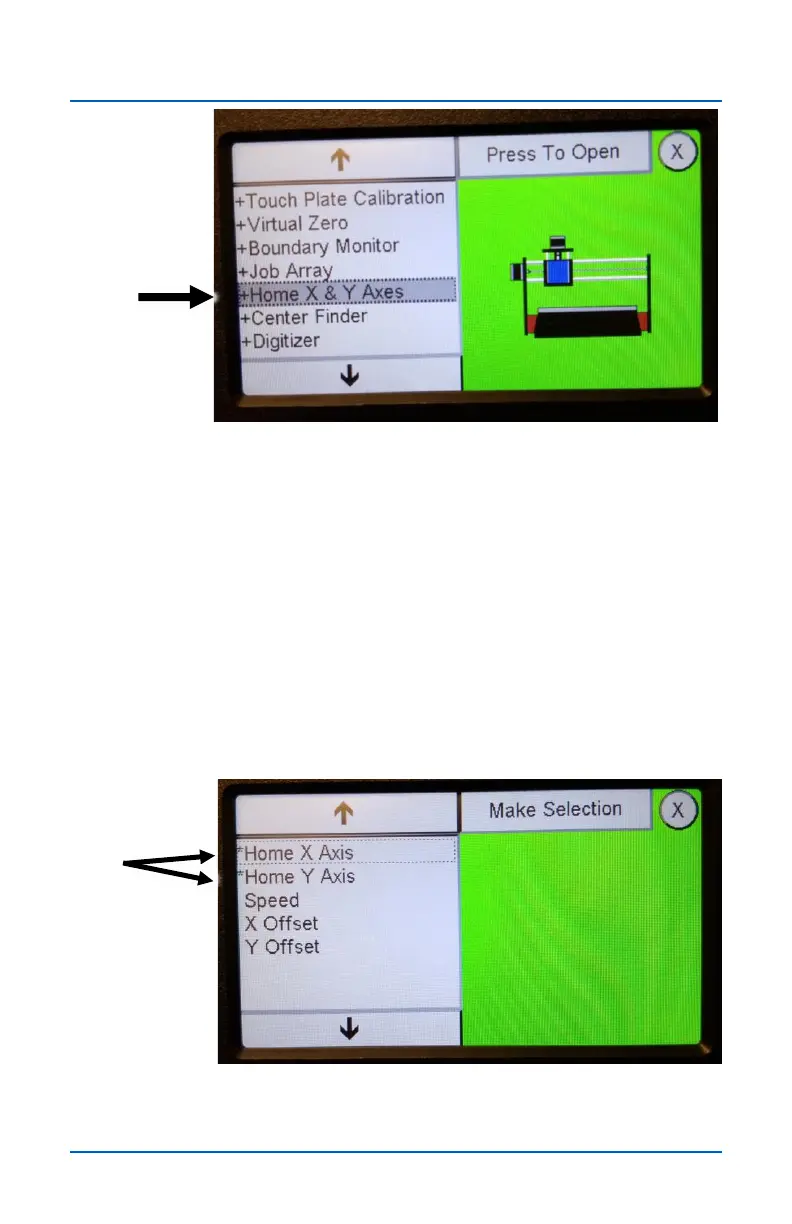
The Home X&Y Axis app calibrates and zero’s out the X and Y
axes to the “machine home” location in the lower left corner of
the table. X-Y Home can be calibrated each time you power up
your SHARK or at anytime during before you run a file. It
provides a repeatable reference point that is particularly useful
when using jigs or when you need to run a cutting file from a
precise, repeatable location.
NOTE: The Home X&Y Axis app only works with the SD120,
HD500, HD510, HD520 machines. The SD100 and SD110 do
not have the required sensors, nor can the sensor be added to
the SD100 or SD120.
Selecting either Home X Axis or the Home Y Axis starts the
homing route for that axis.
Home X & Y Axes


 To Next Page