39
v.12/2020
Virtual Zero (cont.)
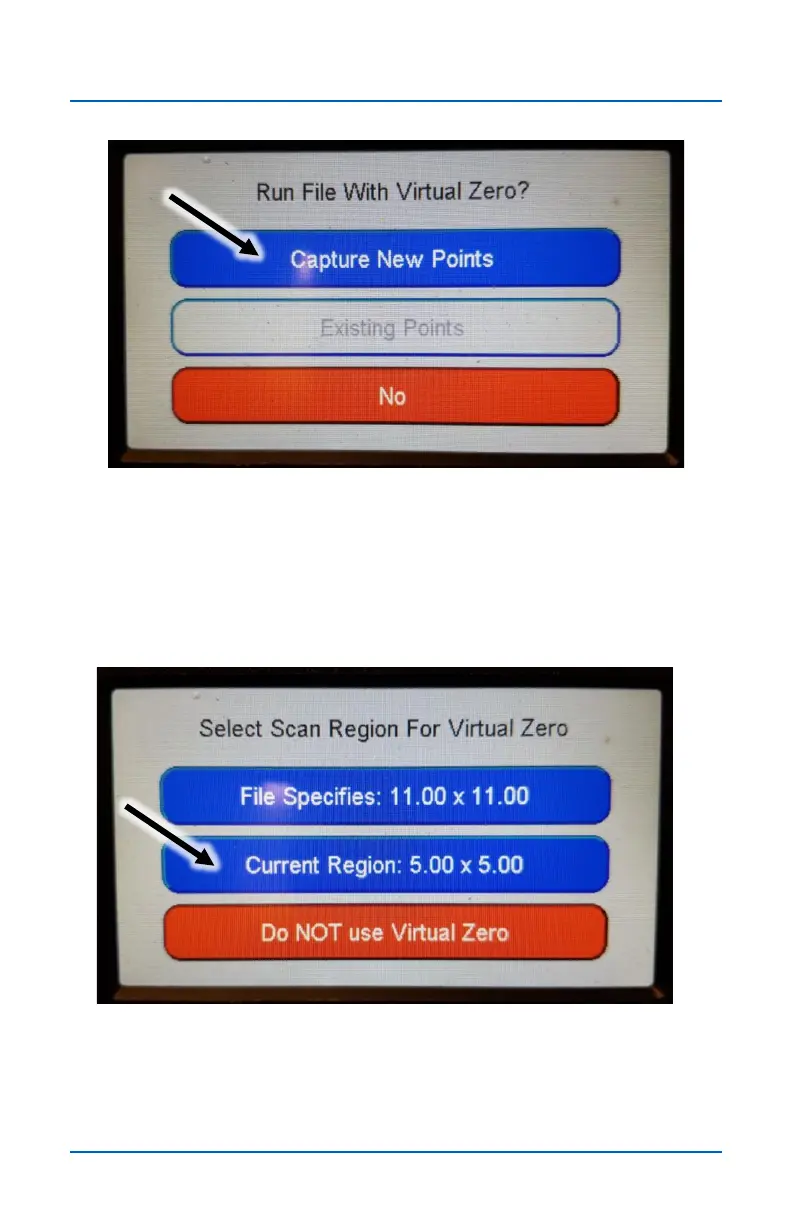
Step 14
Press Capture New Points to start the Virtual Zero scan
routine. Press No if you don’t wish to use Virtual Zero for this
.tap file. The Existing Points button is greyed out because no
points have yet been captured.
Step 15
Select the Scan Region. See the next page for information on
the differences between File Specifies and Current Region.


 To Next Page