NexusRace SW English
6.1 Configure the NXR instruments
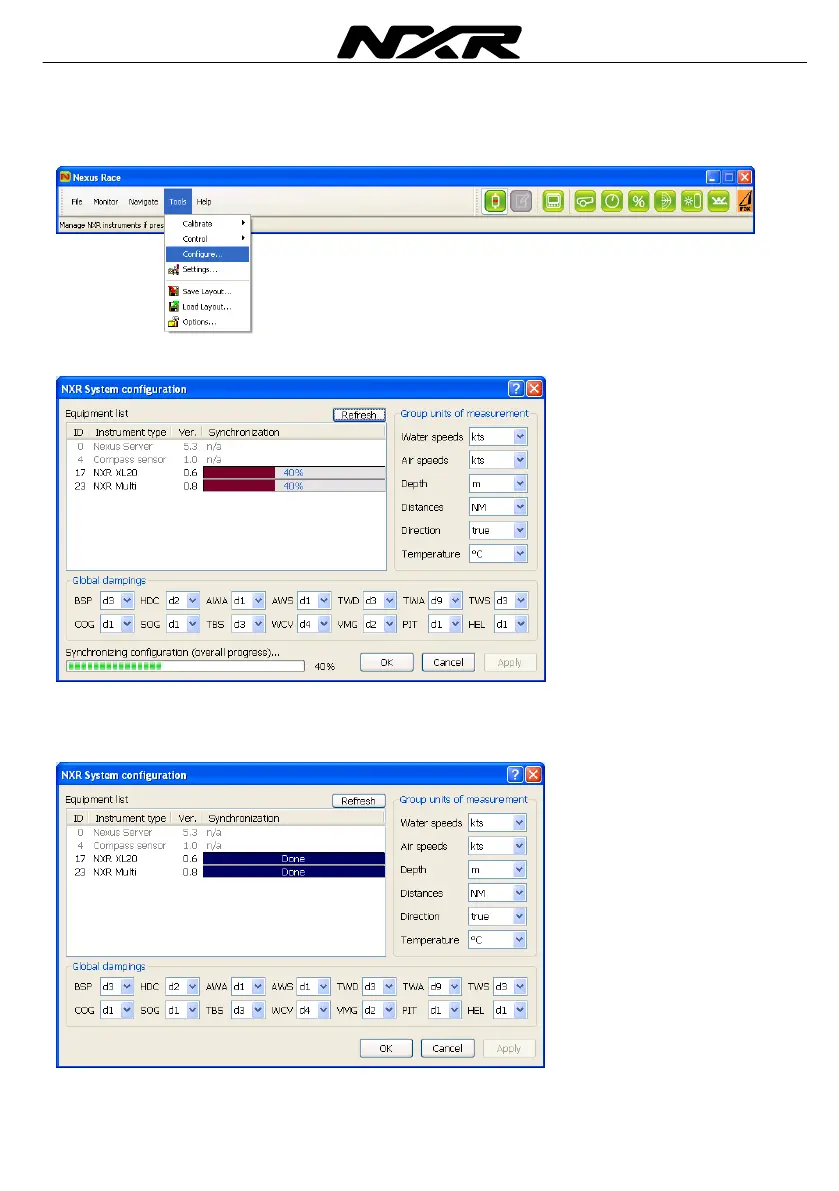
To go to the configuration of the NXR instruments, click on Tools and select Configure
The current settings of the instruments are read
A list of the connected instruments in the network is displayed with their version
numbers. Also a list of system units is displayed at the right and a list of global
damping values on the bottom.



 To Next Page