NexusRace SW English
6.4 Edit display of NXR Multi Control Instrument
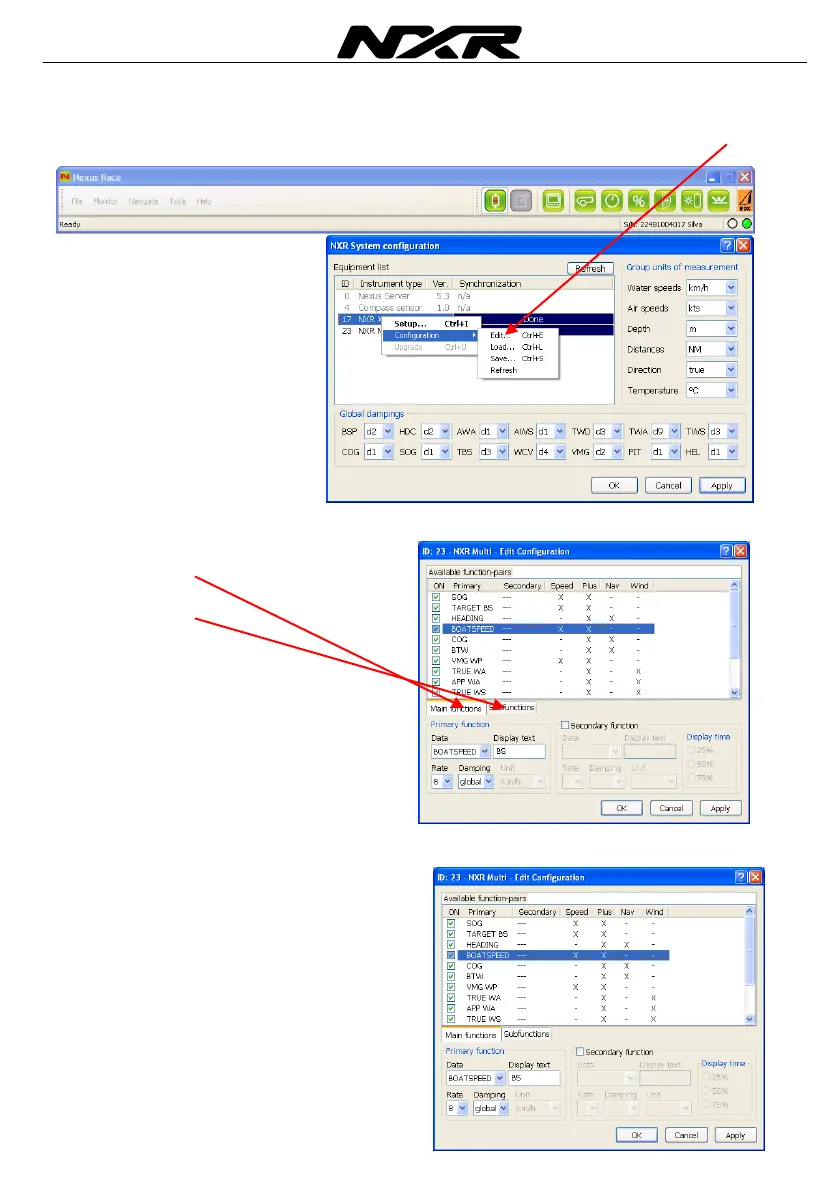
Right click on the instrument in the list you want to edit the display for and click on Edit
The following window will pop up.
The settings are divided in two folders, one
for main function
and one
for sub functions
There are 14 functions in the list of main functions
If you choose one of the functions, i.e. the
Boat speed function you can select in which
pages that function should be displayed.
In this example, boat speed will be accessible
from the Speed and the Plus page. If you want
to be able to access it in some other page,
double click on the minus sign and it will be
changed to an X. It will now be selectable in
that page.



 To Next Page