NexusRace SW English
7.5 Settings
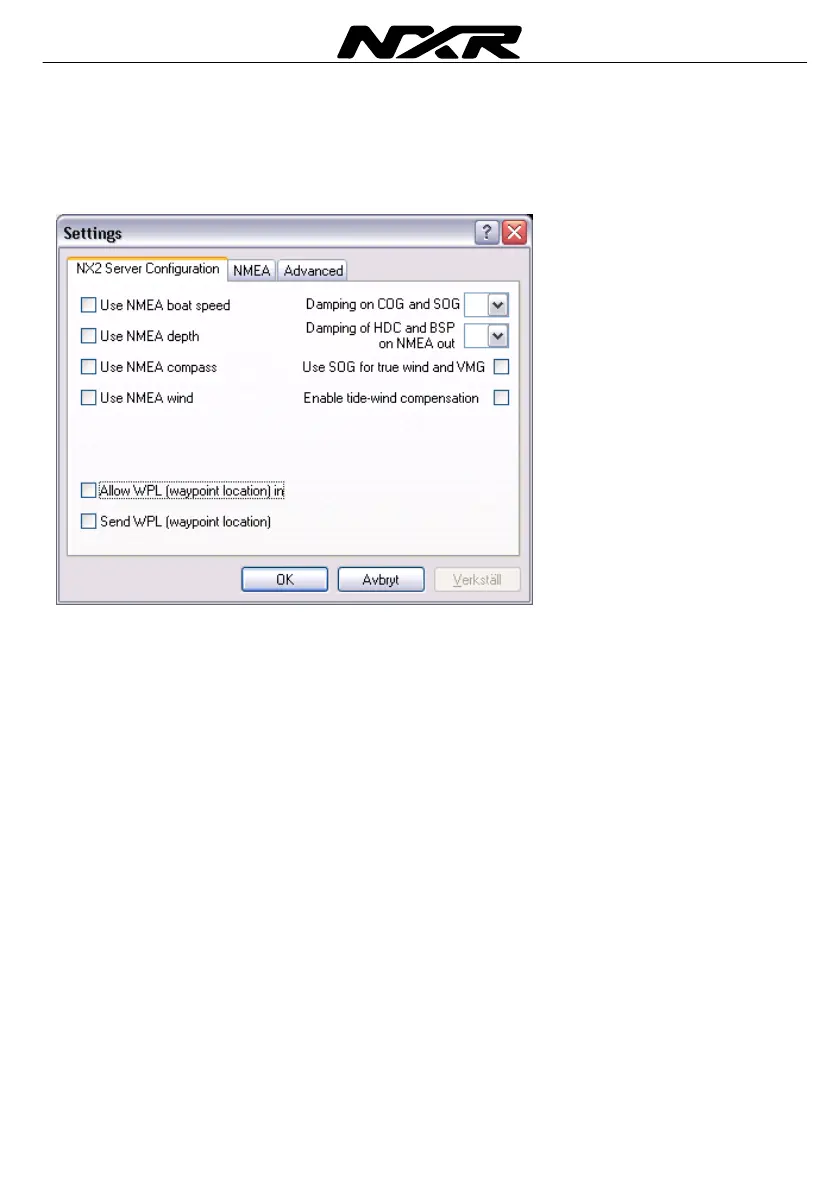
7.5.1 NX2 Server settings
Here you set up the Server configuration
Use NMEA Boat Speed
If you want to use a NMEA transducer (connected to the NMEA input, you have to tick
this box. The Server will then transmit this information on the Nexus Network to all
connected instruments.
After you have changed this setting, you have to restart the system
Use NMEA Depth
If you want to use a NMEA transducer (connected to the NMEA input, you have to tick
this box. The Server will then transmit this information on the Nexus Network to all
connected instruments.
After you have changed this setting, you have to restart the system
Use NMEA Compass
If you want to use a NMEA transducer (connected to the NMEA input, you have to tick
this box. The Server will then transmit this information on the Nexus Network to all
connected instruments.
After you have changed this setting, you have to restart the system
Use NMEA Wind
If you want to use a NMEA transducer (connected to the NMEA input), you have to tick
this box. The Server will then transmit this information on the Nexus Network to all
connected instruments.
After you have changed this setting, you have to restart the system



 To Next Page