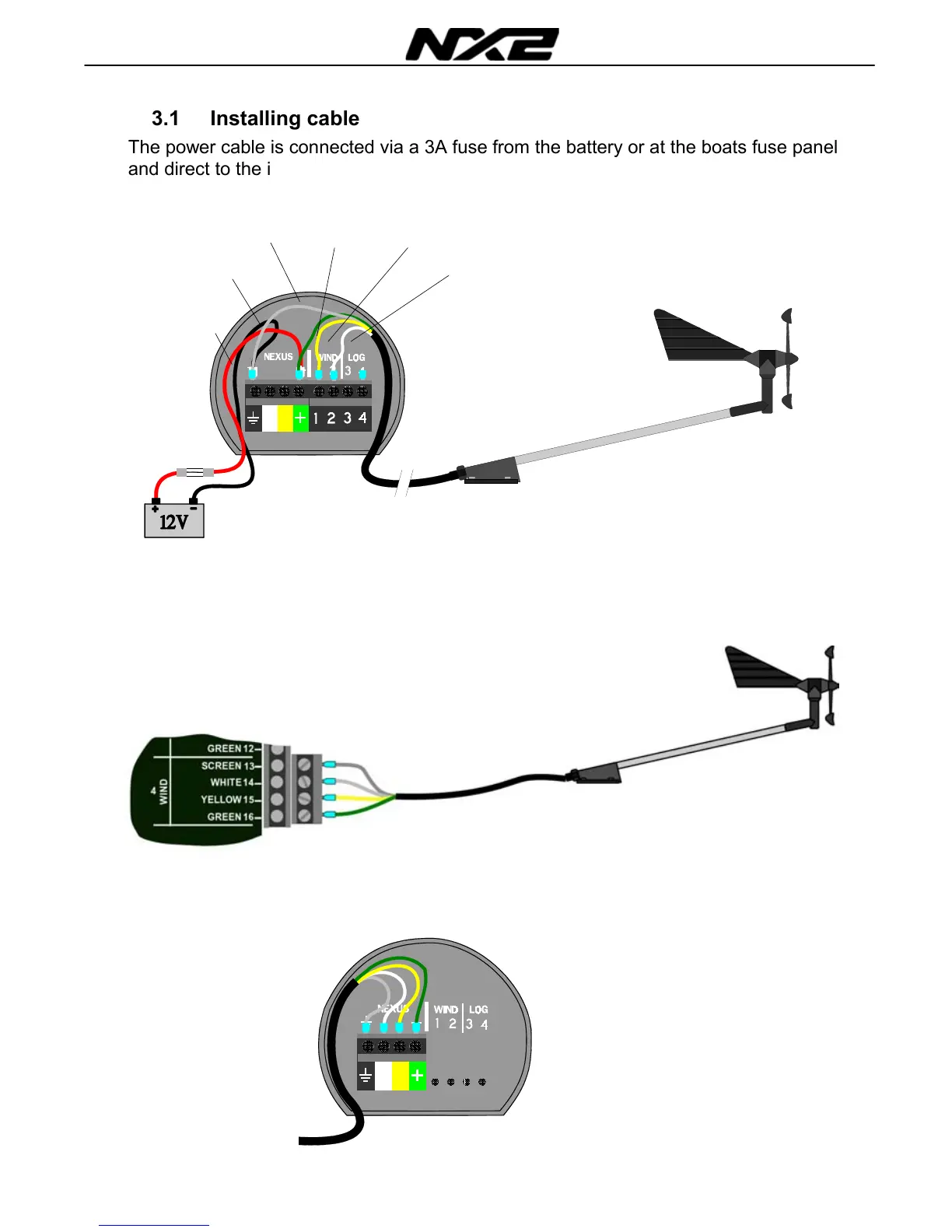
3.1 Installing cable
The power cable is connected via a 3A fuse from the battery or at the boats fuse panel
and direct to the instrument or Server. One red and one black power wire is included.
Note, set C71 On (see 6.5.1)
Always connect a 3 AMP fuse between Power supply and instrument.
3.2 Connections in Nexus Network
If you already have a Nexus Network i.e. a Server, it is more practical to connect the
transducer to the Server due to the single instrument cable installation. Note, set C71
OFF (see 6.5.1)
The instrument is then connected to the Server’s Nexus Network terminal (pin 5, 6, 7
and 8) or any instrument .
Server
Transducer
3A Fuse
Black
Scree
Red
Green
Yellow
White
From Server or other
NEXUS instrument



 To Next Page