WIND DATA
4-8
3 Installing the instrument
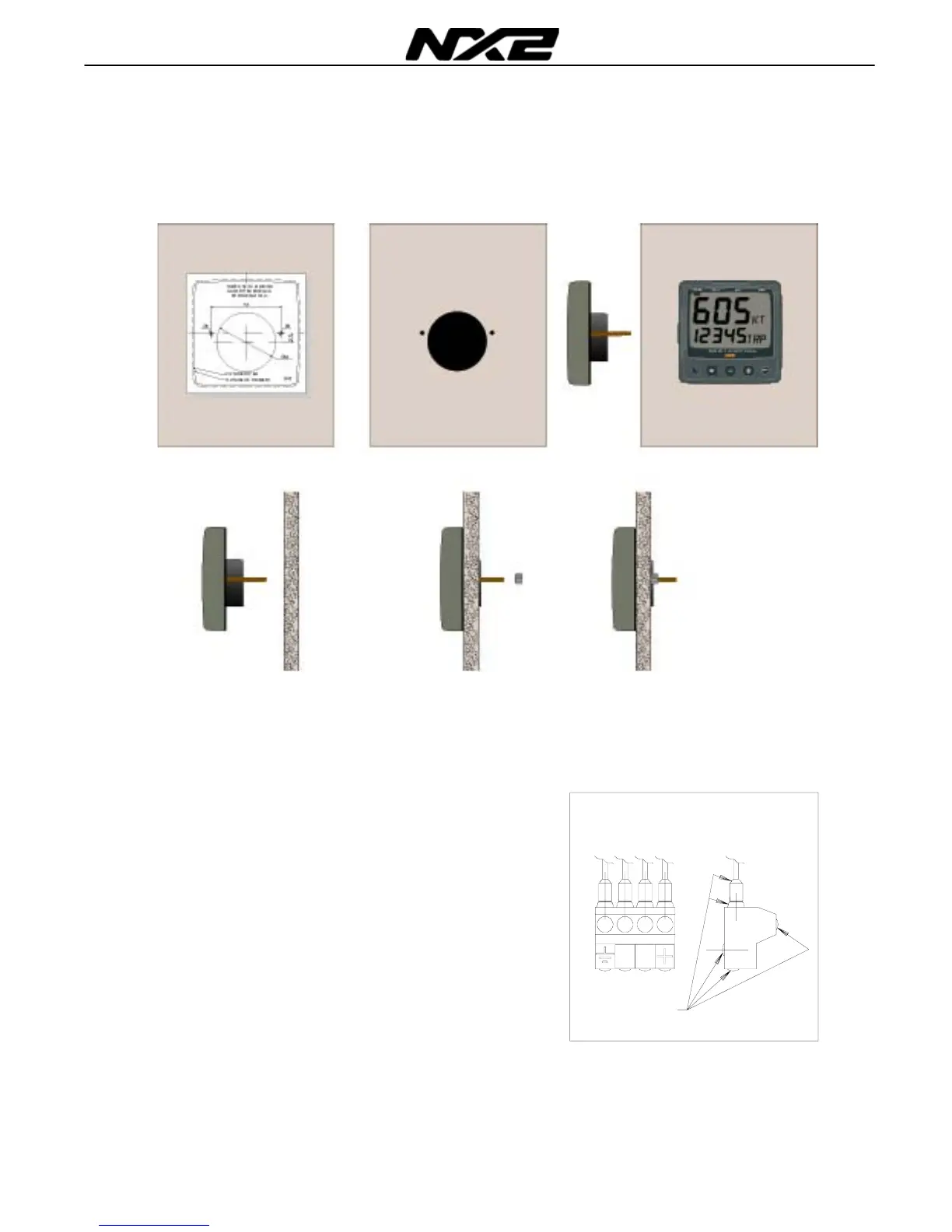
• Place the adhesive drill template on the desired location for the instrument. Drill the
2 holes using a 5 mm (
1
/
4
") drill for the two pin bolts. Use a 63 mm (2½") hole saw to
machine the clearance hole for the instrument connection socket. Remove the
template.
• Screw the two pinbolts to the instrument
• Put the instrument in place
• Screw the two nuts from the back
Note! The two nuts must just be tighten by hand
• Run the Nexus Network cable from the Server
to the instrument.
• If you want to cut the Nexus Network cable to
length, disconnect 4-pole jack plug and cut
the cable. Peel off about 35 mm (1,4") of the
cable insulation. Remove about 6 mm (1/4")
from the 3 isolated wires (the 4th wire is an
earth / screen). Attach the 4 cable protectors
to the wires using a pair of flat pliers.
• Connect the 4 cable protectors to the 4-pole
jack plug as shown. Apply silicon paste on all
locations as
shown.
Note: Must be done to avoid corrosion.
Silicon paste



 To Next Page