English VHF NX2000
16
Press (ENT) key to stop the ringing, then listen for the voice message or begin
speaking.
6.4 Distress Alert
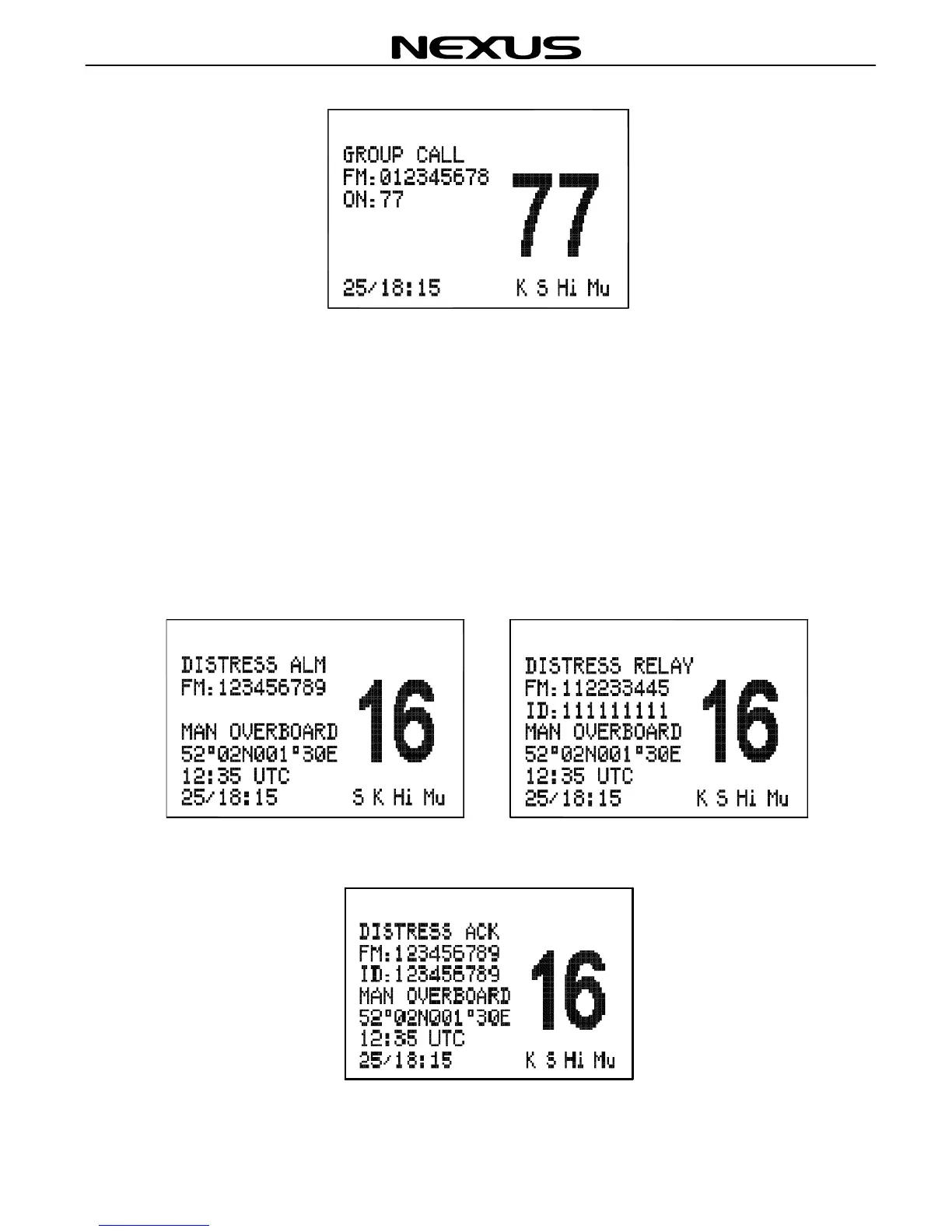
If a Distress Alert or a Distress Relay is received from another vessel, an alarm will
sound and the Radio will switch to channel 16. The screen will show the details of the
Distress Alert or Distress Relay, the MMSI (Maritime Mobile Service Identifier) of the
vessel, the nature of the distress, its position and time, mute the alarm by pressing
(ENT) key and maintain a listening watch on channel 16 for the distress messages.
Press (CLR) key to clear the display.
When the distress Alert Call is cancelled, the Radio will sound “B,B”, and the screen of
it will show as below:


 To Next Page