English VHF NX2000
22
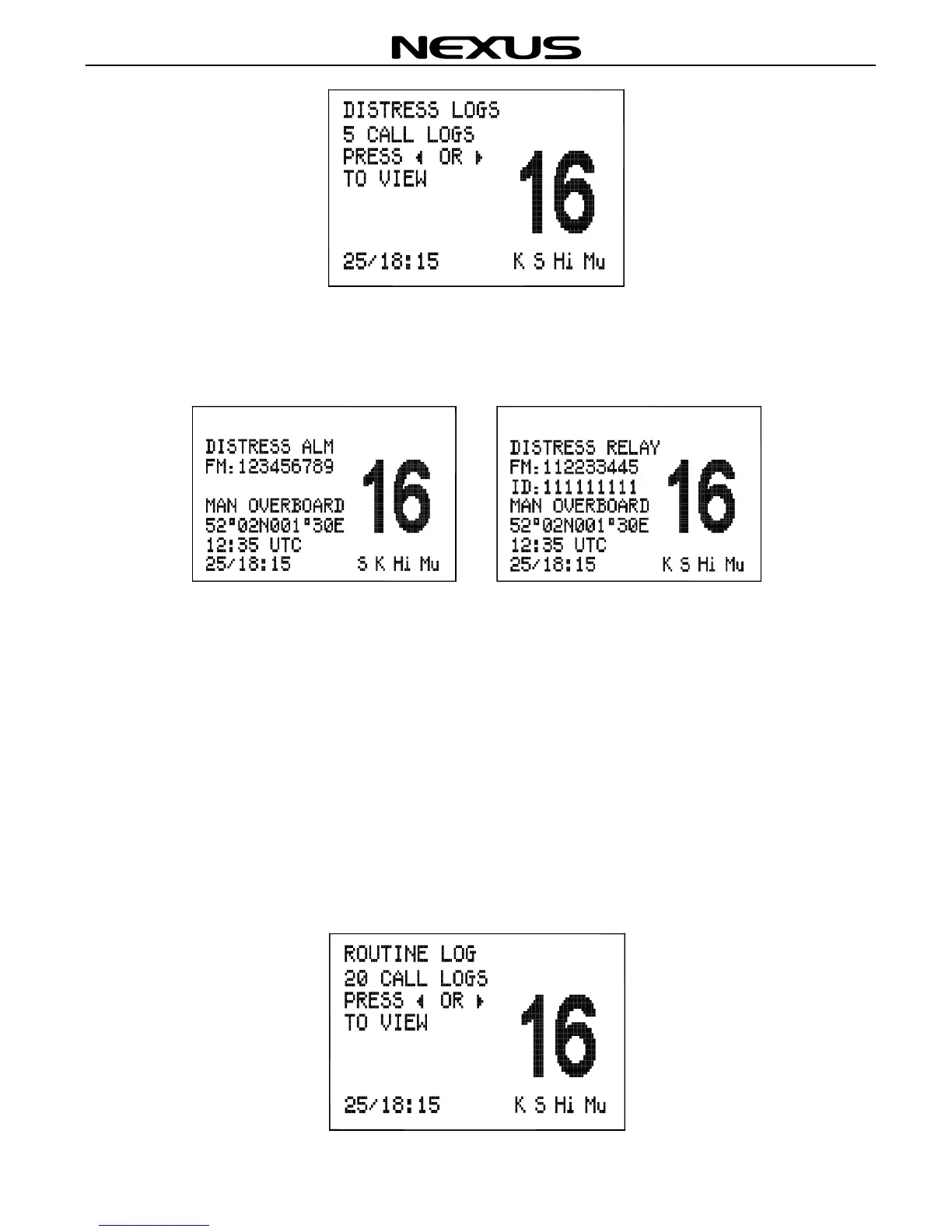
If there are any distress calls in the distress log screen, press the ◄ or ► key to move
back and forth through the DISTRESS LOG screen. The DISTRESS LOG screen as
below:
Press (CLR) key to exit the call log screen.
8.2 Review Routine Log
The routine log can be used to look back through the last 20 calls that have been
received, the most recent call first.
Press (MENU) key on the fist microphone/controller keypad to select the ROUTINE
LOG screen as below:


 To Next Page