VHF NX2000 English
9
4 FIST MICROPHONE/CONTROLLER
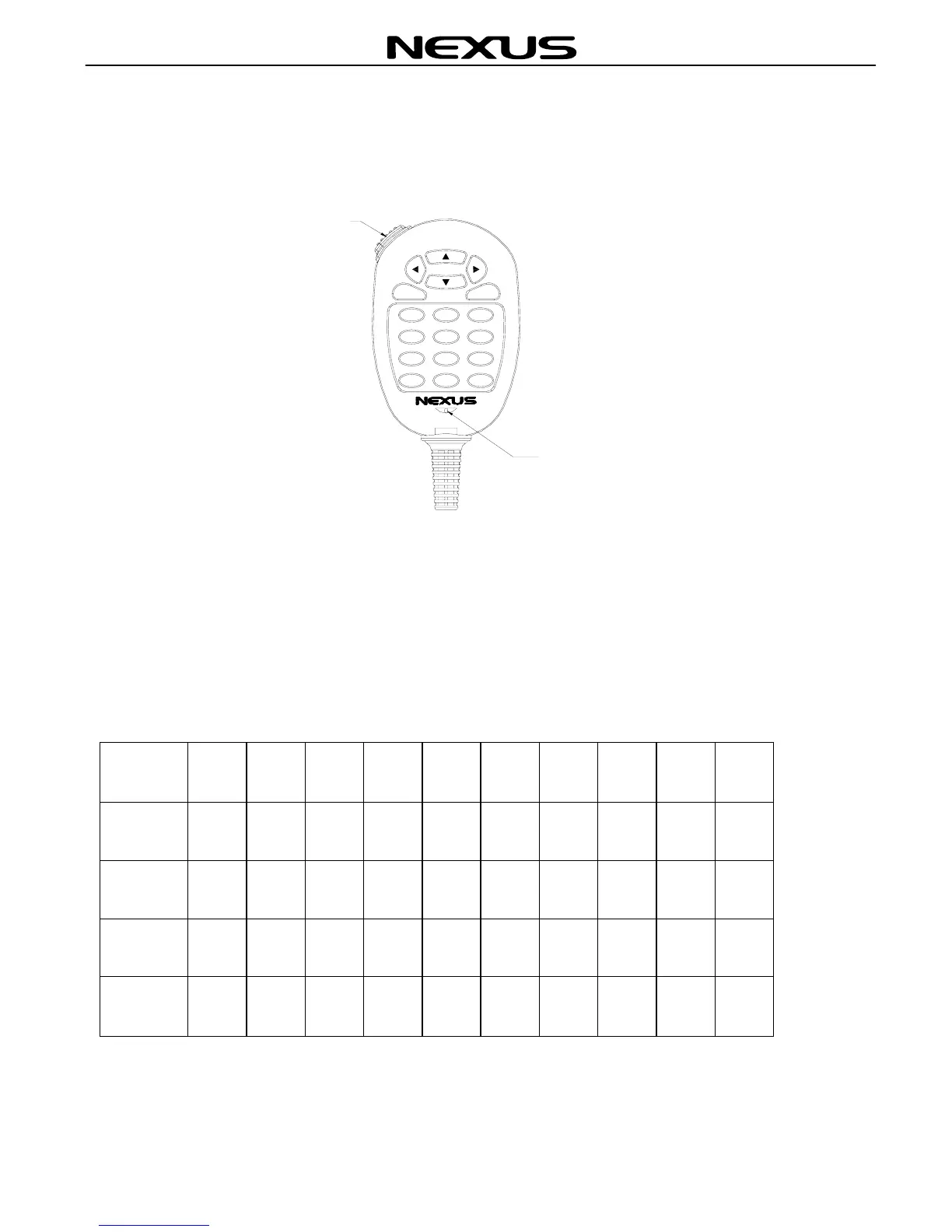
The fist microphone/controller has the microphone, Push to Talk (PTT) switch and soft
keypad as illustrated below:
4.1 Soft Keypad (0 - 9)
The telephone style keypad ITU 0 – 9 / A - Z is used for entering numeric data. When
required, the keys will automatically switch to character mode allowing letters, numbers
and punctuation marks to be entered. Repeatedly pressing a key will cycle through the
characters available on that key.
Number 1 2 3 4 5 6 7 8 9 0
1 press — A D G J M P T W
2 press , B E H K N Q U X
3 press C F I L O R V Y
4 press / ” ’ S & Z %
5 press 1 2 3 4 5 6 7 8 9 0
MNO
JKL
GHI
Mi cr ophone
0
MENU
PQRS
7
TUV
8
ENT
WXYZ
9
CL RCAL L
ABC
4 5
1
2
DEF
6
3
PTT


 To Next Page