English VHF NX2000
30
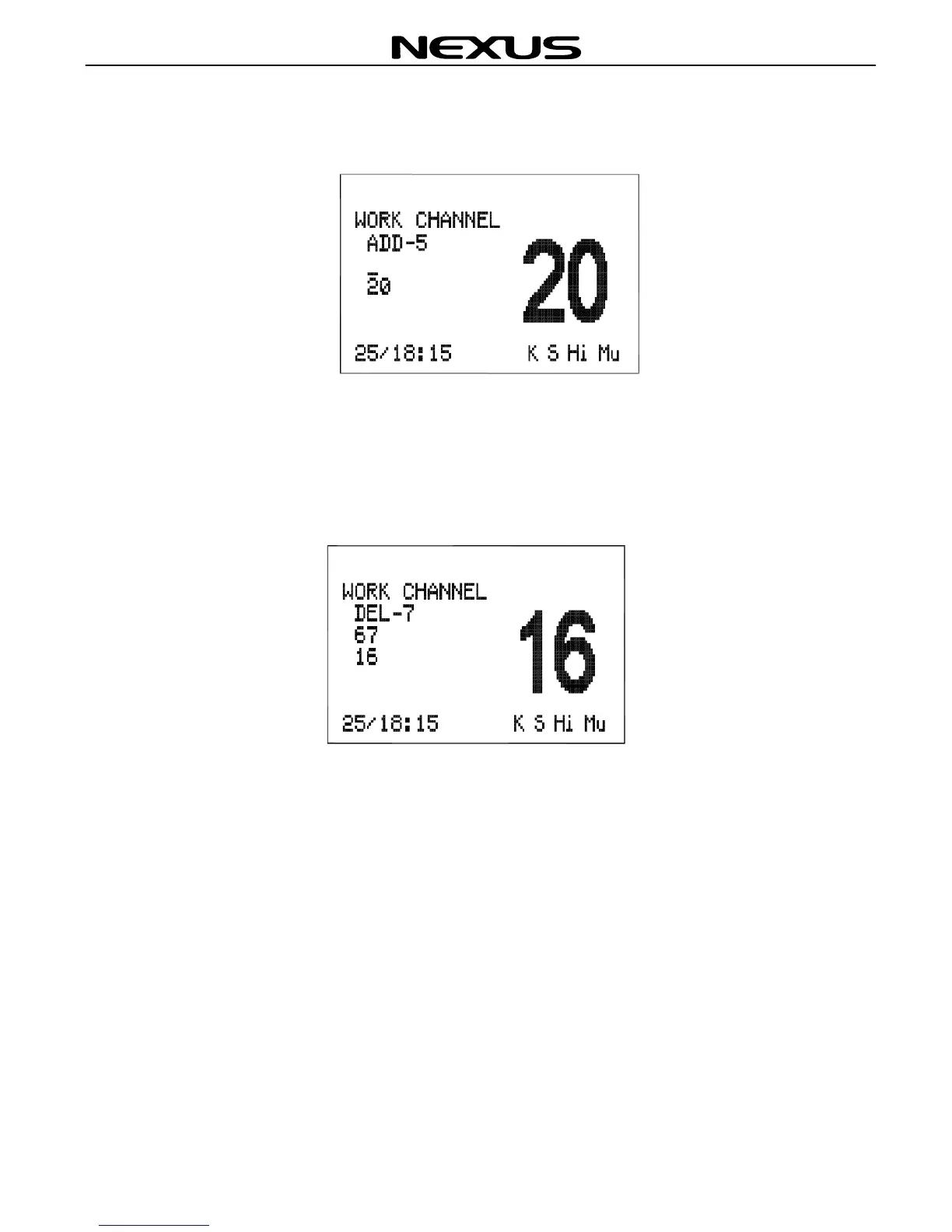
Press ◄ or ► key to select “ADD” from the WORK CHANNEL screen, then press
(ENT) key to enter, as below:
Press ▲ or ▼ key to change the selected channel, and press (ENT) key to accept.
Then press ◄ or ► key to enter the next channel.
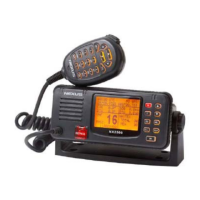
To delete a Work Channel, press ◄ or ► key to move the cursor on the WORK
CHANNEL screen and select “DEL”, then press (ENT) to accept. The WORK
CHANNEL screen appears as below:
Press ◄ or ► key to select the channel (5th – 9th channel) that you wish to delete,
then press (ENT) key to accept.
10.5 Set the Directory
The DIRECTORY function is used to add, edit and delete a note (information about a
vessel) from the directory. The directory can store 20 notes, each note consists of
MMSI and vessel name, which can be recalled in the routine call screen. Press (MENU)
key to select the “DIRECTORY” screen as below:
Note. If you have made a directory of stored MMSI numbers, you can only send a
Routine Call to someone from the Directory.


 To Next Page