24
Operating Guide
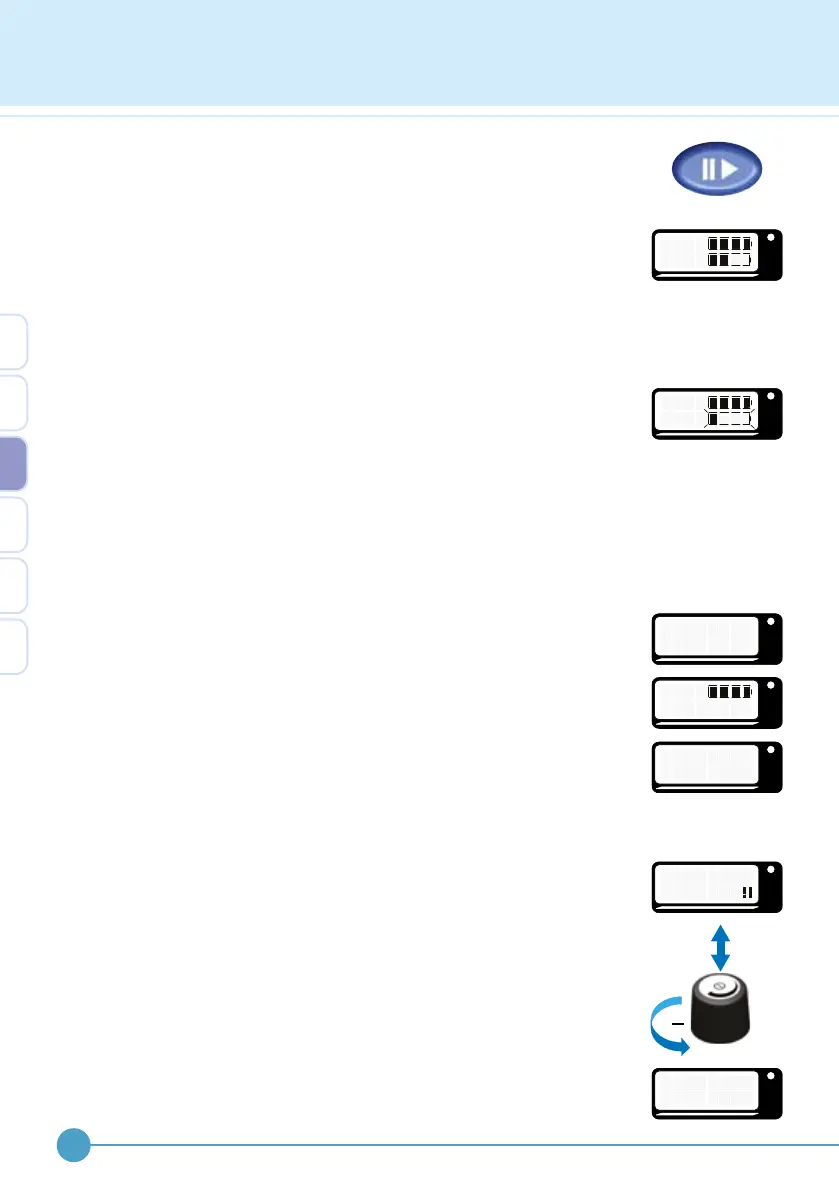
To stop stimulator operation, press the pause button again. A shorter
higher pitch beep is heard in walk mode or a descending pattern of beeps
in exercise mode.
From active mode the battery level will be displayed. If a wireless
footswitch is being used, the battery level of the ODFS
®
Pace XL is
shown on the top line and the wireless footswitch shown on the bottom
line. If the pause button is held down the levels will remain on the screen.
Low battery warning
If either the ODFS
®
Pace (XL) or wireless footswitch battery level
becomes too low while walking, a regular warning beep will be heard.
When the stimulator is paused, a warning siren beep is heard and the
battery level screen will be shown. The battery symbol relating to the low
battery will ash to indicate which battery needs replacing.
Pausing the device between walks saves power, prolonging battery life.
Lost wireless footswitch connection
If communication is lost between the ODFS
®
Pace XL and the wireless
footswitch, upon entering active mode, the screen will display “No
W.FS!”. Upon pausing the stimulator the screen will display “No W.FS!”
instead of the wireless footswitch battery level. If communication is lost
whilst in active mode, the ODFS
®
Pace XL will automatically pause and
display “W.FS LOST!!” after approximately 1 minute.
If this occurs please refer to the troubleshooting section on page 44.
Turning the stimulator o
The stimulator can only be turned off when the output has been paused.
This is to prevent the device being accidentally turned off while walking.
Check to see if the pause symbol is displayed. If not displayed, pause the
stimulator.
Click and then rotate the control knob anti-clockwise until the output on
the display reads 0% and the l/0 appears. A double beep is heard when
0% is reached.
OML
F S
.
W
P
a
c e
OML
F S
.
W
P
a
c e
OML
W
. F
o S
N !
OML
L
O S
T
!
W
.
F
S
!
OML
W
o
N
P
a
c e
.
F
S !
OML
W
5
A
0
L K
%
OML
WA L K
0 %
I
/
O
3


 To Next Page