NI cDAQ-9178/9174 User Guide and Specifications 14 ni.com
Once the acquisition begins, the NI cDAQ-9178/9174 chassis writes samples to the buffer.
After the NI cDAQ-9178/9174 chassis captures the specified number of pretrigger samples, the
NI cDAQ-9178/9174 chassis begins to look for the reference trigger condition. If the reference trigger
condition occurs before the NI cDAQ-9178/9174 captures the specified number of pretrigger samples,
the NI cDAQ-9178/9174 ignores the condition.
If the buffer becomes full, the NI cDAQ-9178/9174 continuously discards the oldest samples in the
buffer to make space for the next sample. This data can be accessed (with some limitations) before the
NI cDAQ-9178/9174 chassis discards it. Refer to the KnowledgeBase document, Can a Pretriggered
Acquisition be Continuous?, for more information. To access this KnowledgeBase, go to
ni.com/
info
and enter the info code rdcanq.
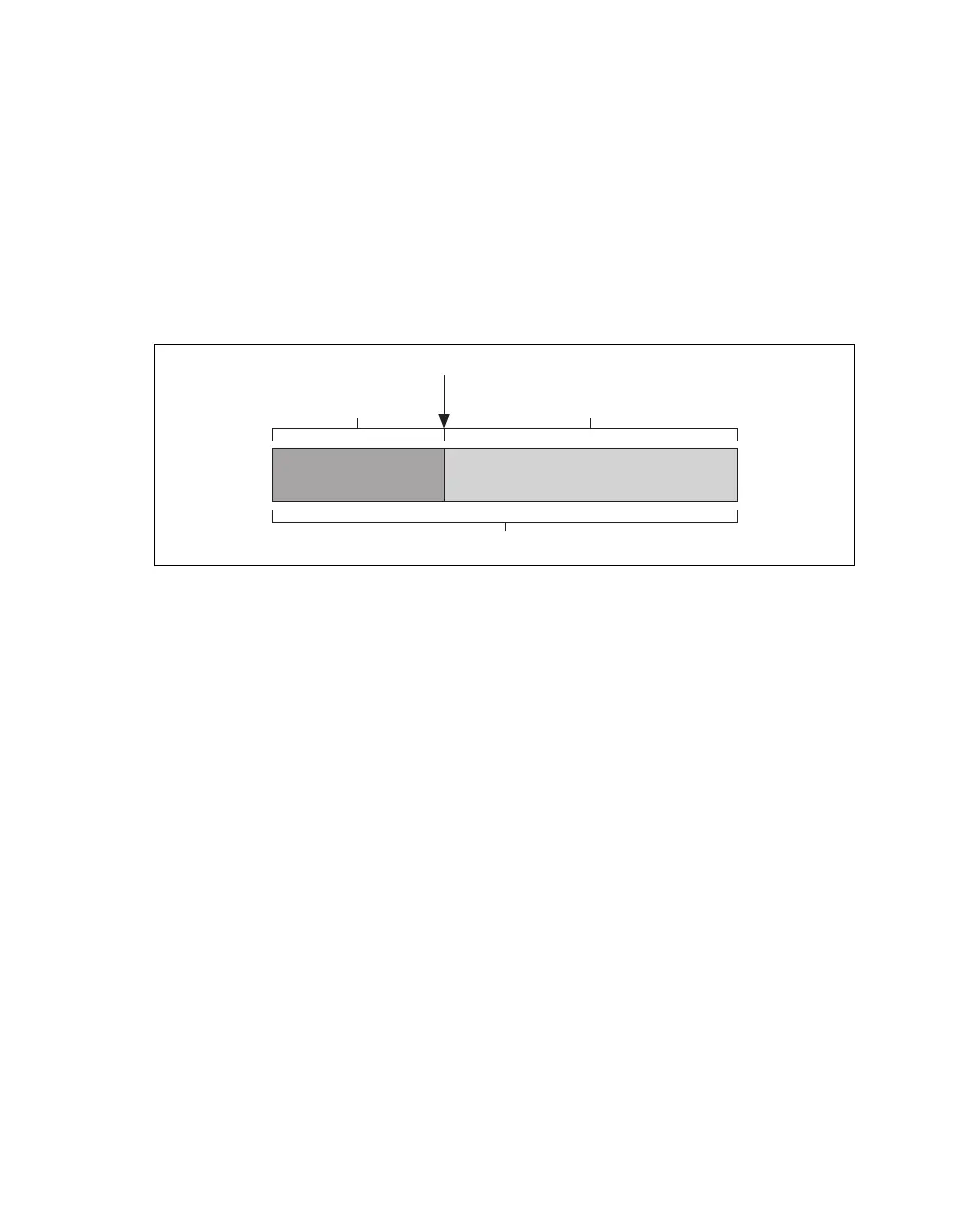
When the reference trigger occurs, the NI cDAQ-9178/9174 continues to write samples to the buffer
until the buffer contains the number of posttrigger samples desired. Figure 9 shows the final buffer.
Figure 9. Reference Trigger Final Buffer
Using a Digital Source
To use Reference Trigger with a digital source, specify a source and an edge. Either PFI or one of several
internal signals on the NI cDAQ-9178/9174 chassis can provide the source. Refer to the Device Routing
in MAX topic in the NI-DAQmx Help or the LabVIEW Help for more information.
The NI-DAQmx Help is available after installation from Start»All Programs»National Instruments»
NI-DAQ»NI-DAQmx Help. To view the LabVIEW Help, select Help»Search the LabVIEW Help in
LabVIEW. Alternately, to download the LabVIEW Help, go to
ni.com/manuals.
You also can specify whether the measurement acquisition stops on the rising edge or falling edge of the
Reference Trigger.
Using an Analog Source
Some C Series I/O modules can generate a trigger based on an analog signal. In NI-DAQmx, this is
called the Analog Comparison Event.
When you use an analog trigger source, the acquisition stops on the first rising or falling edge of the
Analog Comparison Event signal, depending on the trigger properties.
Routing the Reference Trigger Signal to an Output Terminal
You can route ReferenceTrigger to any output PFI terminal. Reference Trigger is active high by default.
AI Pause Trigger Signal
You can use the Pause Trigger to pause and resume a measurement acquisition. The internal sample
clock pauses while the external trigger signal is active and resumes when the signal is inactive. You can
program the active level of the pause trigger to be high or low.
Reference Trigger
Pretrigger Samples
Complete Buffer
Posttrigger Samples



 To Next Page