NI cDAQ-9178/9174 User Guide and Specifications 30 ni.com
Using a Digital Source
To use do/StartTrigger, specify a source and a rising or falling edge. The source can be one of the
following signals:
• A pulse initiated by host software
• Any PFI terminal
• AI Reference Trigger
• AI Start Trigger
The source also can be one of several internal signals on the NI cDAQ-9178/9174 chassis. Refer to the
Device Routing in MAX topic in the NI-DAQmx Help or the LabVIEW Help for more information.
The NI-DAQmx Help is available after installation from Start»All Programs»National Instruments»
NI-DAQ»NI-DAQmx Help. To view the LabVIEW Help, select Help»Search the LabVIEW Help in
LabVIEW. Alternately, to download the LabVIEW Help, go to
ni.com/manuals.
You also can specify whether the waveform generation begins on the rising edge or falling edge of
do/StartTrigger.
Using an Analog Source
Some C Series I/O modules can generate a trigger based on an analog signal. In NI-DAQmx, this is
called the Analog Comparison Event, depending on the trigger properties.
When you use an analog trigger source, the waveform generation begins on the first rising or falling edge
of the Analog Comparison Event signal, depending on the trigger properties. The analog trigger circuit
must be configured by a simultaneously running analog input task.
Routing DO Start Trigger Signal to an Output Terminal
You can route do/StartTrigger to any output PFI terminal. The output is an active high pulse.
DO Pause Trigger Signal
Use the DO Pause Trigger signal (do/PauseTrigger) to mask off samples in a DAQ sequence. When
do/PauseTrigger is active, no samples occur, but do/PauseTrigger does not stop a sample that is in
progress. The pause does not take effect until the beginning of the next sample.
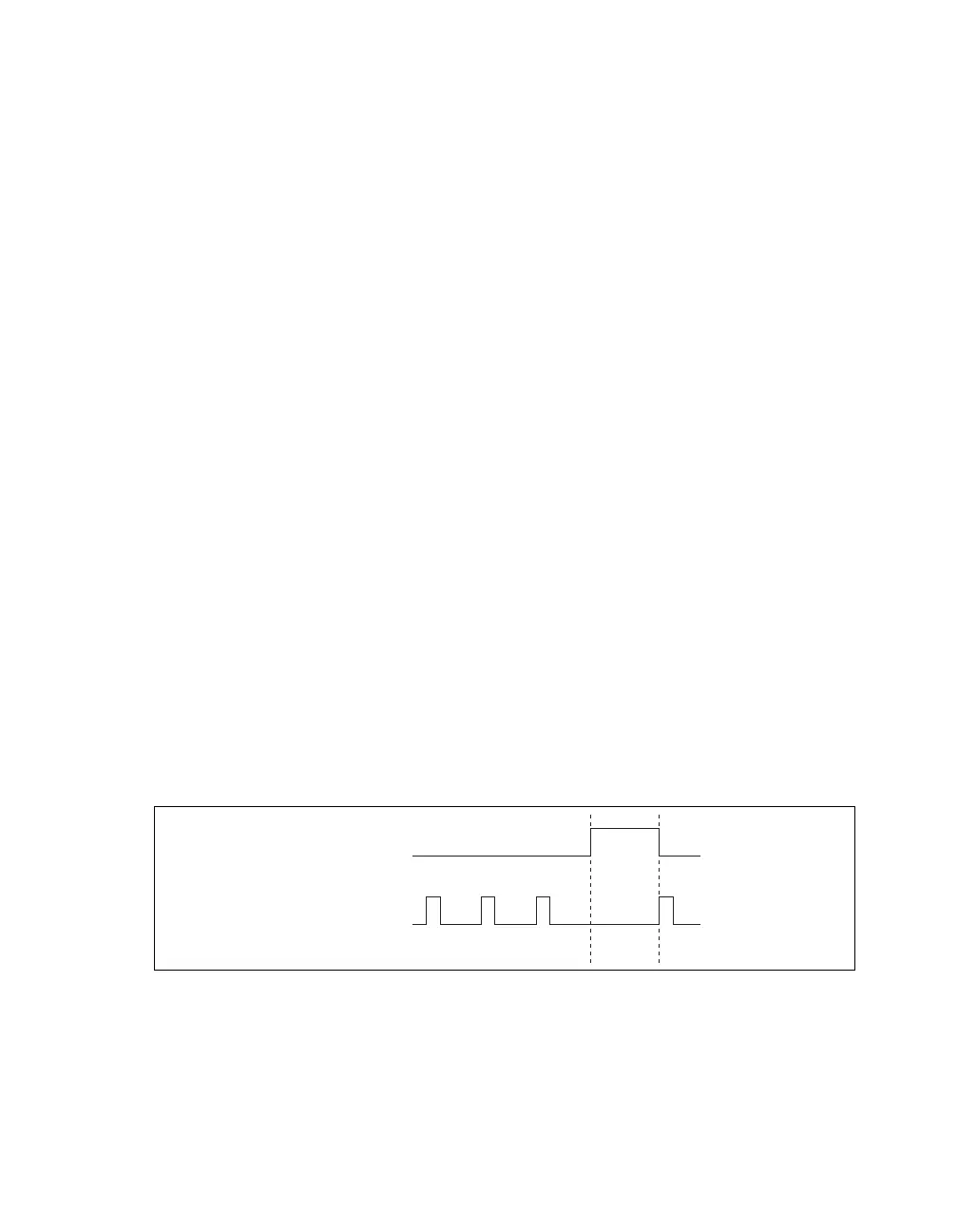
When you generate digital output signals, the generation pauses as soon as the pause trigger is asserted.
If the source of the sample clock is the onboard clock, the generation resumes as soon as the pause
trigger is deasserted, as shown in Figure 18.
Figure 18. do/PauseTrigger with the Onboard Clock Source
If you are using any signal other than the onboard clock as the source of the sample clock, the generation
resumes as soon as the pause trigger is deasserted and another edge of the sample clock is received, as
shown in Figure 19.
Pause Trigger
Sample Clock



 To Next Page